OWASP Juice Shop - Two star challenges
In the previous post, we kicked things off by covering the entry level 1-star challenges to build up our foundation. In this post, we are officially moving up a level to tackle the more advanced 2-star challenges currently listed on the scoreboard, where the difficulty spikes and things get a lot more interesting:
- Exposed Credentials
- Login Admin
- Admin Section
- Password Strength
- Five-Star Feedback
- Security Policy
- Login MC SafeSearch
- View Basket
Pending challanges
Two star challenges
Now that you have the basics down, the 2-star difficulty tier is where the real fun begins. These challenges introduce slightly more complex vulnerabilities, requiring you to look closer at requests and application logic. If a particular task gets frustrating or takes a bit too long to figure out, feel free to use this write-up as your roadmap to keep moving forward.
Exposed Credentials
This challenge is about finding credentials that were left hardcoded somewhere within the web application. The scoreboard provides the following description: A developer was careless with hardcoding unused, but still valid credentials for a testing account on the client-side.
Since we already found data in main.js during the 1-star challenges, this is a good starting point to begin our search. We need to look for username, password, or abbreviations like user, pass, or pin.
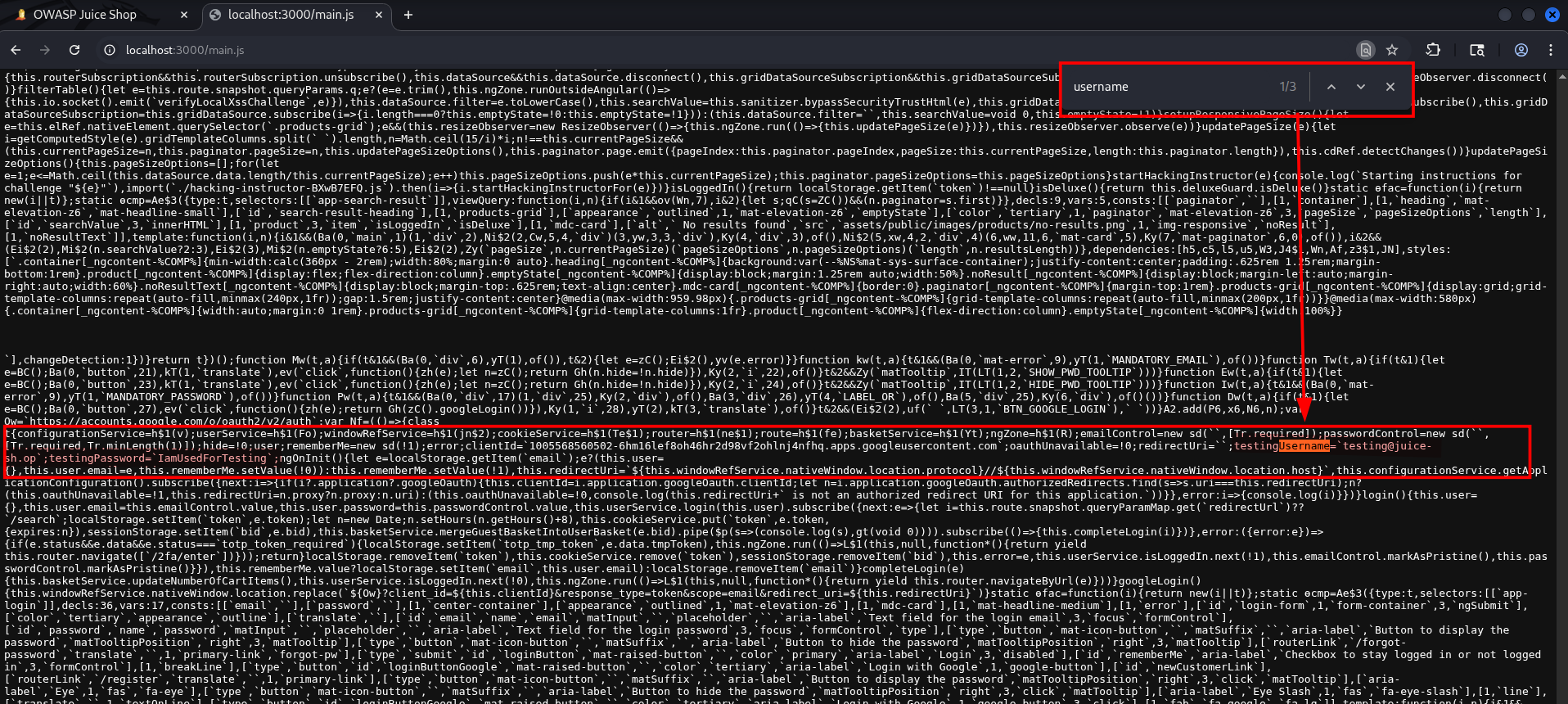
In the main.js, we can find the username and password. 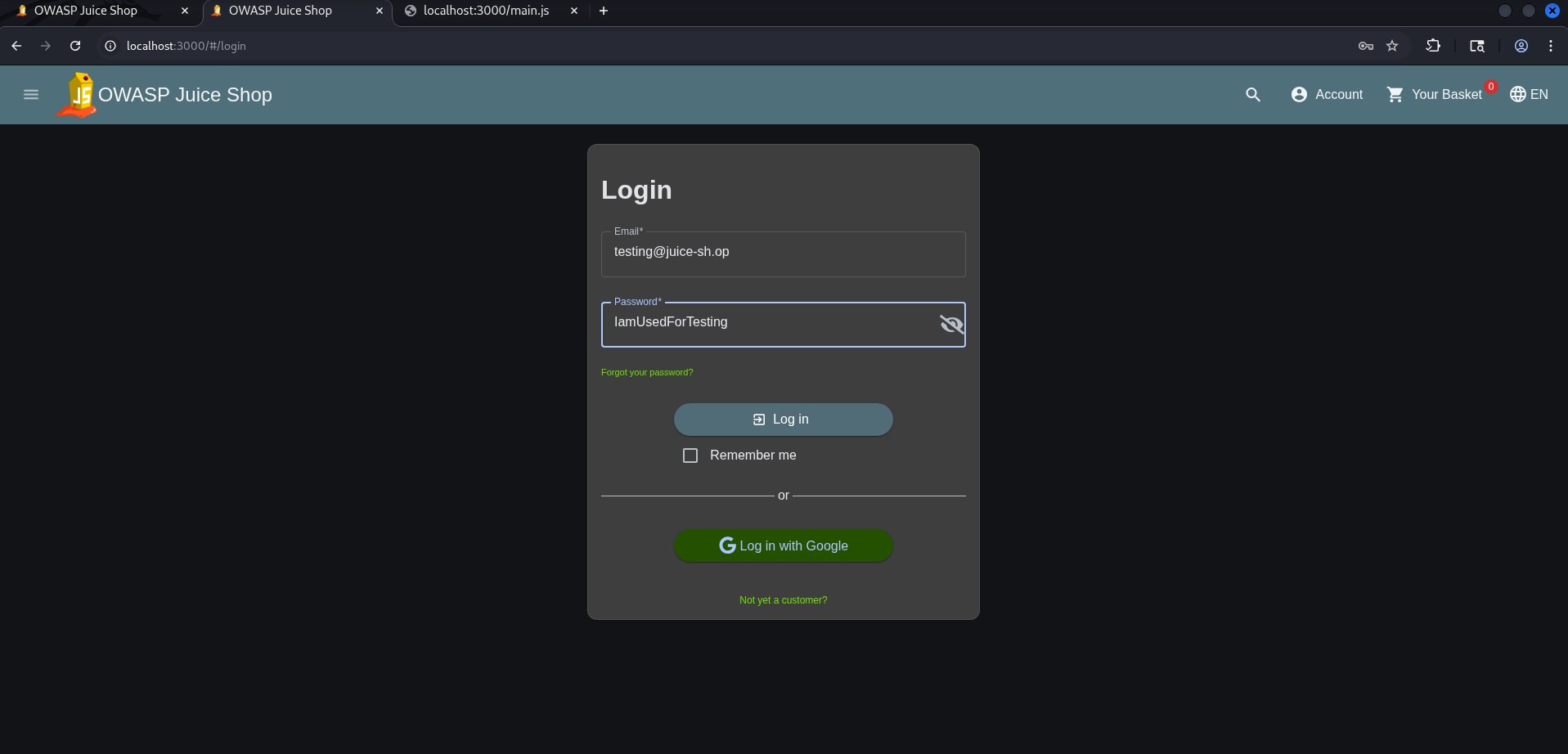
We could try using these on the login screen. 
Remediation
To prevent hardcoded credentials and sensitive data exposure on the client-side, implement the following best practices:
- Remove Credentials from Source Code: Never hardcode passwords, API keys, tokens, or test accounts in your source code.
- Automate Code Scanning: Integrate Static Application Security Testing (SAST) tools into your CI/CD pipeline. Use specialized secret detection tools like
trufflehog,GitLeaks, ordetect-secretsto automatically scan your repositories for accidentally committed credentials before code is deployed. - Follow the Principle of Least Privilege: If a testing or service account is absolutely required for a specific environment, ensure it is restricted to that environment only and has the bare minimum permissions required.
Login Admin
In the ‘Login Admin’ challenge, our goal is to bypass the web application’s authentication page. By identifying and exploiting an SQL Injection (SQLi) vulnerability in the login form, we can trick the database into granting us full access to the administrator account.
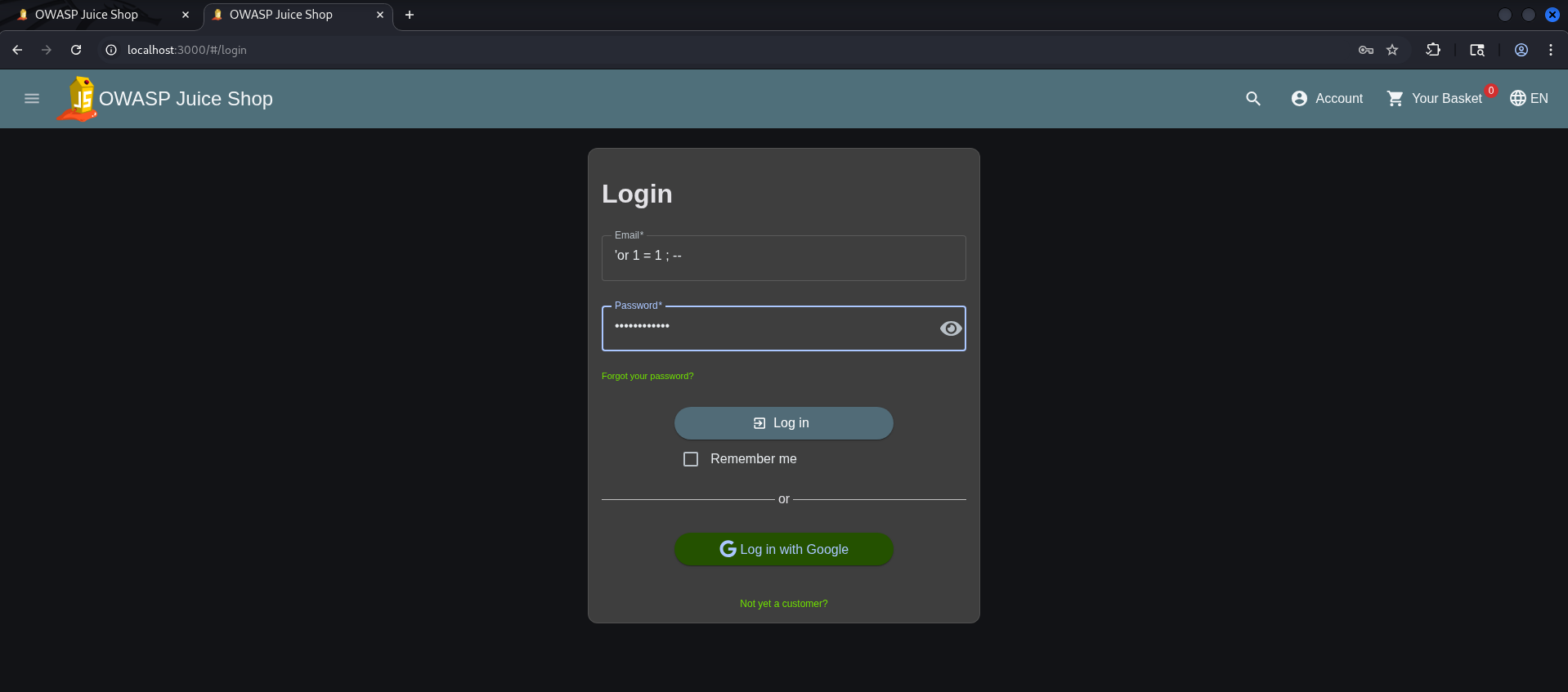
To log in, the web application executes an SQL query to check if the username (email address) and password (hash) match. The query will look something like this:
1
SELECT * FROM users WHERE email = 'USER_INPUT' AND password = 'PASSWORD_INPUT';
When an SQL query is vulnerable, attackers can perform an SQL Injection. This technique allows attackers to manipulate the SQL query so that it behaves exactly how they want it to. In our case, we want to bypass authentication using an SQL Injection.
The most known and simplest SQL injection payload looks like this:
1
' or 1 = 1 ; --
Let’s explain the payload a bit:
'(Single Quote): This is the key character. It breaks out of the web application’s intended input field and prematurely closes the SQL string literal.or: This introduces a new logical condition into the database query.1 = 1: A mathematical statement that is always true. Since 1 is always equal to 1, this condition forces the query logic to evaluate to true.;: This character signals the end of the current SQL statement.--: The comment operator in SQL (used by databases like SQLite, PostgreSQL, and SQL Server). It tells the database to completely ignore everything that follows it. In MySQL, this usually requires a trailing space.
Due to this SQL Injection, the backend SQL query will look something like this:
1
SELECT * FROM users WHERE email = '' or 1 = 1 ; --' AND password = '...';
The database processes the modified query from left to right:
- It checks if a user exists with an empty email (
email = ''). This usually evaluates to False. - It encounters the
oroperator. - It evaluates the condition
1 = 1, which is True. - Because a logical
ORonly requires one condition to be true (False OR True = True), the entireWHEREclause evaluates to true. - The
--comment cuts off the rest of the query, completely eliminating the password verification check.
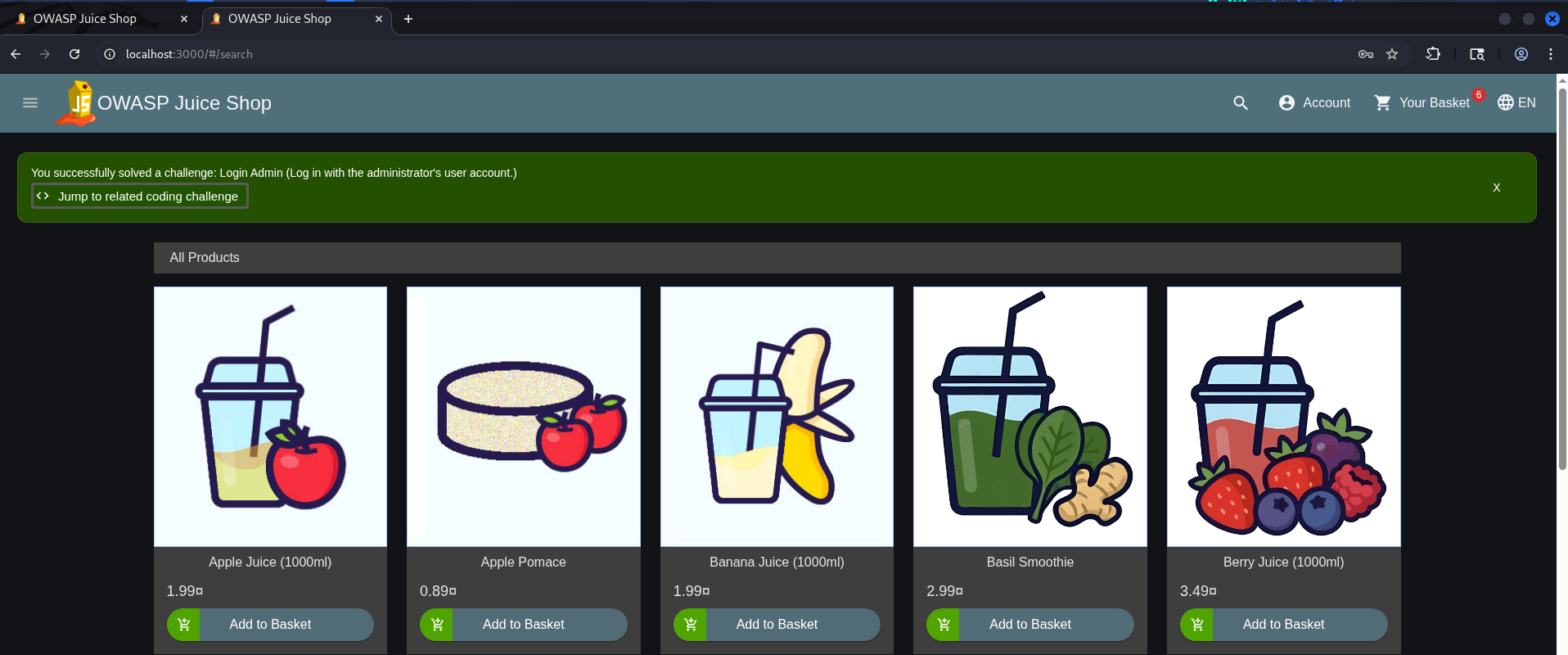
As a result, the database returns the first record found in the users table which, in most applications, belongs to the Administrator.
Remediation
To secure your backend and protect your database from destructive injection attacks, implement these industry standard defenses:
- Enforce Prepared Statements: Always use parameterized queries. This ensures the database server treats user input strictly as data, never as executable code.
- Apply Strict Input Validation: Validate every piece of incoming user data against a strict allowlist of expected formats and types before it ever reaches a query.
- Sanitize Error Messages: Configure your application to show generic errors to the user. Never leak raw SQL syntax errors or database structural clues in the frontend.
- Perform Security Assessments: Schedule continuous security assessments and penetration testing to actively search for and patch potential injection flaws.
Admin Section
Just like we did for the scoreboard, we can search for terms like admin or administration to see if we can discover an admin panel. Naturally, we will use Burp Suite once again to inspect main.js. 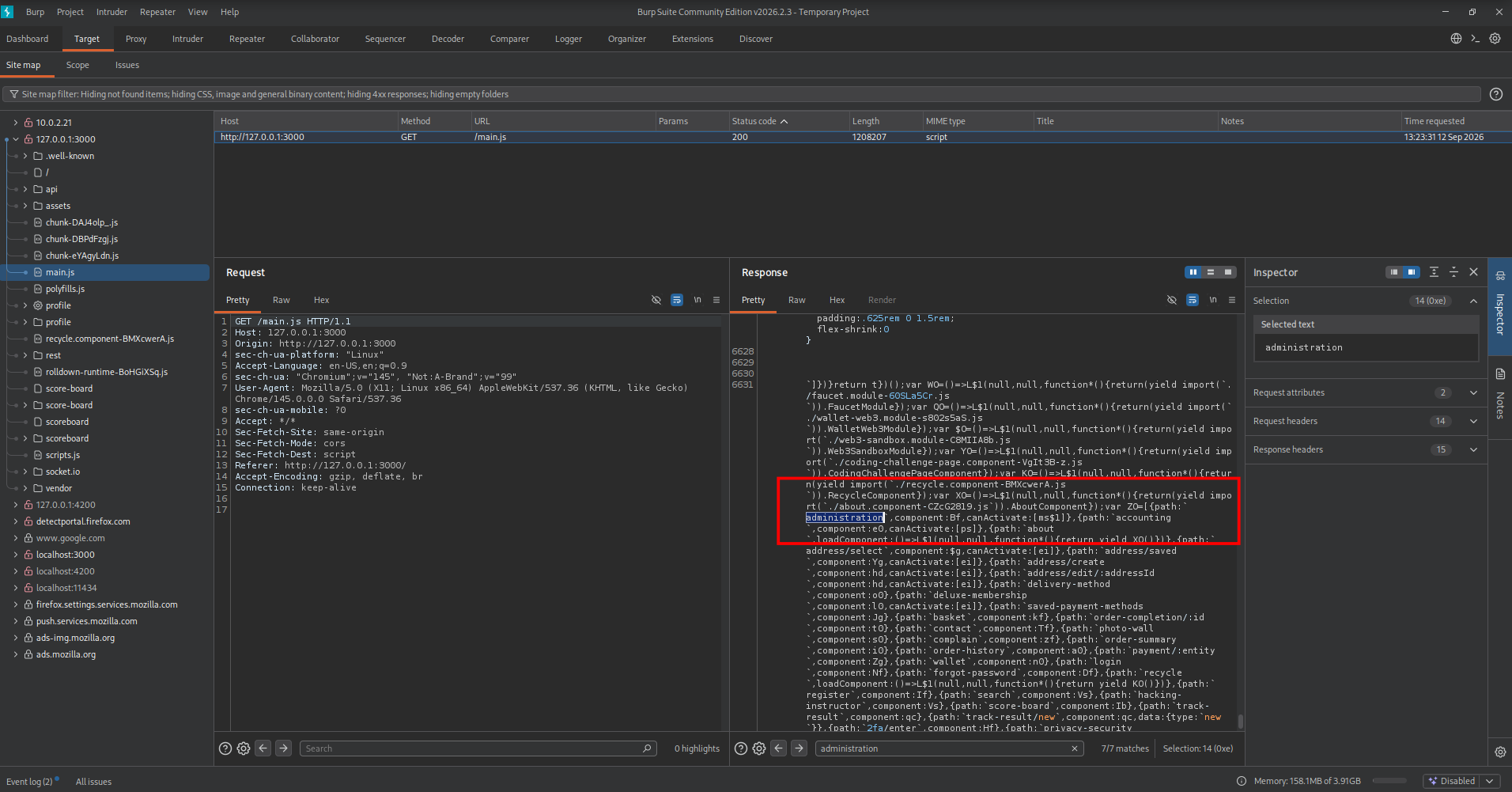
Let’s see if we are allowed to access the administration portal. 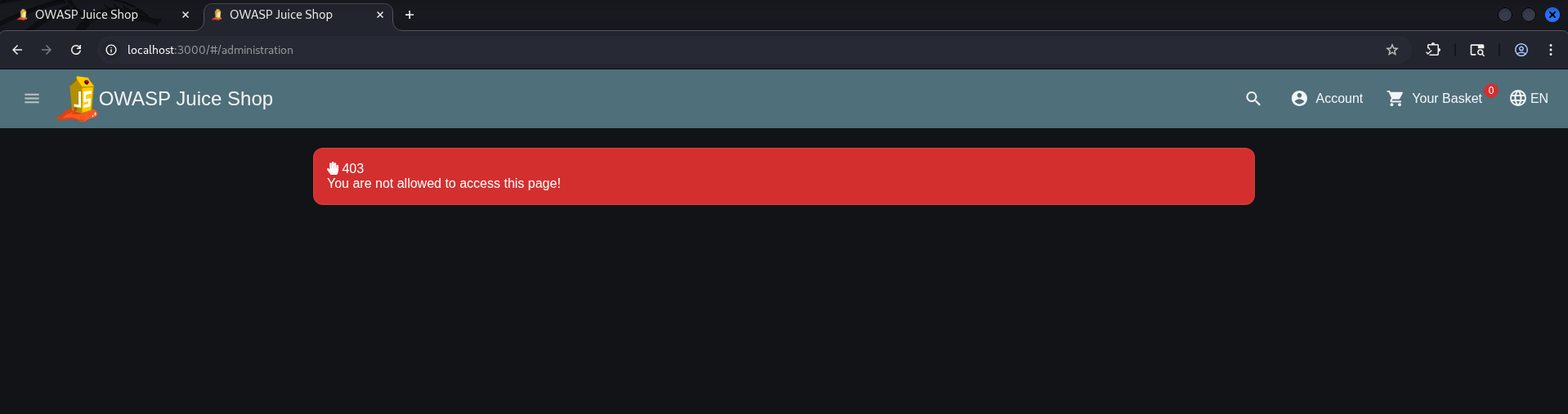
We receive a 403 page in response, which means we are getting a Forbidden status. To bypass this, we first need a valid session. We can achieve this by performing an SQL injection on the login page.By executing this SQL injection attack to bypass the login portal, we will be logged in as an administrator and can successfully access the administration panel.
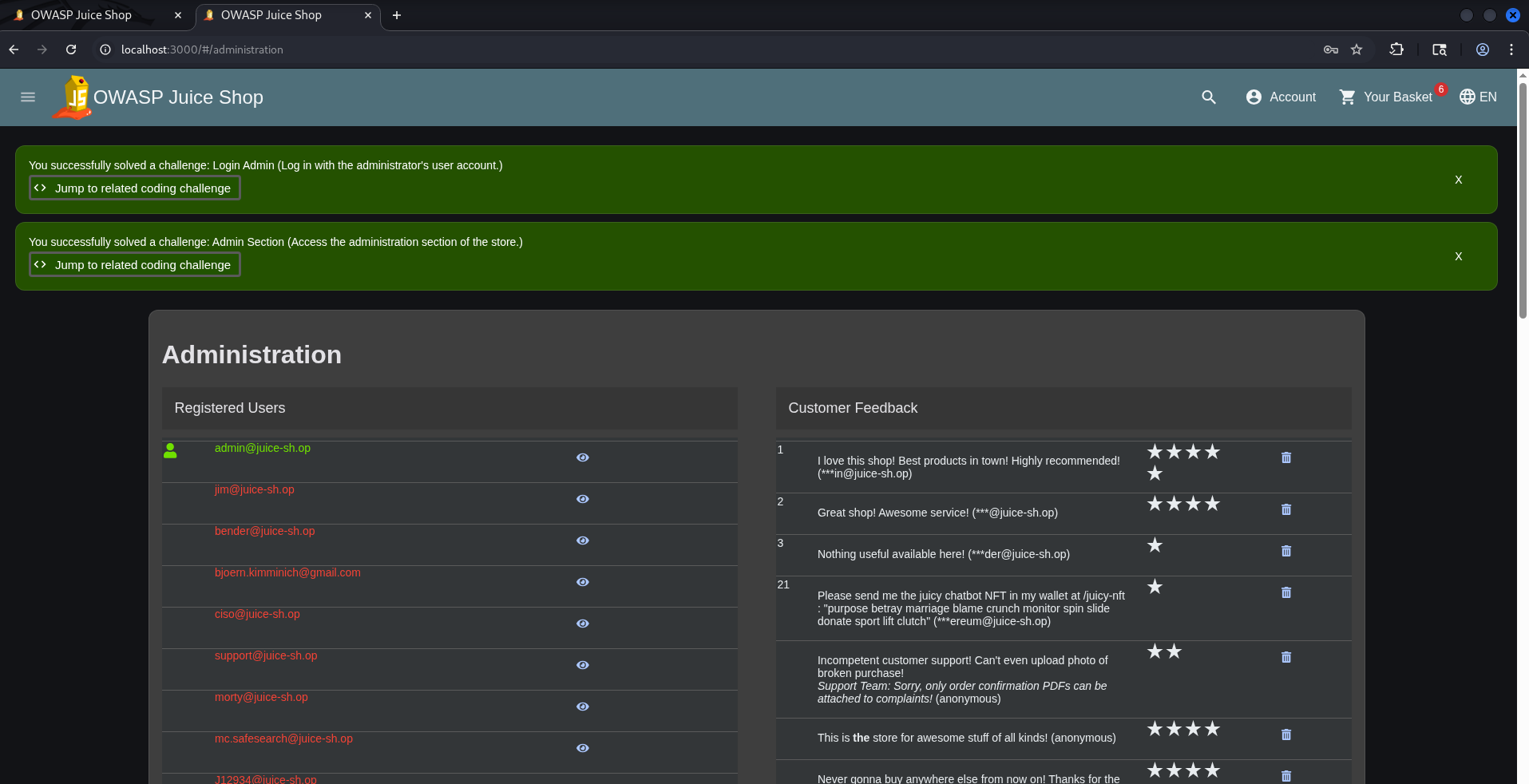
Remediation
To protect the administrative area from unauthorized access, consider implementing the following defenses:
- Robust Access Control: Always validate user authentication and authorization on the server side before serving sensitive components. Never rely on client-side restrictions alone.
- Network Isolation (Separation of Concerns): Keep administrative features strictly separated from the public facing application. Ideally, host the admin panel on an isolated service or restricted network (such as a VPN) that cannot be reached from the open internet.
- WAF Deployment: Implement a Web Application Firewall (WAF) to detect, monitor, and instantly block unauthorized or anomalous requests targeting restricted endpoints.
Password Strength
The scoreboard provides the following description for this challenge: Log in with the administrator's user credentials without previously changing them or applying SQL Injection. This means that relying on SQL Injection is off the table for this specific task.
Instead, this challenge focuses on a different common web vulnerability: Weak Password Requirements and the use of default or predictable credentials (e.g. admin:admin). To solve this, we need to think like an attacker looking for low hanging fruit. Since we already know the administrator’s email address from previous challenges (admin@juice-sh.op), our next logical step is to attempt to guess the password using a dictionary attack, brute-forcing, or looking for common default passwords associated with administrative accounts.
First, we enter the victim’s username along with a password we suspect might work. In the background, we intercept the HTTP traffic using Burp Suite so we can capture the request for later use.
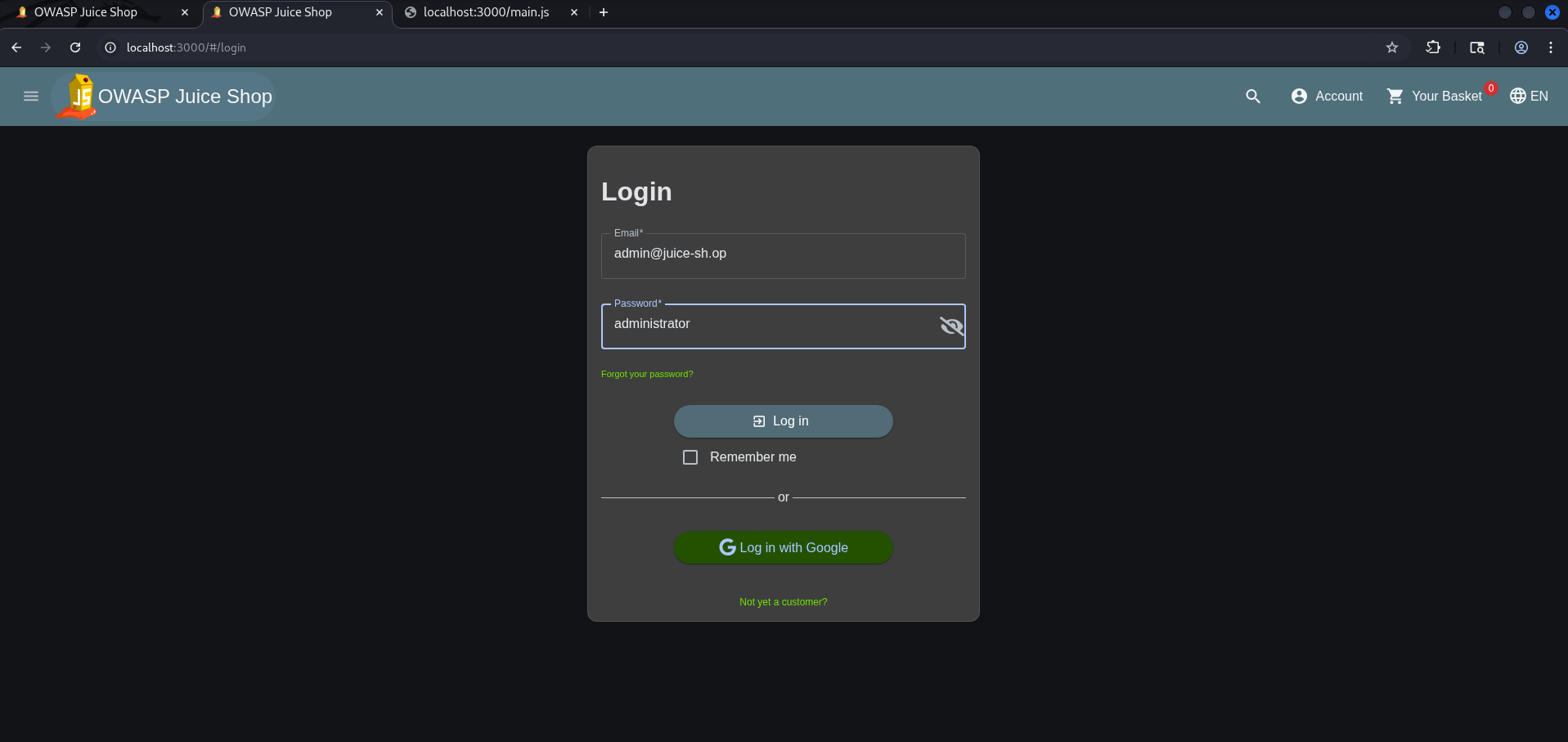
The login attempt fails with invalid credentials. We can now locate the captured request within Burp and send it over to Burp Intruder for automation.
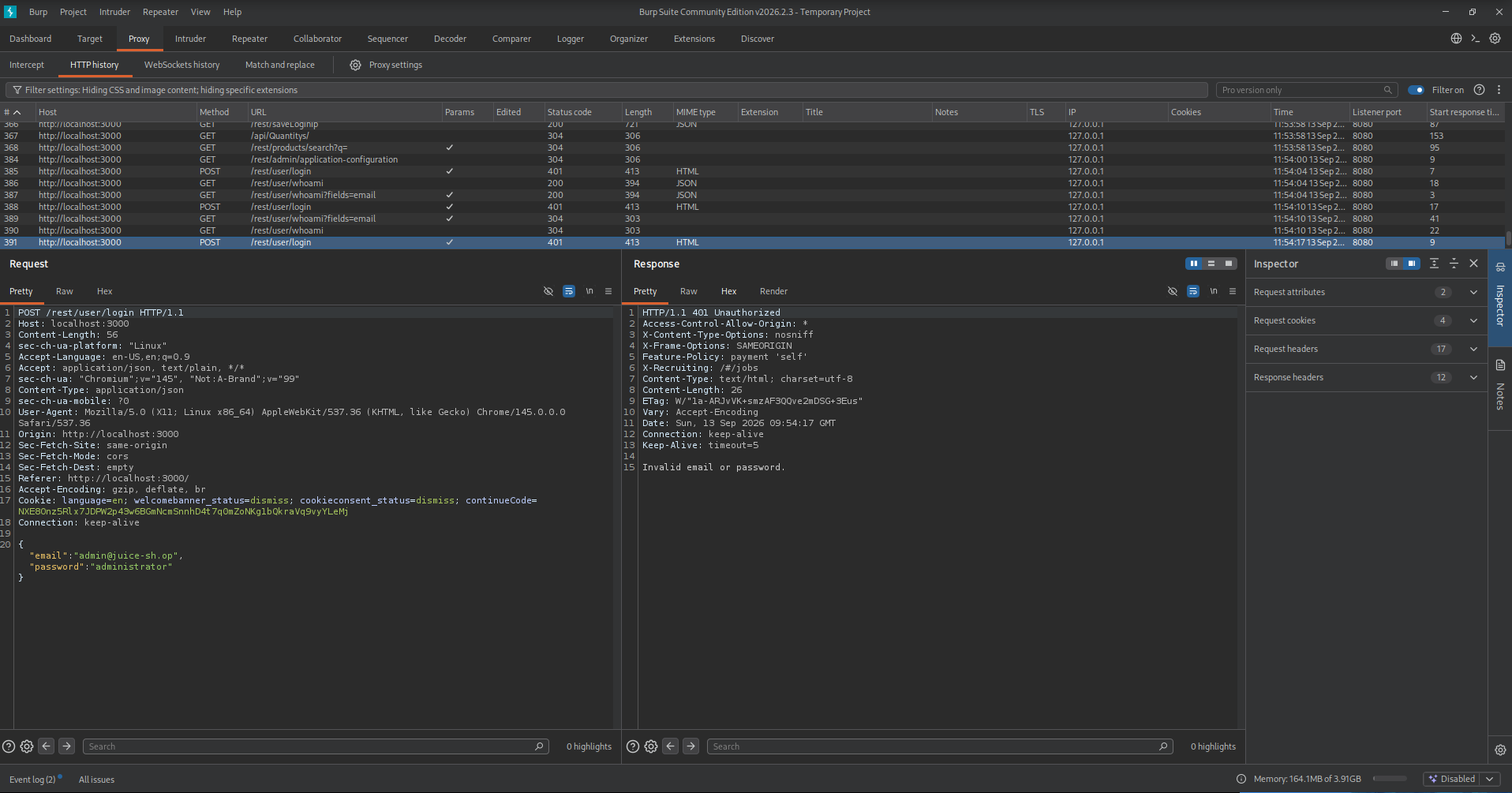
We will automate our attack using Burp Intruder by following these steps:
- Select the password value administrator in the request.
- Click the
Add §button to set the password field as a payload position (variable), allowing us to inject our password list automatically. - Populate the payload list with our potential password guesses to launch the attack.
- Click on
Start
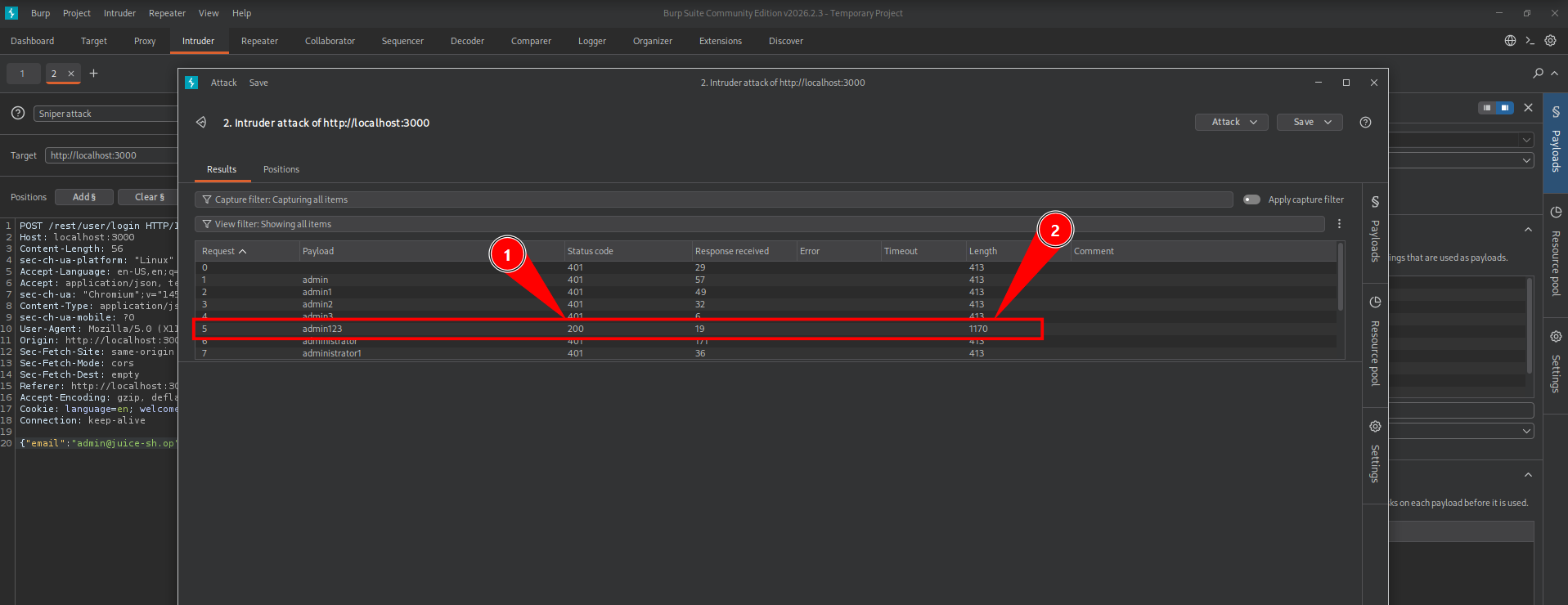
Once the attack is complete, a 200 OK status code indicates a successful login. Alternatively, we can identify the correct password by looking at the response length, which is significantly different compared to the failed requests.

Next, we can try logging in with the discovered credentials. Once successful, OWASP Juice Shop celebrates our victory with a shower of confetti!
Remediation
To protect real world applications from brute force attacks and credential stuffing, consider implementing the following security controls:
- Enforce Robust Password Policies: Implement strict rules requiring a minimum length (ideally 12+ characters) along with a diverse mix of uppercase, lowercase, numerical, and special characters.
- Utilize Password Blacklists: Screen user created passwords against dictionaries of common words, repetitive patterns, and publicly exposed credentials from historical data breaches.
- Implement Rate Limiting & Cooldowns: Block automated brute-force attempts by limiting failed login tries per IP address or account, triggering a temporary lockout or CAPTCHA after consecutive failures.
- Adopt Multi Factor Authentication (MFA): Add a vital layer of defense by requiring a second verification factor (like a Time-based One Time Password (TOTP) token or hardware key), ensuring that a compromised password alone is not enough to breach an account.
Five-Star Feedback
Get rid of all 5-star customer feedback is written by the challenge. This gives us an indication that we should delete/remove those reviews from the system.
Having previously escalated our privileges to admin, we now have access to privileged administrative functionalities. Specifically, navigating into the admin console allows us to access the dashboard area responsible for managing and reviewing user feedback.
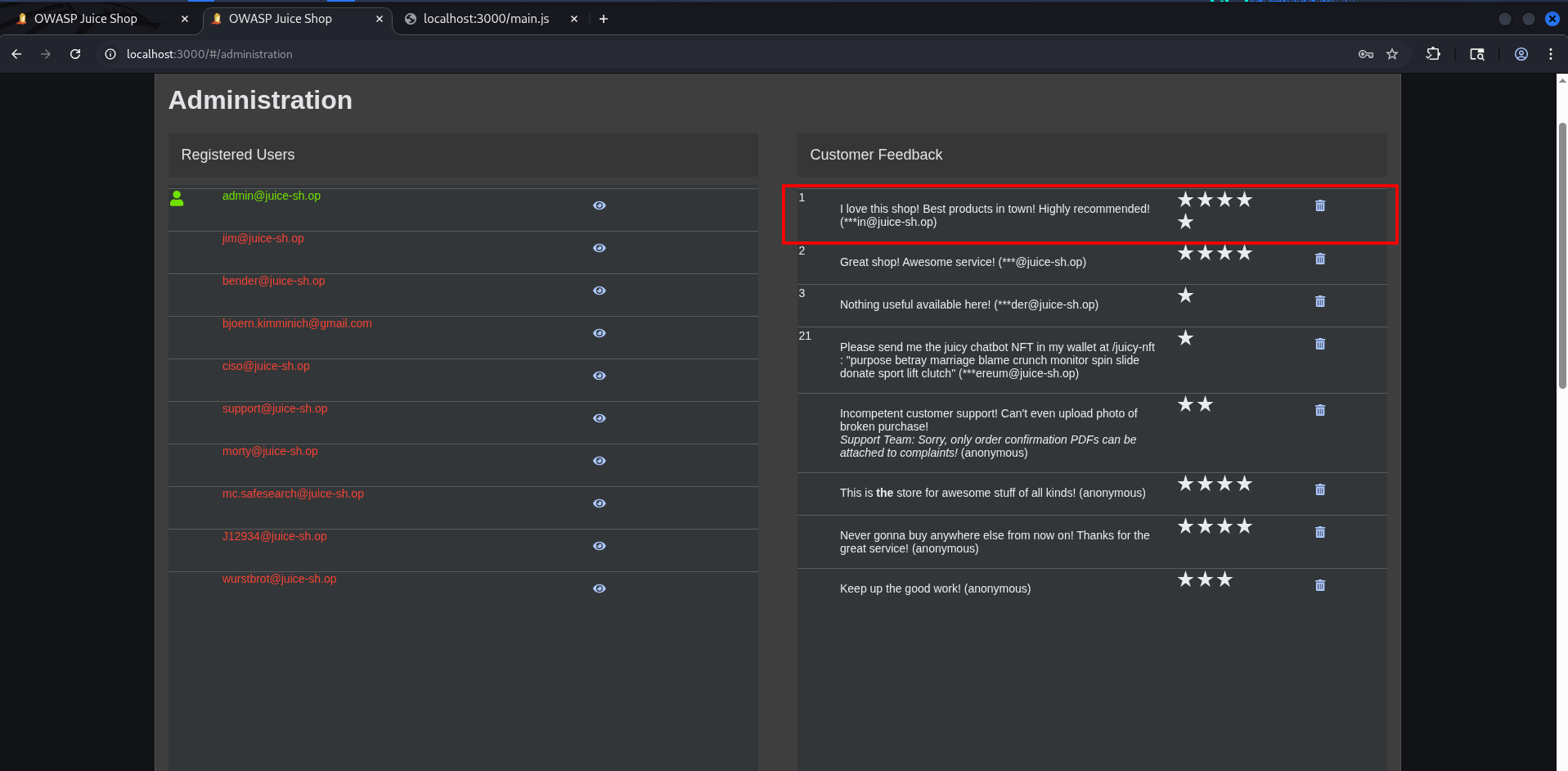
We successfully cleared this challenge by exploiting flawed access controls (just clicking on the waste bin will do the trick). These permissions should strictly limit feedback deletion to authorized staff. Furthermore, a secure system should prevent mass deletions without proper oversight or a clear operational reason.
Remediation
To prevent broken access controls and the abuse of administrative privileges, implement the following security measures:
- Enforce Role Based Access Control (RBAC): Strictly limit the ability to modify or delete user content to authorized personnel only. Define clear RBAC policies that tightly control permissions within the admin panel.
- Maintain Detailed Audit Trails: Log all administrative actions—especially data deletions—to a secure, tamper-proof audit trail. This ensures clear accountability and helps trace suspicious activity.
- Require Deletion Approvals: Implement thresholds that prevent mass deletions or require secondary justification when removing high volumes of user data, preventing rogue or compromised admins from clearing out content.
Security Policy
A while back, RFC 9116 was introduced to the digital world, establishing a standardized way for organizations to define their security policies using a file called security.txt. Placed in a well-known location, this file provides crucial guidance for white-hat hackers on how to safely report security vulnerabilities. This challenge requires us to locate this hidden file on the web server. Much like a robots.txt file, security.txt is designed to be both human readable and machine parseable. In a standard production environment, you can typically find it hosted at: https://example.com/.well-known/security.txt

Advise/Remediation
If your application doesn’t have a security.txt file yet, you should definitely implement one. If it is already in place, ensure it follows these real-world guidelines:
- Deploy in the Correct Location: Always host the file within the
/.well-known/directory as recommended by RFC 9116, allowing automated scanners and researchers to find it instantly. - Keep Information Up to date: Regularly review and update the file. Ensure that contact emails, bug bounty policy links, and cryptographic keys (PGP) are always current.
- Avoid Over disclosure: Ensure that the disclosed information facilitates reporting without inadvertently leaking sensitive internal architecture clues or creating additional security risks.
Login MC SafeSearch
The scoreboard description for this challenge gives us a clear rule: Log in with MC SafeSearch's original user credentials without applying SQL Injection or any other bypass. Since one of the challenge tags explicitly mentions OSINT (Open Source Intelligence), our mission is clear. We won’t be hacking our way in through code; instead, we need to put on our detective hats and search the internet to uncover the user’s actual credentials.
To crack this challenge, we started our OSINT investigation close to home: the OWASP Juice Shop itself. We began by searching the product reviews on the platform to see if our target had left any digital footprints. Sure enough, we found a review posted by MC SafeSearch.
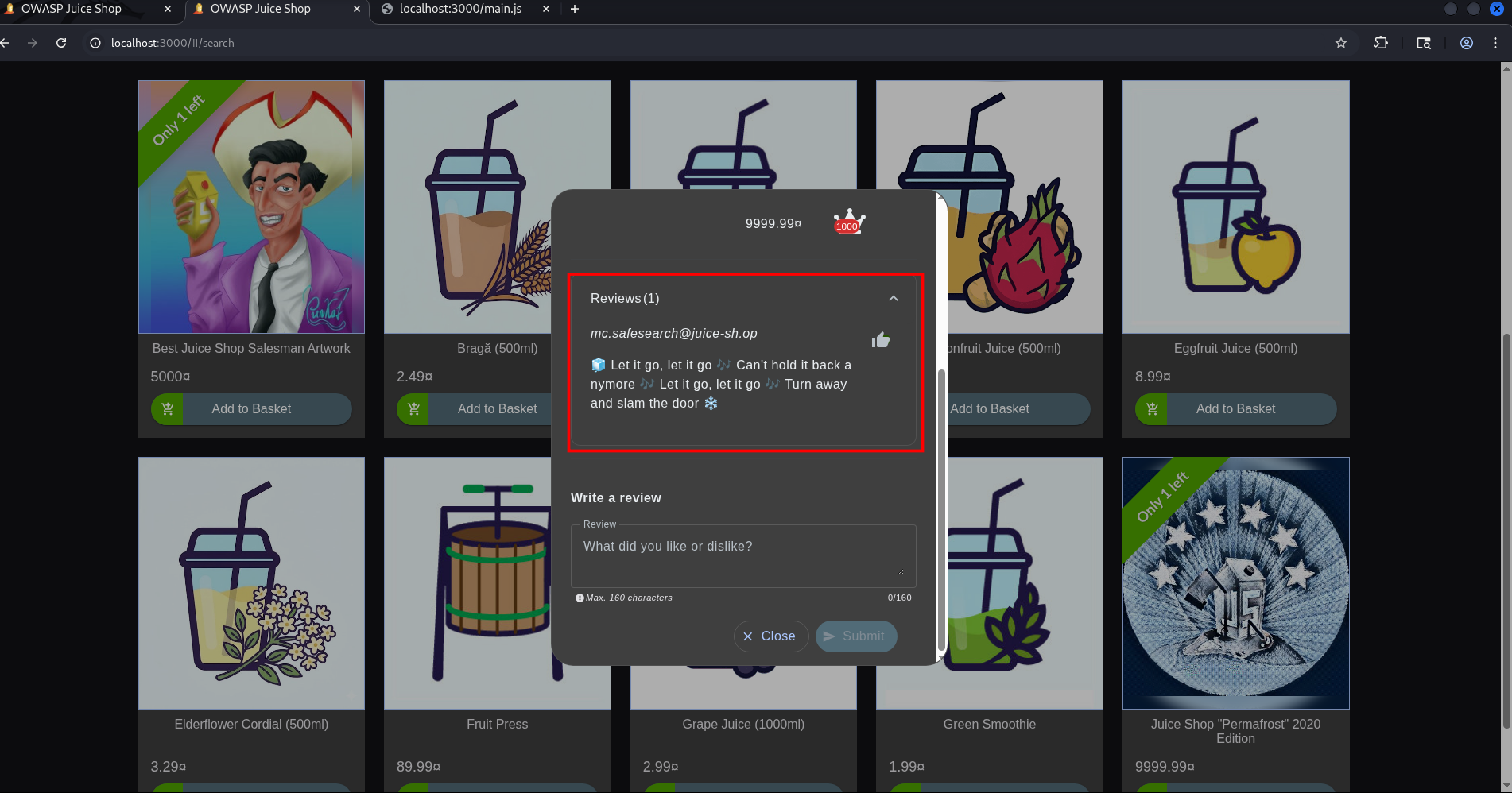 With a definitive username in hand, we took our search to the wider internet. A targeted Google Search on his username quickly hit paydirt, leading us to a video by a rapper who frequently discusses passwords and security in his content.
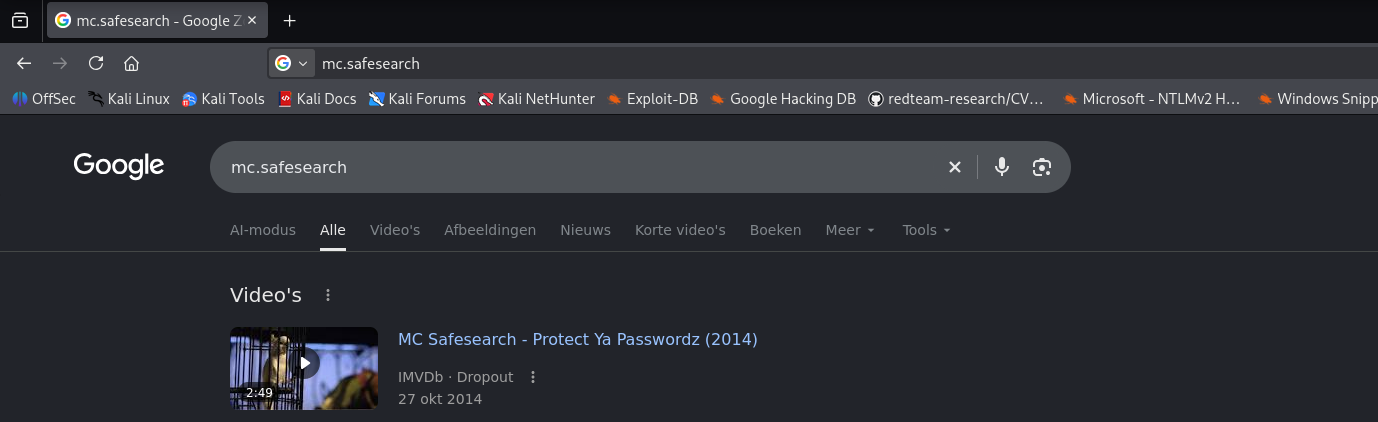
We analyzed the video closely and discovered a goldmine. In the clip, the rapper mentions a very specific naming convention he uses for creating passwords. He reveals that his password revolves around his dog, Mr. Noodles, but with a classic security twist: replacing certain letters with numbers.
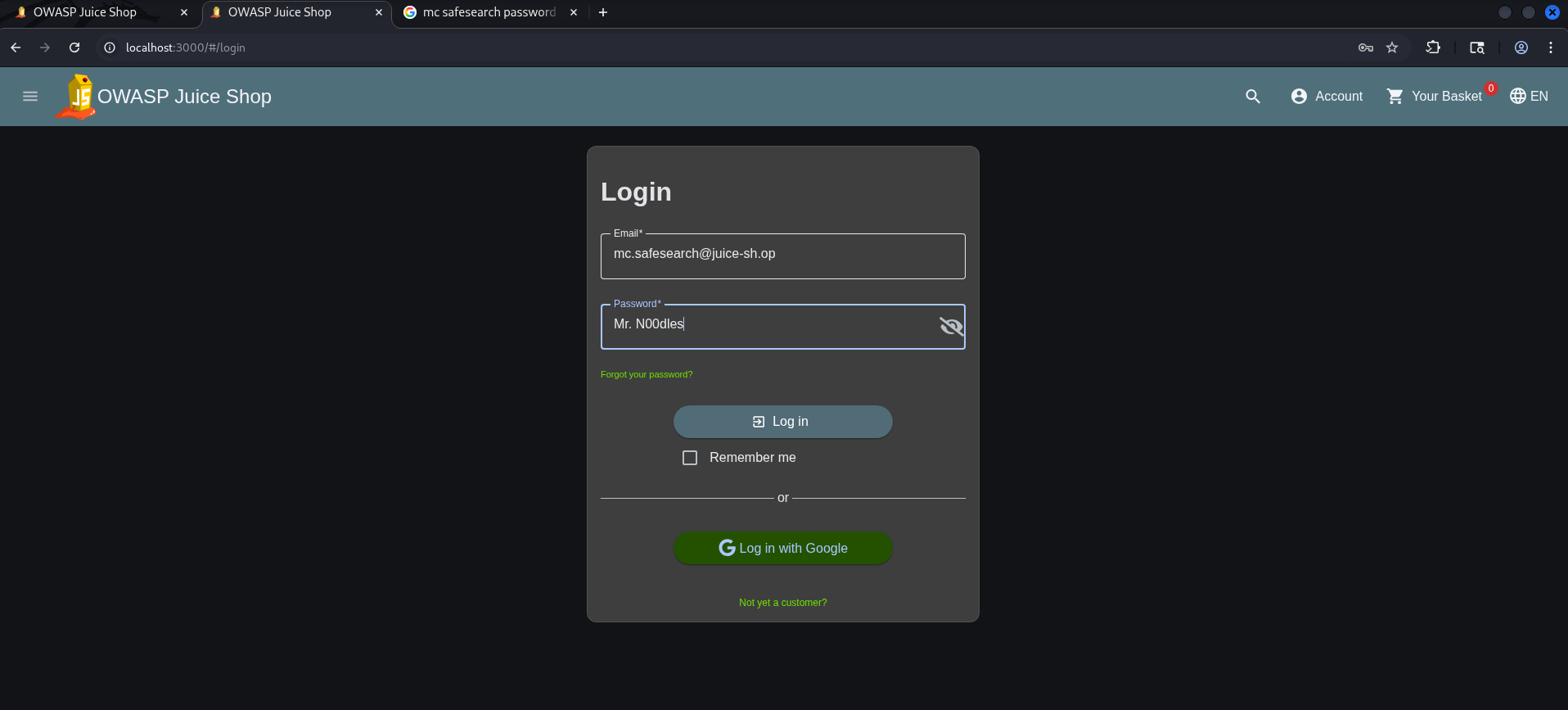
Based on this clue, we formulated a password hypothesis. Following standard “leet speak” password complexity rules (where ‘o’ is replaced by ‘0’), we guessed the password would be Mr. N00dles.
We turned back to the Juice Shop login page, entered MC SafeSearch’s credentials, and tried the derived password. The hypothesis was spot on: the login was successful, granting us full access to the account and solving the challenge without a single line of SQL injection!
Remediation
To protect real world applications from brute-force attacks and credential stuffing, consider implementing the following security controls:
- Enforce Stronger Password Policies: Implement strict rules requiring a minimum length (ideally 12+ characters) along with a diverse mix of uppercase, lowercase, numerical, and special characters. Move beyond basic complexity rules. Standard letter to number substitutions (like ‘o’ to ‘0’) are easily guessed. Encourage long, unique passphrases instead.
- Raise Security Awareness: Train users to keep personal details out of their passwords. Information that is publicly available like pet names, hobbies, or favorite movies should never be used as a password foundation.
- Implement Multi Factor Authentication (MFA): Treat MFA as a mandatory safety net. Even if an attacker successfully guesses a password through OSINT, an extra verification step will stop them in their tracks.
View Basket
The “View Basket” challenge revolves around exploiting broken access control vulnerabilities within a web application. The specific vulnerability allows users to view the shopping basket details of other users by manipulating user specific identifiers in web requests. In this scenatio we can view another user’s shopping basket.
We start by adding products to our own shopping basket and navigating to the cart page, making sure Burp Suite is running in the background to capture all the network traffic. 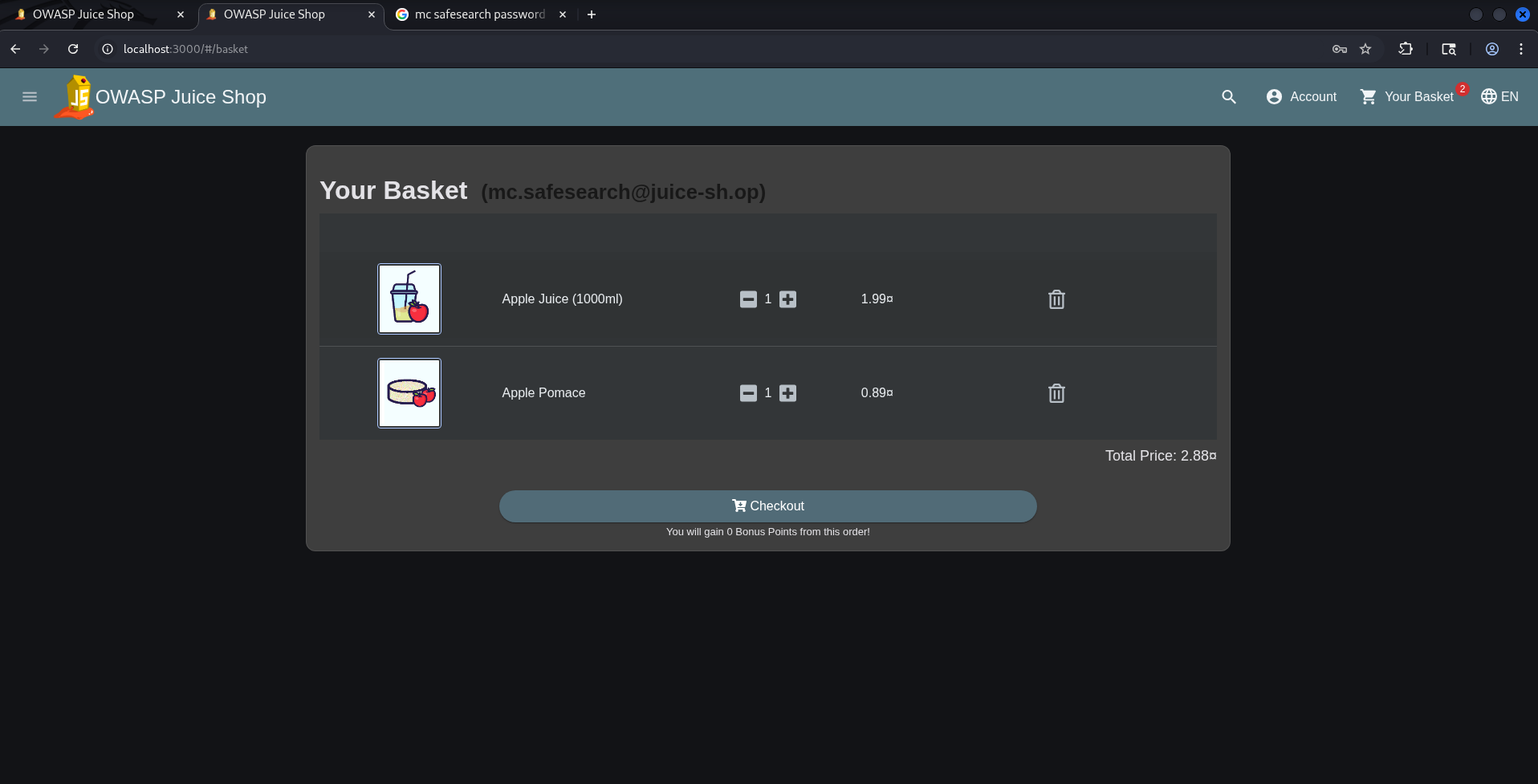
In Burp Suite, we can see that our shopping basket has been assigned an ID of 7. By sending this request to Burp Repeater, we can change the ID from 7 to another number such as 5 and resend the request to check if we can view the contents of another user’s shopping basket. 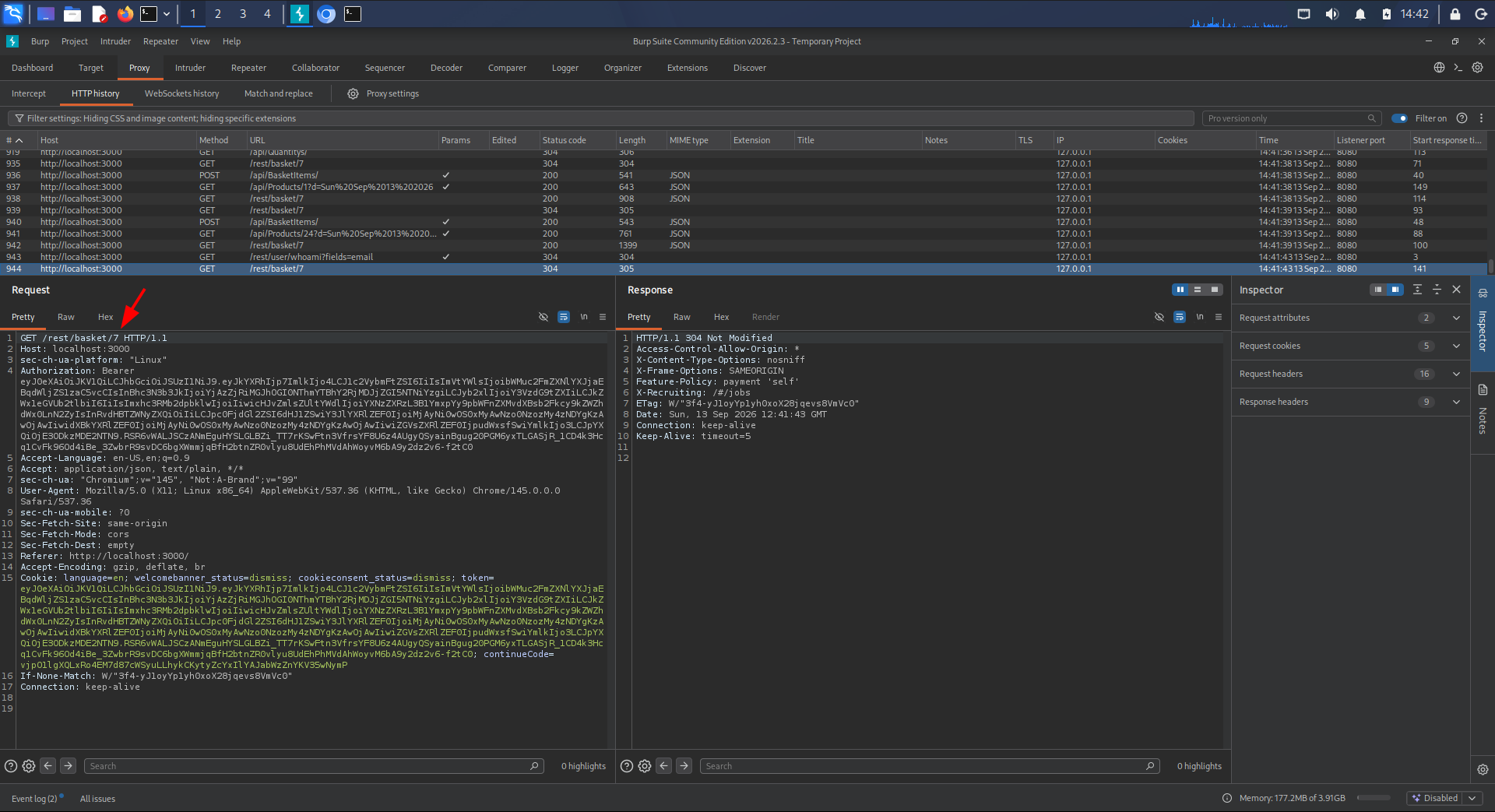
After modifying the ID from 7 to 5 in Burp Repeater, we send the request and immediately receive the contents of another user’s shopping basket confirming the BOLA vulnerability. 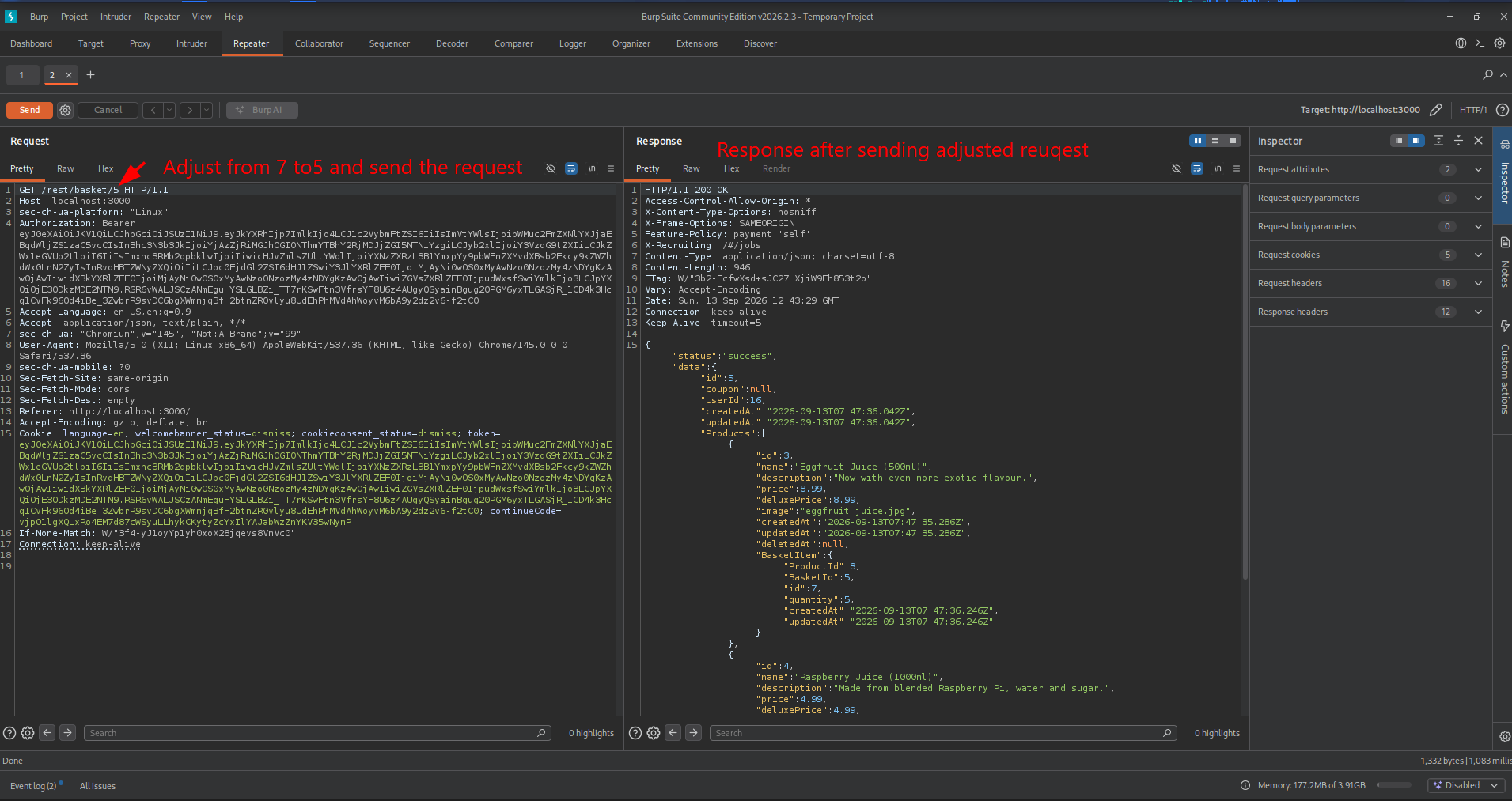
Remediation
To effectively mitigate Broken Access Control vulnerabilities and protect sensitive user data such as shopping basket or medical records implement the following defense in depth strategies:
- Enforce Object Level Authorization: Never rely solely on authentication (knowing who the user is). Every single API request must actively verify if the logged in user has the explicit right to access or modify the specific requested object ID.
- Use Random, Unpredictable IDs (UUIDs): Replace sequential, predictable database IDs (like
/api/v1/cart/1001) with globally unique, cryptographically secure identifiers (UUIDs, e.g.,/api/v1/cart/f81d4fae-7dec-11d0-a765-00a0c91e6bf6). This eliminates the risk of attackers guessing other users’ IDs through brute forcing or enumeration. - Adopt a Zero Trust / State Based Architecture: For user-specific resources like a shopping cart, avoid taking the user or cart ID from the client request altogether. Instead, read the authenticated user’s identity securely from the session token (e.g., JWT) on the server side and automatically fetch only their associated data.
- Implement Strict Data Classification and Access Controls: For highly sensitive environments like medical records, apply attribute based access control (ABAC) or role based access control (RBAC). Ensure that access decisions consider context, such as the relationship between the doctor, patient, and the record.
- Log and Monitor Unauthorized Attempts: Continuously log any attempts to access object IDs that do not belong to the requesting user. Set up automated alerts for anomalies, such as a single user account rapidly requesting multiple different resource IDs.
Pending Challenges
I haven’t completed the challenges below on my local environment. Some are disabled in Docker for safety reasons, while others require local AI integration to work. I plan to revisit these later and share them in a future post.
Reflected XSS
The objective of this challenge is to exploit a reflected cross-site scripting (XSS) vulnerability in the web application by injecting malicious JavaScript code that gets executed when the page is loaded.
Deprecated Interface
This challenge revolves around abusing a legacy interface. Because the endpoint is deprecated and no longer properly maintained, it lacks modern security controls.
Chatbot Prompt Injection
The scoreboard features a challenge focused on prompt injection within a chatbot—a vulnerability that is becoming increasingly common with the rise of modern LLM chatbots. The description on the scoreboard reads: Trick the chatbot into generating a coupon code for you despite its coupon policy saying otherwise. This challenge perfectly illustrates how semantic manipulation can bypass safety filters implemented in AI assistants.
AI Debugging
The “AI Debugging” challenge requires us to reveal behind-the-scenes information about the chatbot without having admin access. It explores how attackers can manipulate AI components to leak sensitive backend configuration data.