OWASP Juice Shop - One star challenges
OWASP Juice Shop features challenges ranging across multiple difficulty levels, from beginner friendly 1 star tasks to expert level 6 star exploits. In this post, we will be diving into the 1 star challenges.
- Score board challenge
- DOM XSS
- Privacy policy
- Confidential Document
- Error Handling
- Exposed Metrics
- Mass Dispel
- Missing Encoding
- Outdated Allowlist
- Repetitive Registration
- Web3 Sandbox
- Zero Stars
One star challenges
If you are new to cybersecurity, the 1-star difficulty tier is the perfect place to kick off your learning journey. It helps you get familiar with tools like Burp Suite and browser developer tools at your own pace. If a particular challenge takes too long or gets frustrating, feel free to dive into this write-up for a clear roadmap on how to solve it
Score board challenge
Our first challenge is to locate the OWASP Juice Shop scoreboard, which allows us to track our progress. Before we begin, it is highly recommended to route your web traffic through Burp Suite so you can always review your history. By inspecting the main.js file and searching for the term score-board, we can uncover the hidden path to the scoreboard.
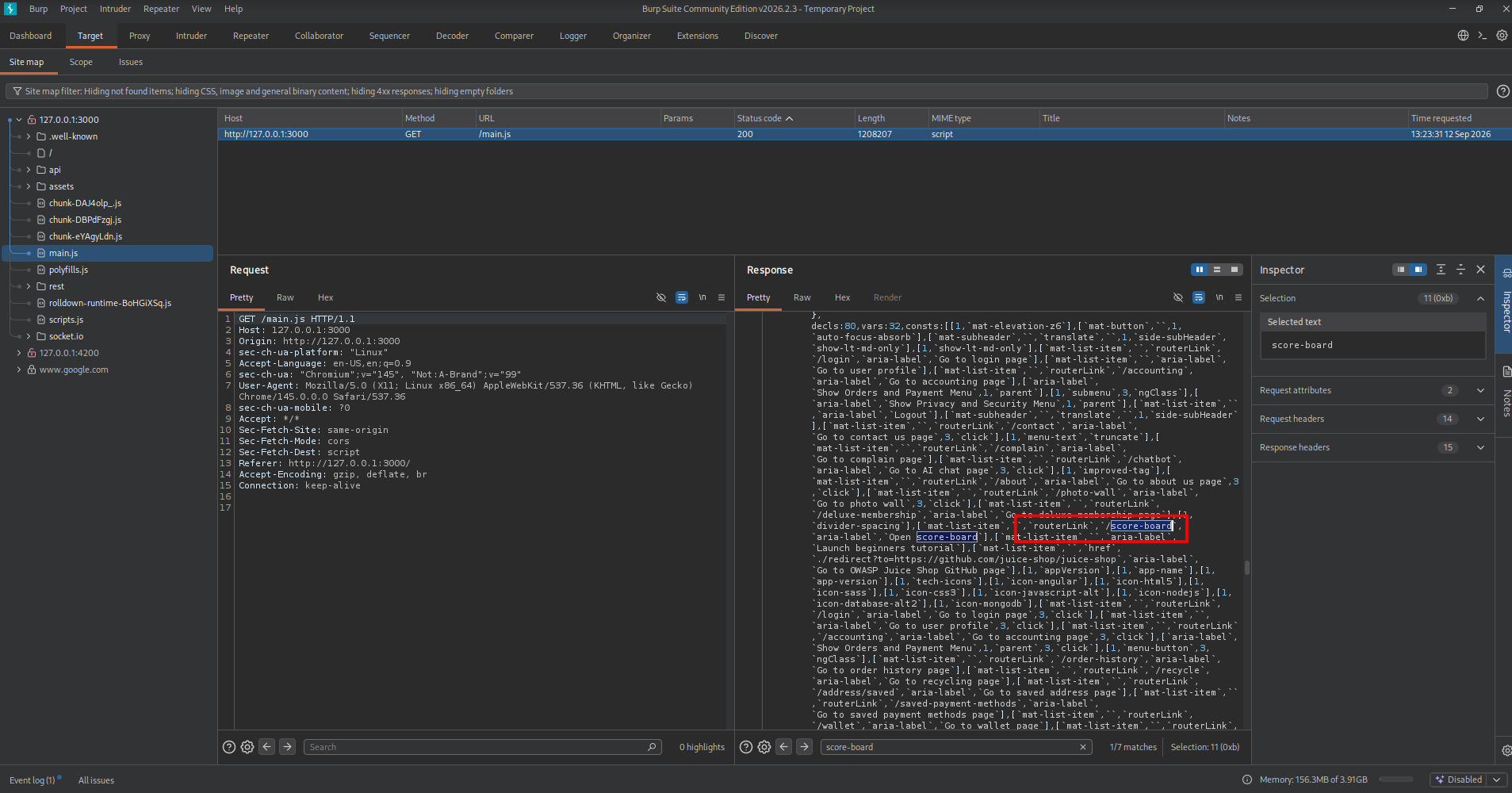
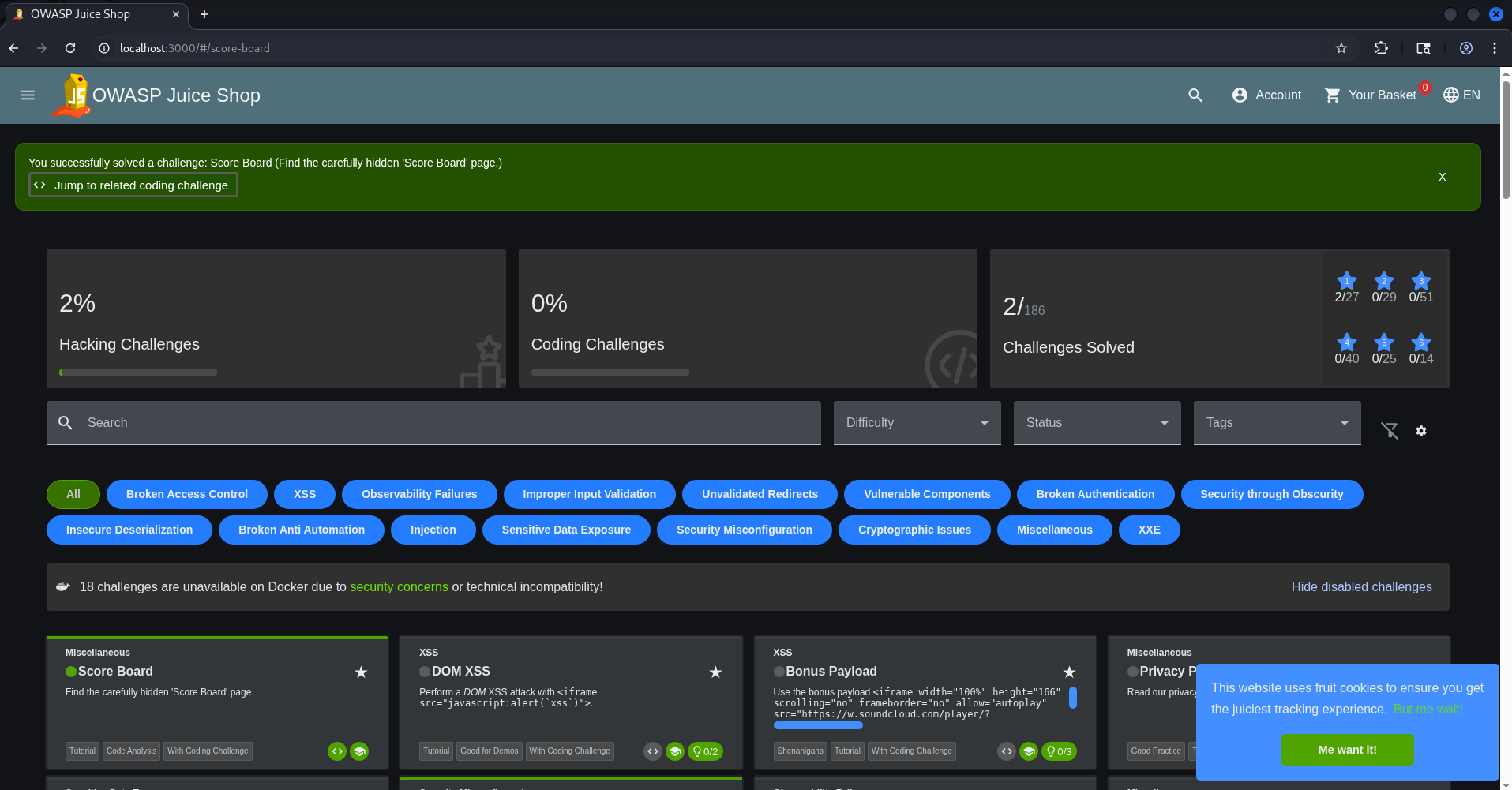
With the hidden path revealed, simply navigate to http://localhost:3000/#/score-board to unlock the scoreboard and view your achievements.
DOM XSS
The ‘DOM XSS’ challenge requires us to perform a DOM-based XSS attack. The goal is to inject malicious JavaScript code into the web application’s Document Object Model via an unfiltered input field—specifically targeting an iframe source attribute. To kick things off, I decided to test the waters with a classic image-based payload: <img src="x" onerror="alert('XSS')">
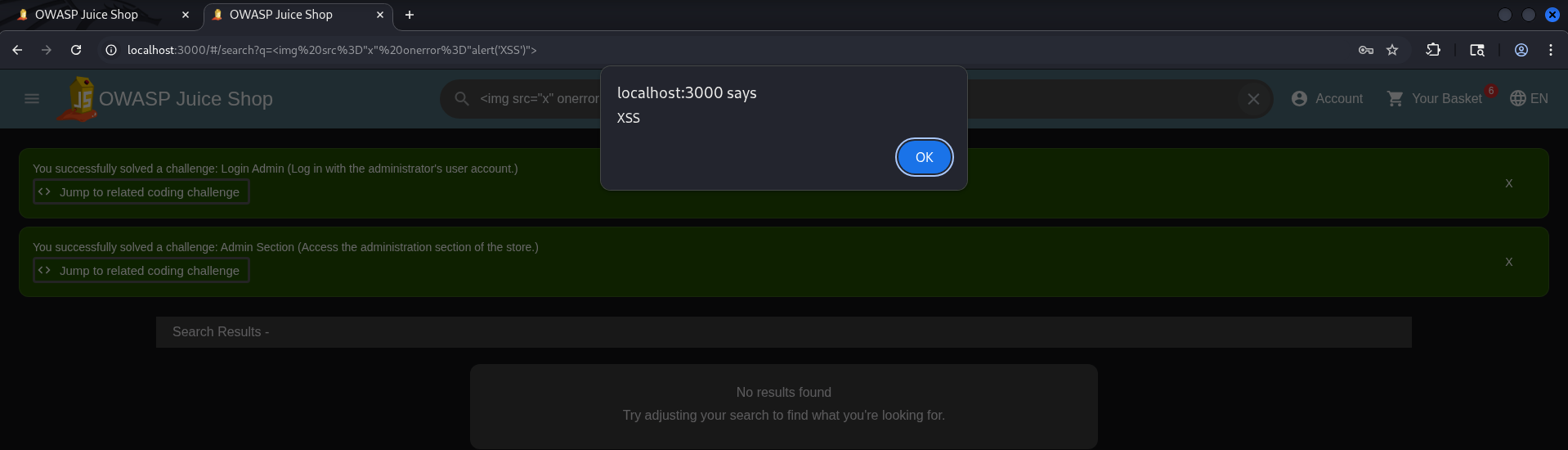
While the alert shows up nicely in the browser, there is no confetti yet. The scoreboard hinted at XSS via an iframe, so let’s see if this payload does the trick: <iframe src="javascript:alert('XSS via iframe')"></iframe>.
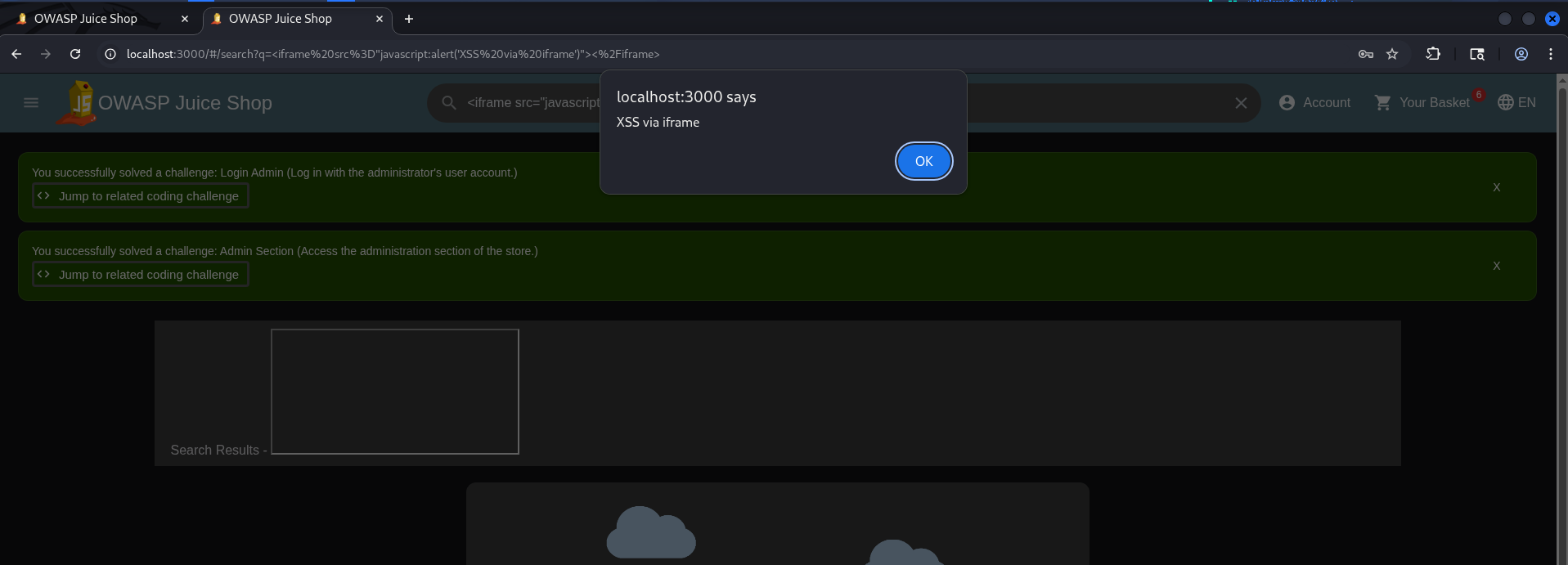
Even though the alert pop-up displays perfectly in the browser, the challenge hasn’t triggered yet, and there’s no confetti in sight. To fix this, let’s copy the exact payload provided by the scoreboard <iframe src="javascript:alert(xss)"> and use that instead.
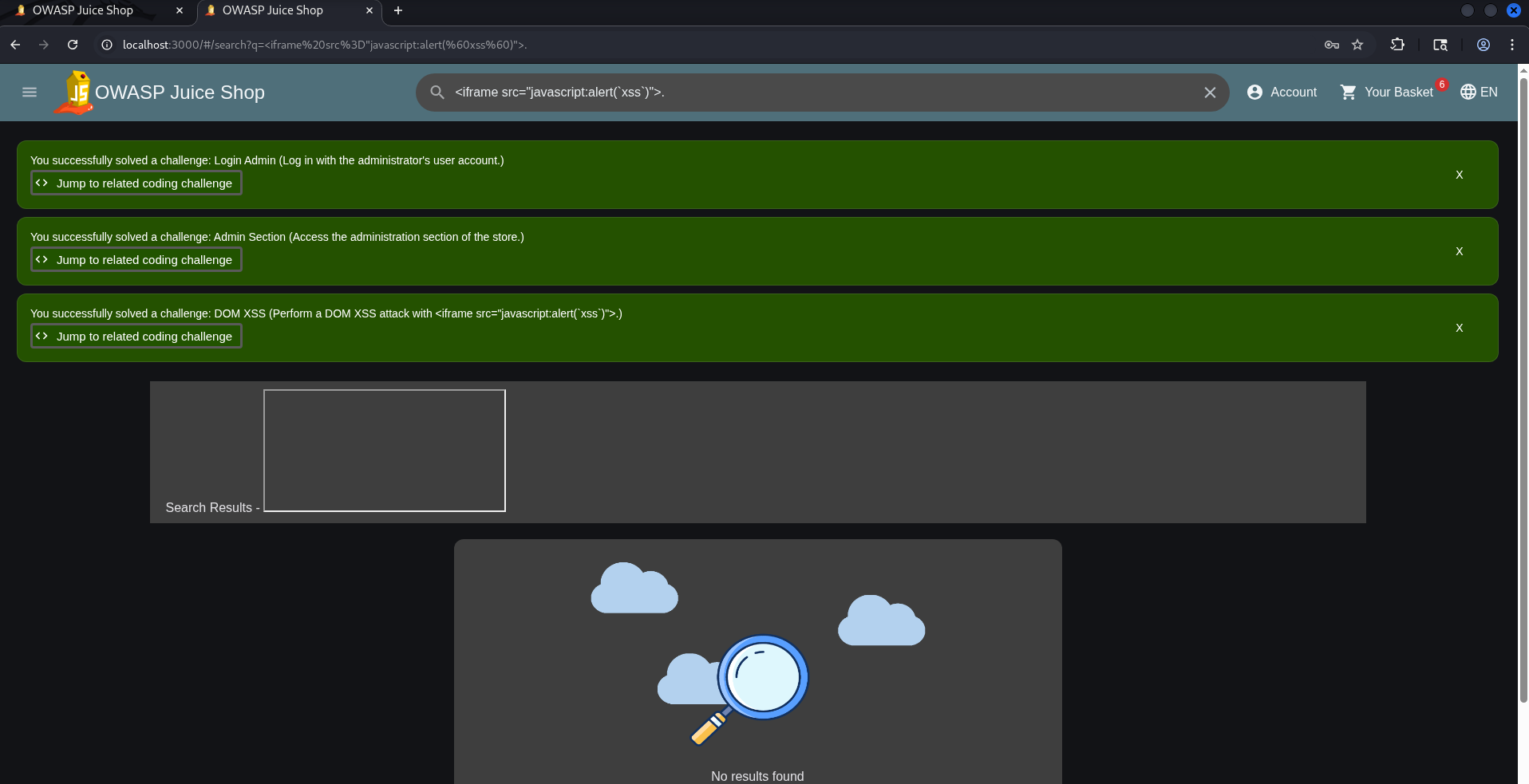
This time, the system confirms our success as a massive burst of confetti fires across the screen.
Bonus Payload DOM XSS
he scoreboard also features a Bonus DOM XSS payload designed to play a track right in the browser. Naturally, this is a pretty cool feature that we definitely want to test out!
1
2
<iframe width="100%" height="166" scrolling="no" frameborder="no" allow="autoplay" src="https://w.soundcloud.com/player/?url=https%3A//api.soundcloud.com/tracks/771984076&color=%23ff5500&auto_play=true&hide_related=false&show_comments=true&show_user=true&show_reposts=false&show_teaser=true"></iframe>
We enter our payload directly into the search bar and press enter to execute the attack vector. 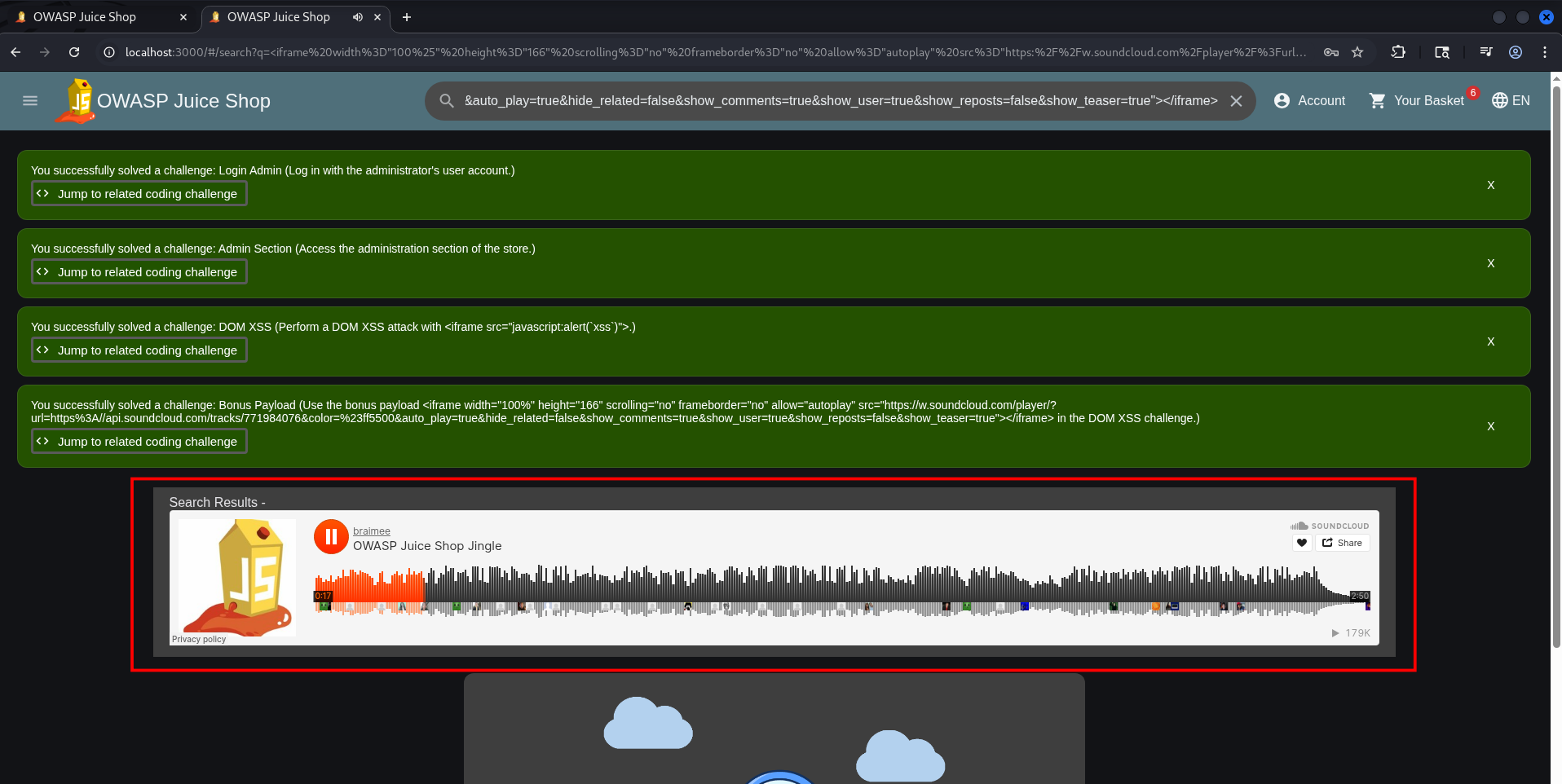
Remediation
Apply these security measures to neutralize Cross-Site Scripting vulnerabilities:
- Use secure frameworks: Rely on Angular, React, or Vue to automatically escape user inputs by default.
- Sanitize all input: Enforce strict validation on both frontend and backend to block malicious script execution.
- Implement CSP: Deploy a robust Content Security Policy to block unauthorized script sources and mitigate XSS risks.
Privacy Policy
The objective of this challenge is simply to consult the site’s Privacy Policy. This is a very straightforward task—all you need to do is navigate to: http://localhost:3000/#/privacy-security/privacy-policy. To find the page via the webpage follow the numbered steps in the screenshot. 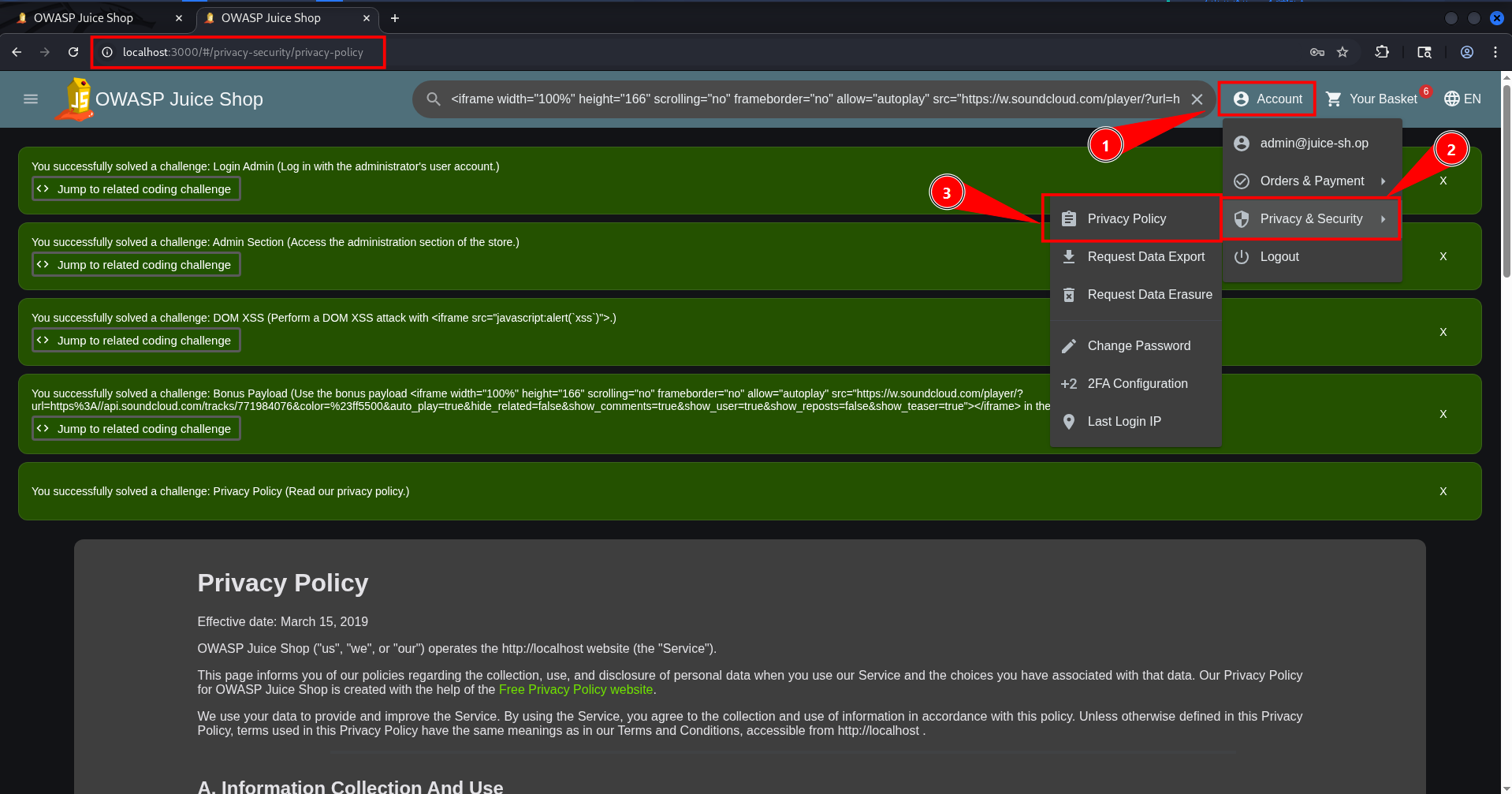
Remediation or advise
To protect public facing documents from leaking sensitive details, implement these compliance steps:
- Audit legal content: Regularly review legal and policy documents to ensure they don’t contain accidental clues or system details.
- Review before publishing: Conduct thorough content checks on all policy pages before deployment to prevent unintended data disclosure.
Mass dispel
At some point, the flood of success notifications can fill up your screen and become quite annoying. Fortunately, there is a hidden trick to clear them all at once. According to the official documentation, you can bulk dismiss all active alerts by simply holding the SHIFT key while clicking the X button on any notification. 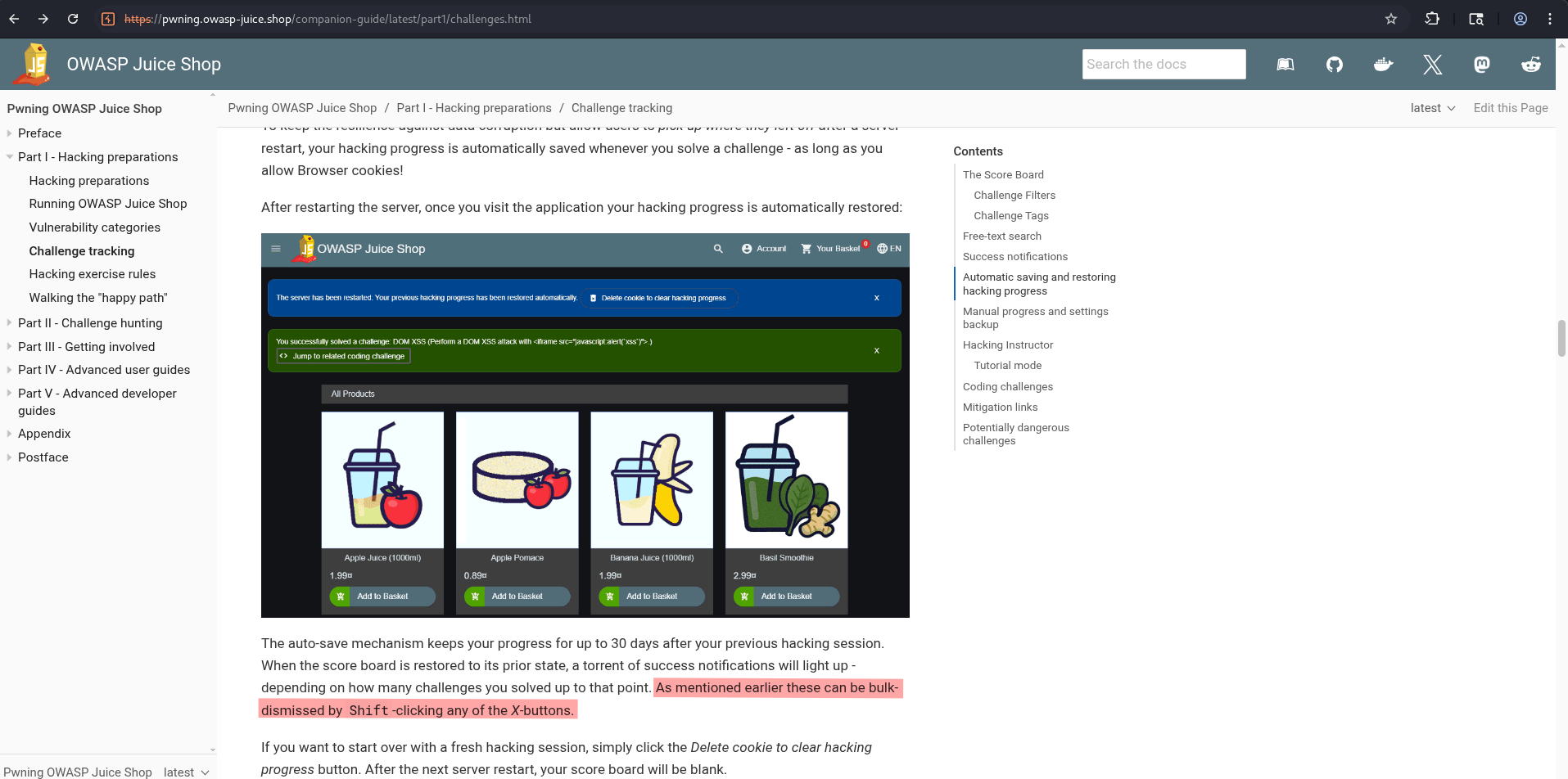
Let’s go ahead and do this right now before our entire screen disappears under a mountain of alerts! 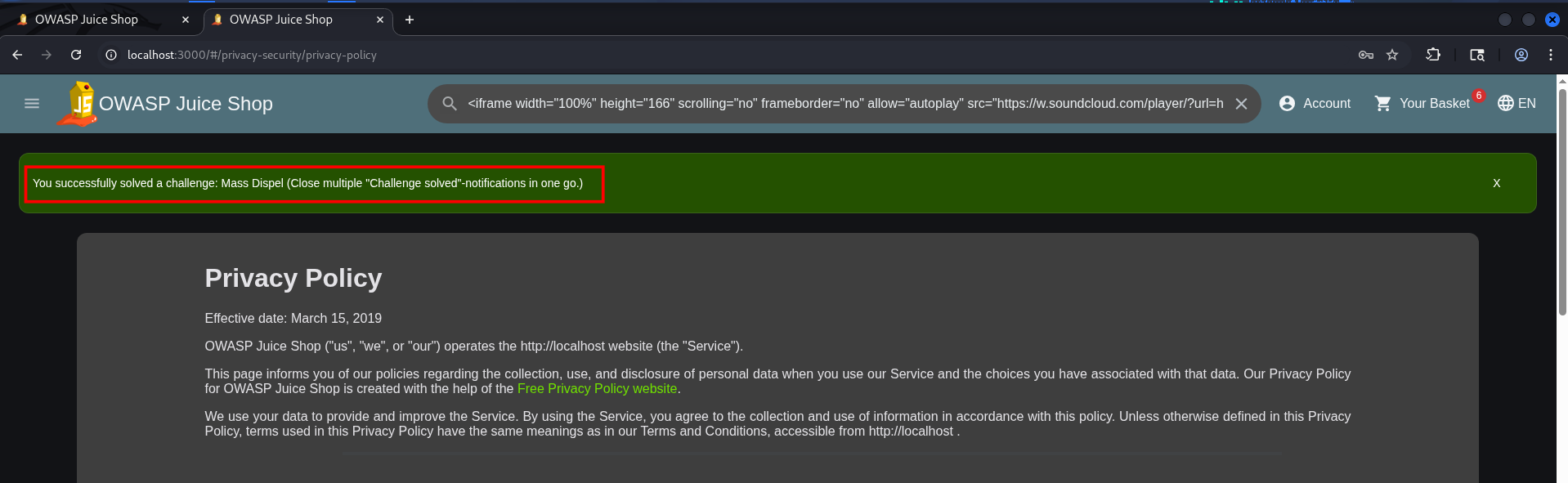
Confidential Document
The challenge involves accessing and retrieving a confidential document named acquisition.md from an FTP server. This challenge highlights issues related to sensitive data exposure due to improper access control configurations.
To enumerate folders and files we can use tools like:
- dirsearch
- Gobuster
- FFUf
- Dirb
- Dirbuster
- WFUZZ
In this case we use dirsearch.
1
2
3
4
5
6
7
8
9
10
11
12
13
14
15
16
17
18
19
20
21
22
23
24
25
26
27
28
29
30
31
32
33
34
35
36
┌──(emvee㉿kali)-[~/Documents/OWASP-Juice]
└─$ url=http://localhost:3000

┌──(emvee㉿kali)-[~/Documents/OWASP-Juice]
└─$ dirsearch -u $url -w /usr/share/wordlists/dirb/common.txt
/usr/lib/python3/dist-packages/dirsearch/dirsearch.py:23: DeprecationWarning: pkg_resources is deprecated as an API. See https://setuptools.pypa.io/en/latest/pkg_resources.html
  from pkg_resources import DistributionNotFound, VersionConflict

  _|. _ _  _  _  _ _|_    v0.4.3
 (_||| _) (/_(_|| (_| )

Extensions: php, aspx, jsp, html, js | HTTP method: GET | Threads: 25 | Wordlist size: 4613

Output File: /home/emvee/Documents/OWASP-Juice/reports/http_localhost_3000/_26-09-12_11-43-47.txt

Target: http://localhost:3000/

[11:43:47] Starting:
[11:43:51] 500 -    2KB - /apis
[11:43:51] 500 -    2KB - /api
[11:43:51] 301 -  156B  - /assets  ->  /assets/
[11:44:01] 200 -   11KB - /ftp
[11:44:13] 301 -  155B  - /media  ->  /media/
[11:44:23] 500 -    1KB - /profile
[11:44:23] 200 -    6KB - /promotion
[11:44:25] 500 -    2KB - /redirect
[11:44:26] 500 -    2KB - /rest
[11:44:26] 500 -    2KB - /restaurants
[11:44:26] 500 -    2KB - /restored
[11:44:26] 500 -    2KB - /restore
[11:44:26] 500 -    2KB - /restricted
[11:44:26] 200 -   28B  - /robots.txt
[11:44:38] 200 -    2MB - /Video
[11:44:38] 200 -    2MB - /video

Task Completed
There are two items in the results that we have to check:
- ftp
- robots.xt
In this case I decided to check the robots.txt before the FTP folder.
1
2
3
4
┌──(emvee㉿kali)-[~/Documents/OWASP-Juice]
└─$ curl $url/robots.txt
User-agent: *
Disallow: /ftp
With this information from robots.txt we can visit the FTP page. 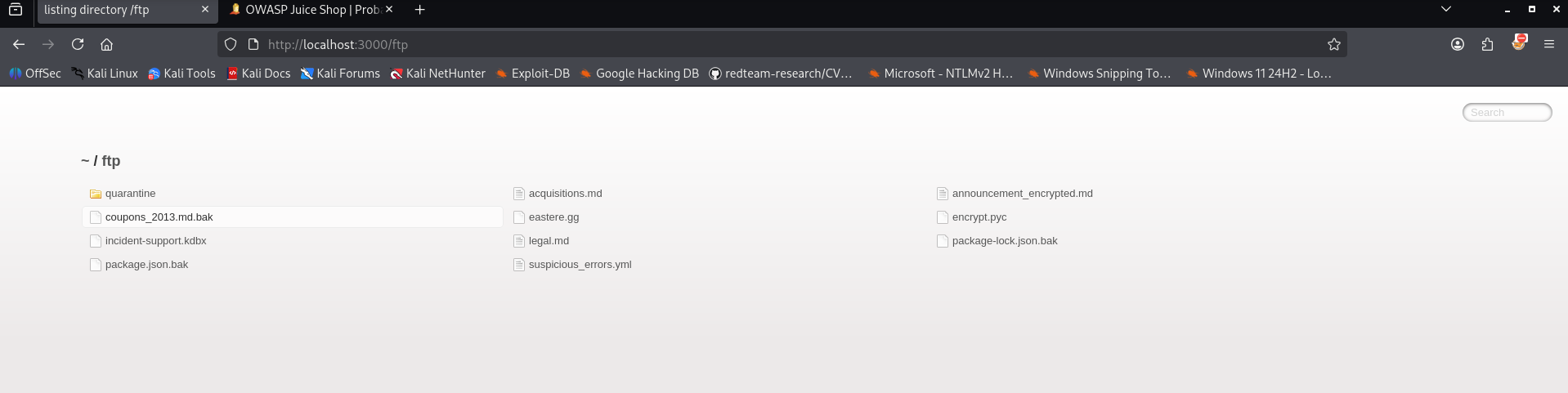
The FTP folder shows several files. By inspecting the files we have identified a confidential file.
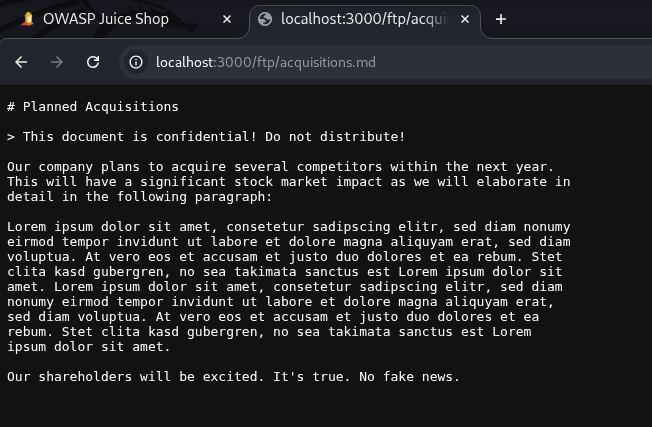
Remediation
- Lock down directories: Protect folders containing internal data with authentication mechanisms and strict access permissions.
- Clean up public storage: Audit servers to ensure zero sensitive or unintended files are left in publicly reachable folders.
Exposed Metrics
This challenge involves discovering an exposed metrics endpoint within the web application. Our goal is to find the specific endpoint that serves usage data intended to be scraped by a popular monitoring system. Looking at the challenge description on the scoreboard, we are given a clear hint with a direct link to the Prometheus GitHub repository.
When looking through the official OWASP Juice Shop documentation, searching for the term ‘Metrics’ immediately points us toward Prometheus. 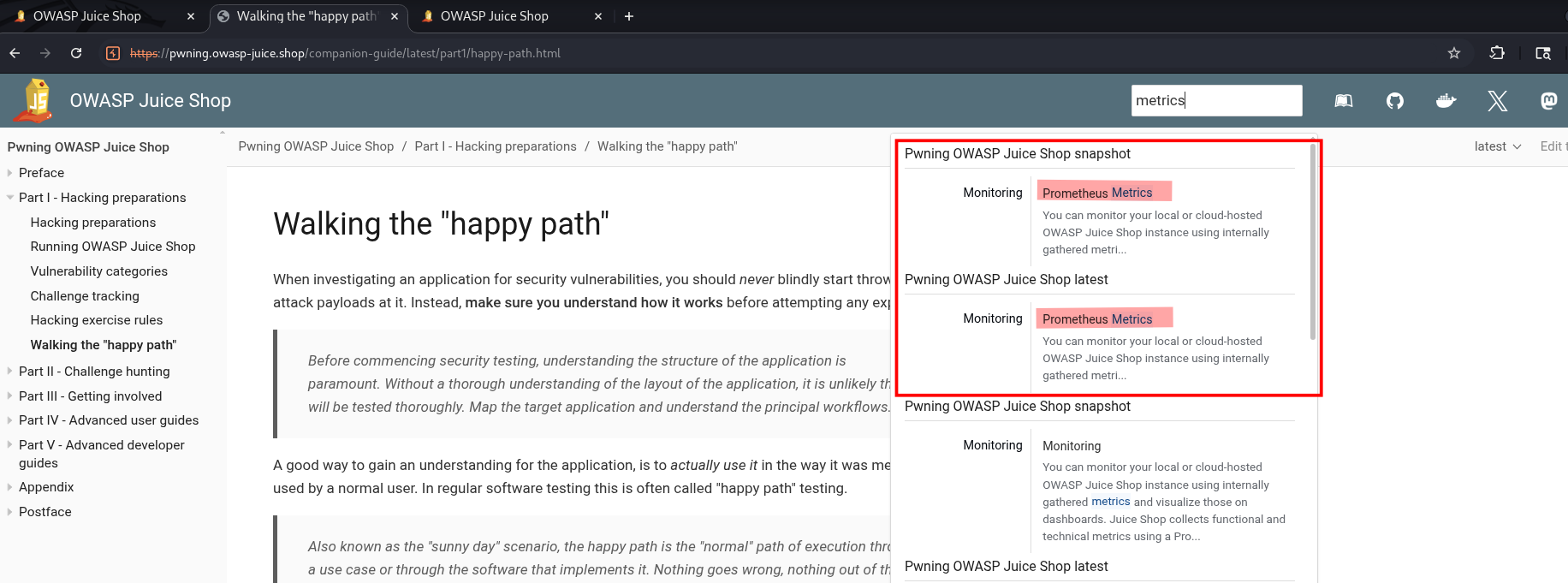
Based on the default configuration for Prometheus, we can expect the endpoint to be located at /metrics. To confirm this, we visit http://127.0.0.1:3000/metrics in our browser.
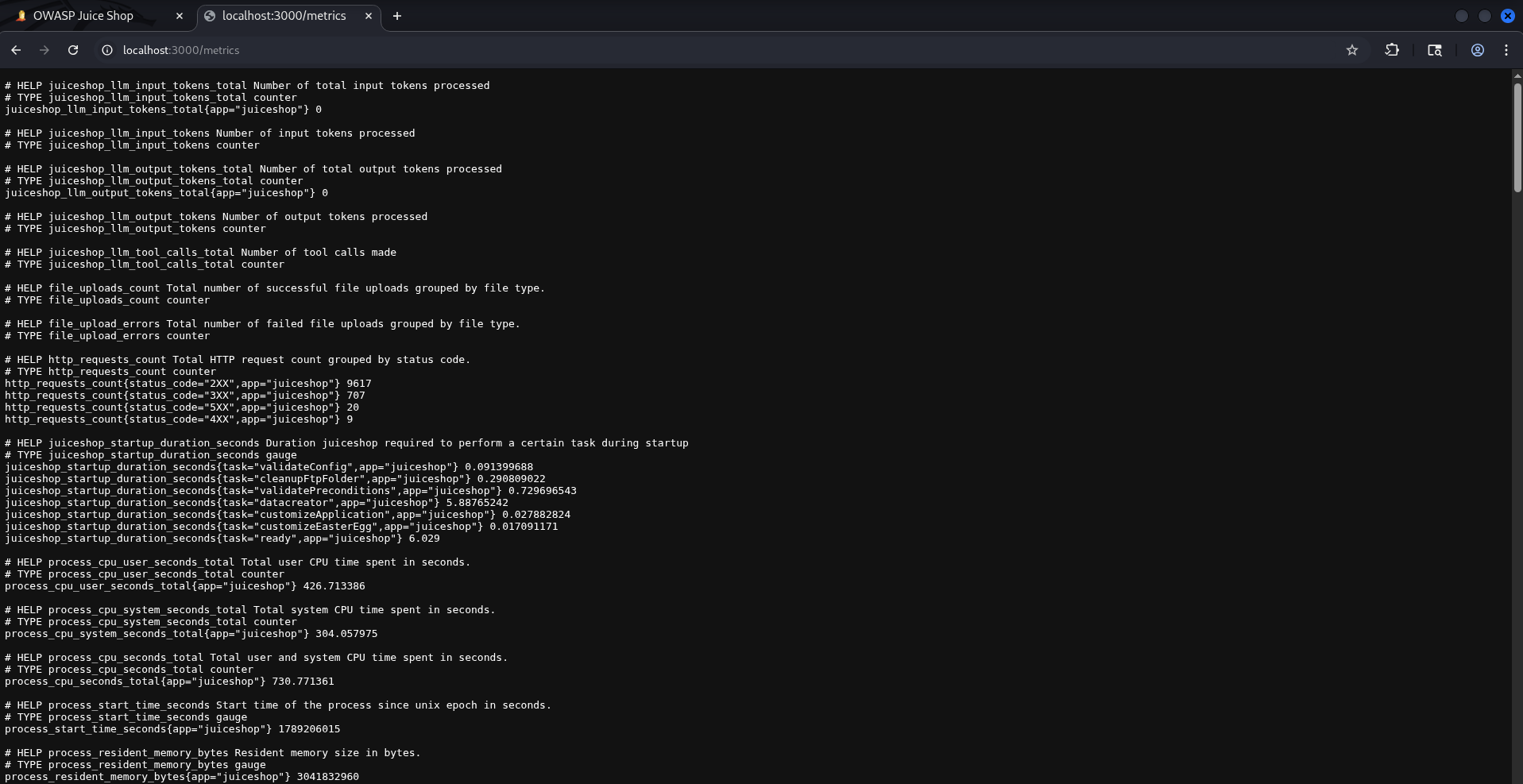
Accessing the endpoint successfully reveals the application’s internal metrics. The exposed data includes:
- Startup times for various application services.
- CPU and memory utilization statistics.
- Detailed runtime and system health indicators.
- File upload information, specifying file types and success/failure counts.
Why is this information interesting to an attacker? Because it significantly reduces the guesswork during the reconnaissance phase. Knowing resource usage, internal service behaviors, and file upload statistics gives malicious actors deep insights into how the application functions behind the scenes, making it easier to discover and exploit further vulnerabilities.
Remediation
- Enforce Access Controls: Limit access to the
/metricspath. It should require valid administrator authentication or be firewalled so that only your internal monitoring system (like Prometheus) can scrape the data
Error Handling
This challenge involves provoking an error that reveals backend details due to improper or non-systematic error handling. The task tests understanding of how server misconfigurations can expose sensitive information and system details that could be exploited.
In this case we can enter for example in the URL doesnotexist to see if the server is responding with an error that might reveal information to us. 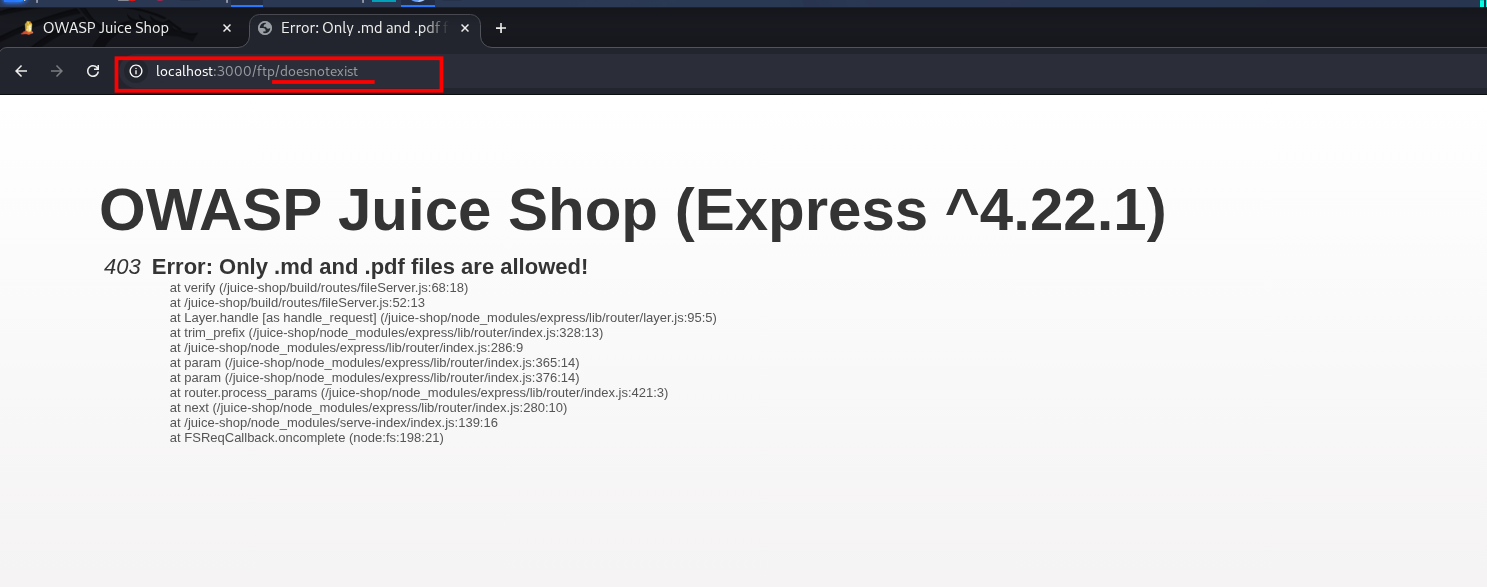
Remediation
Apply these security measures to prevent server details from slipping into your error pages:
- Use generic error messages: Ensure public error responses never leak information about your server stack or software versions.
- Secure backend logging: Route detailed stack traces and folder structures to internal logs, keeping them safely out of the UI.
- Update software regularly: Keep all server applications patched to protect your infrastructure against version specific exploits.
Missing Encoding
The scoreboard presents us with the following objective: Retrieve the photo of Bjoern's cat in "melee combat-mode". To be completely honest, when I first read this description, it didn’t ring any bells, and I had absolutely no idea where to start.
Essentially, this challenge requires us to retrieve a specific image from the web application that currently fails to load due to encoding issues in its URL. Solving it comes down to understanding how web browsers interpret URLs and recognizing why proper URL encoding is so critical.
Identifying the issue started on the photo wall, where one specific image failed to display. Upon inspecting the element with developer tools, I discovered that the image’s src attribute contained raw emojis. Because these special characters weren’t URL-encoded, the browser couldn’t resolve the path. 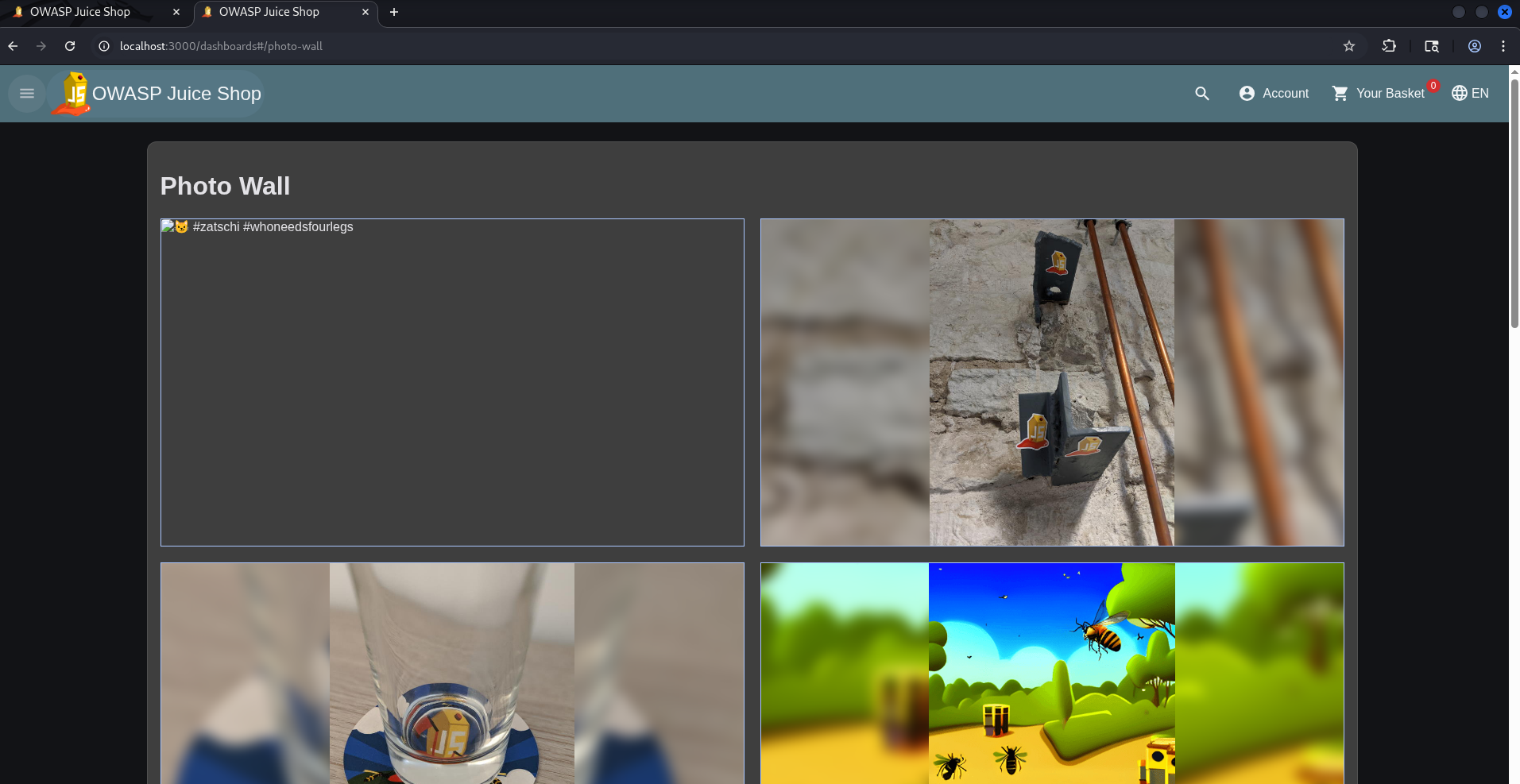
The core of the problem lies in how browsers process web traffic. Without proper URL encoding for special characters, the request becomes malformed, causing the browser to fail when trying to retrieve the image from the server. 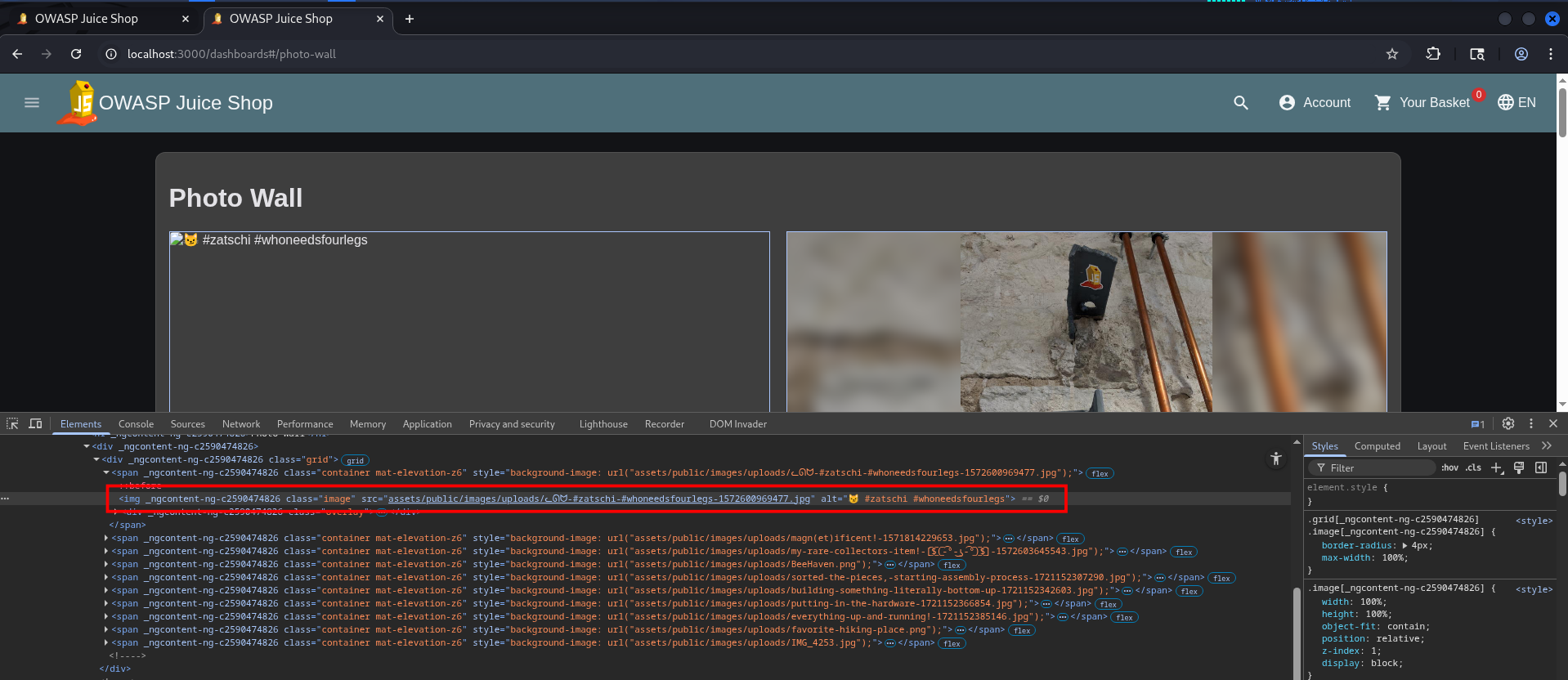
Since browsers can’t process raw emojis in URLs correctly, they need to be URL-encoded. To fix this, we can manually encode the emoji and paste the corrected path back into the browser. I used an online tool like urlencoder.org to quickly convert the special characters into their proper encoded format. 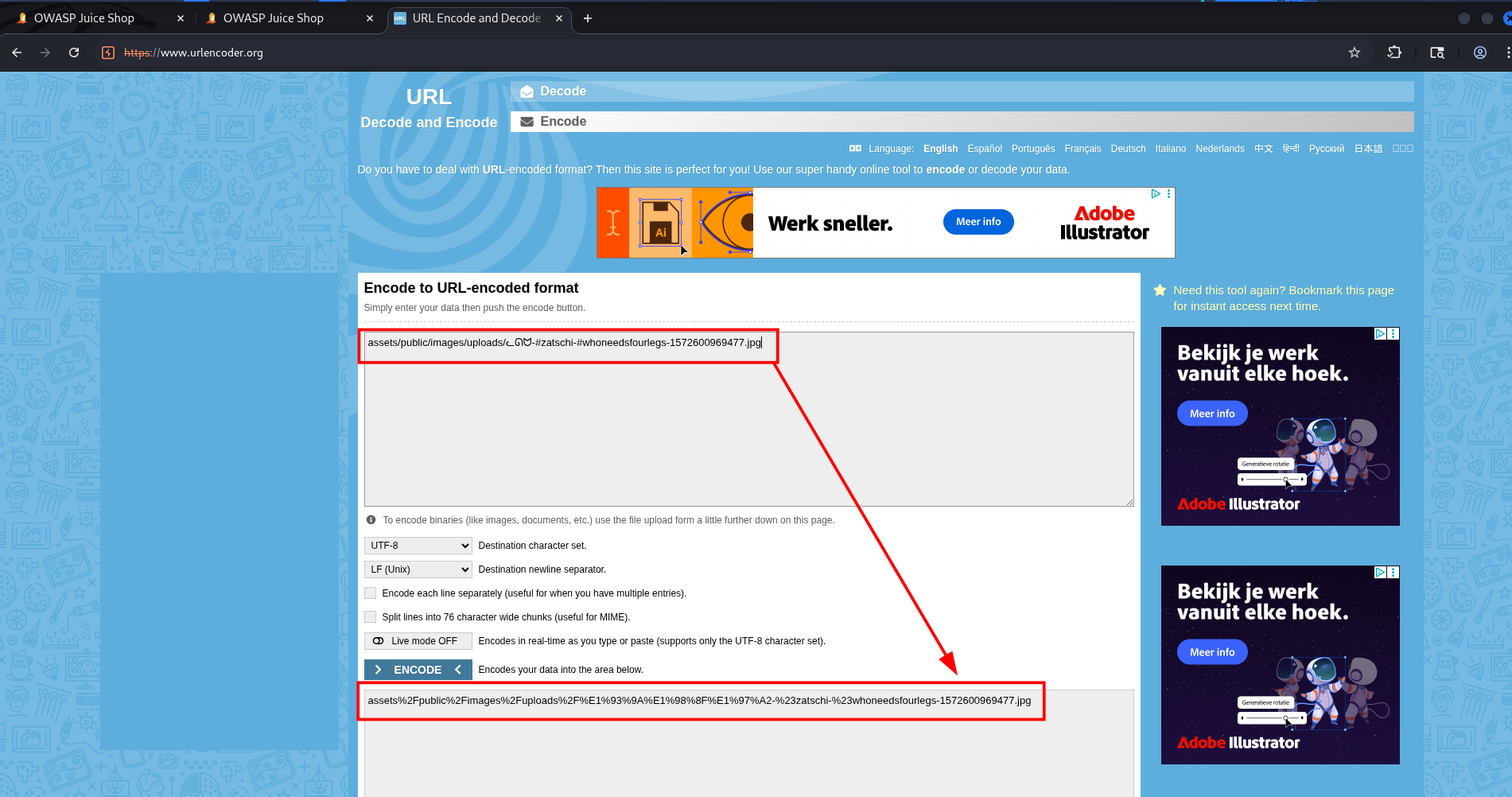
We change our URL from assets/public/images/uploads/ᓚᘏᗢ-#zatschi-#whoneedsfourlegs-1572600969477.jpg to its properly encoded version: assets%2Fpublic%2Fimages%2Fuploads%2F%E1%93%9A%E1%98%8F%E1%97%A2-%23zatschi-%23whoneedsfourlegs-1572600969477.jpg 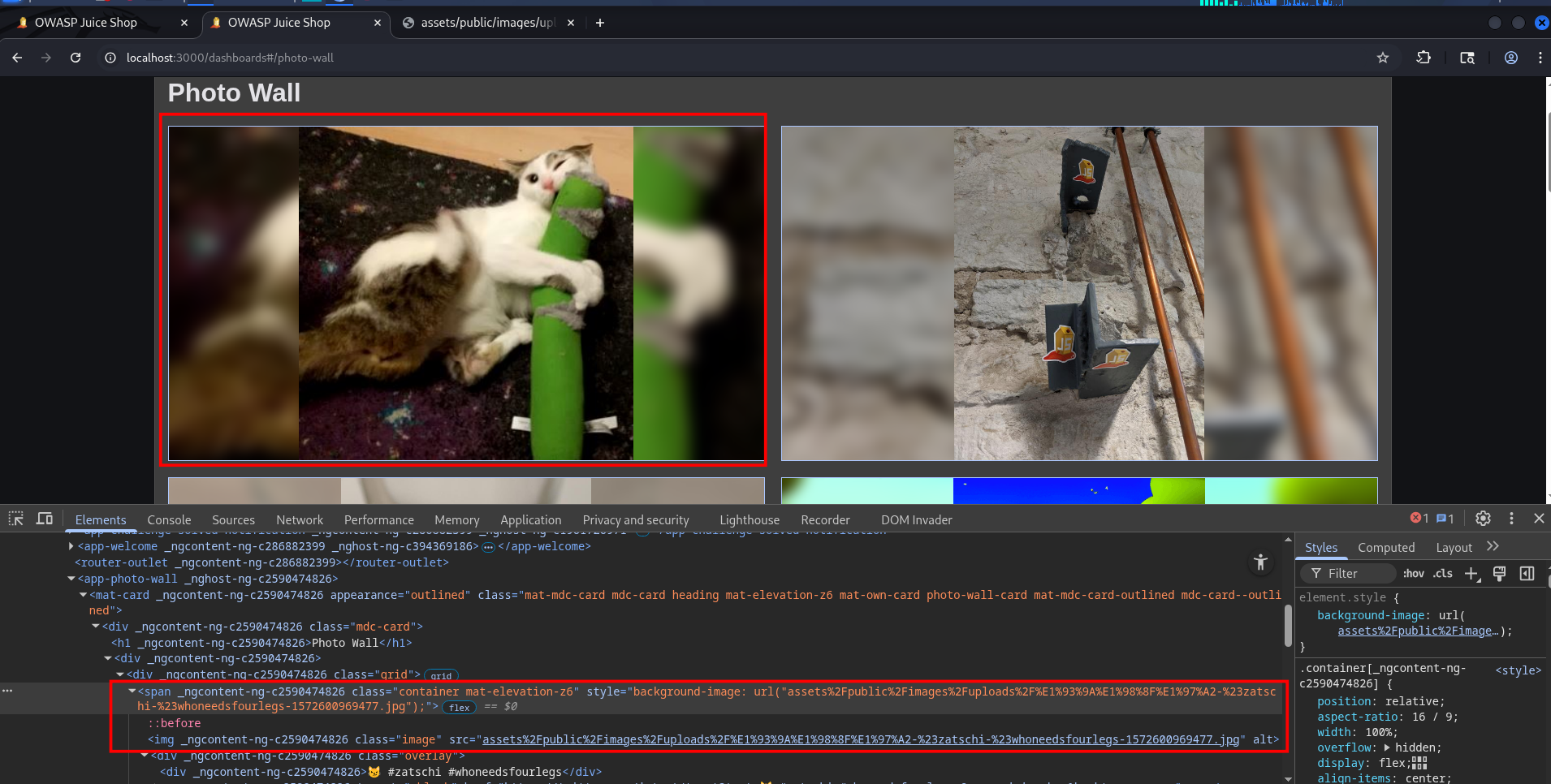
Even though I think I solved it correctly, the challenge still shows as unsolved. If anyone knows how to fix this, please let me know!
Remediation
The primary remediation step is to ensure that all URLs especially those containing non-standard or special characters are properly URL encoded before being embedded into your web pages. This can be handled using two approaches:
- Apply a Backend Solution: Configure your server-side logic to automatically encode URLs before they are delivered to the client-side environment.
- Implement Client-Side Validation: Use frontend functions to sanitize and encode URLs dynamically before rendering them in the HTML document.
Outdated Allowlist
The ‘Outdated Allowlist’ challenge tests your ability to exploit unvalidated redirects. By leveraging an outdated whitelist of allowed addresses, we can alter the destination URL to point to an unauthorized cryptocurrency address.
When exploring the challenge, we notice that the web application generates QR codes for cryptocurrency transactions. Diving into the client-side code, a quick look at the main.js file reveals that specific crypto addresses are completely hardcoded. Furthermore, the script handles redirection by pointing users to these exact addresses based on their selection.”
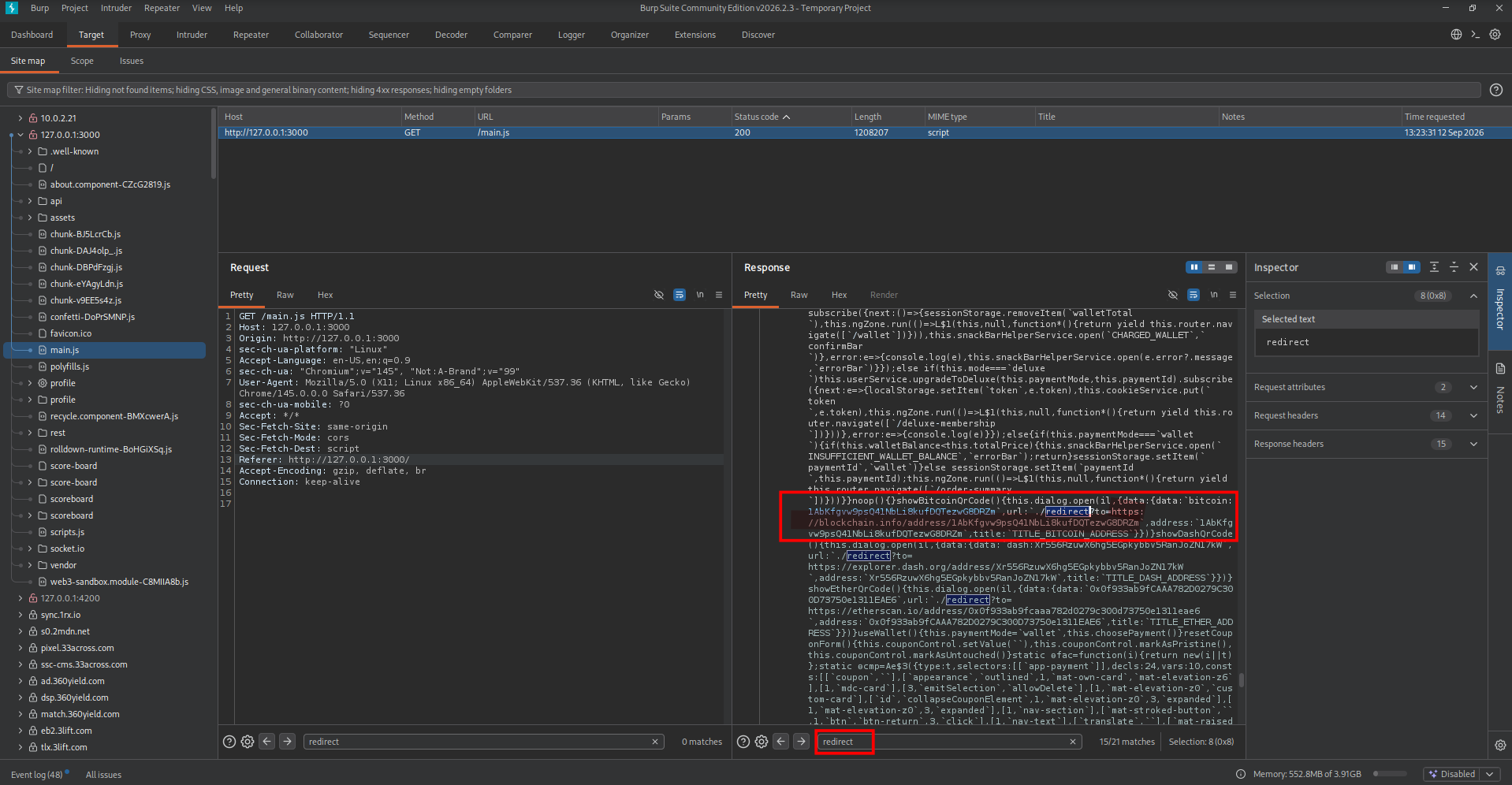
The full URL is: http://localhost:3000/redirect?to=https://blockchain.info/address/1AbKfgvw9psQ41NbLi8kufDQTezwG8DRZm
Remediation
- Keep Allowlists Updated: Regularly review and update the list of allowed redirection targets to eliminate obsolete addresses.
Repetitive Registration
The “Repetitive Registration” challenge highlights a classic case of improper user input validation, specifically focusing on how the application handles password confirmation fields. On the scoreboard, this challenge is cheekily hinted at with the acronym DRY. In software engineering, DRY stands for “Don’t Repeat Yourself” a fundamental principle dictating that every piece of logic or data should have a single, unambiguous representation within a system. By forcing the user to repeat their password, the registration form ironically violates the very principle the challenge encourages you to exploit.
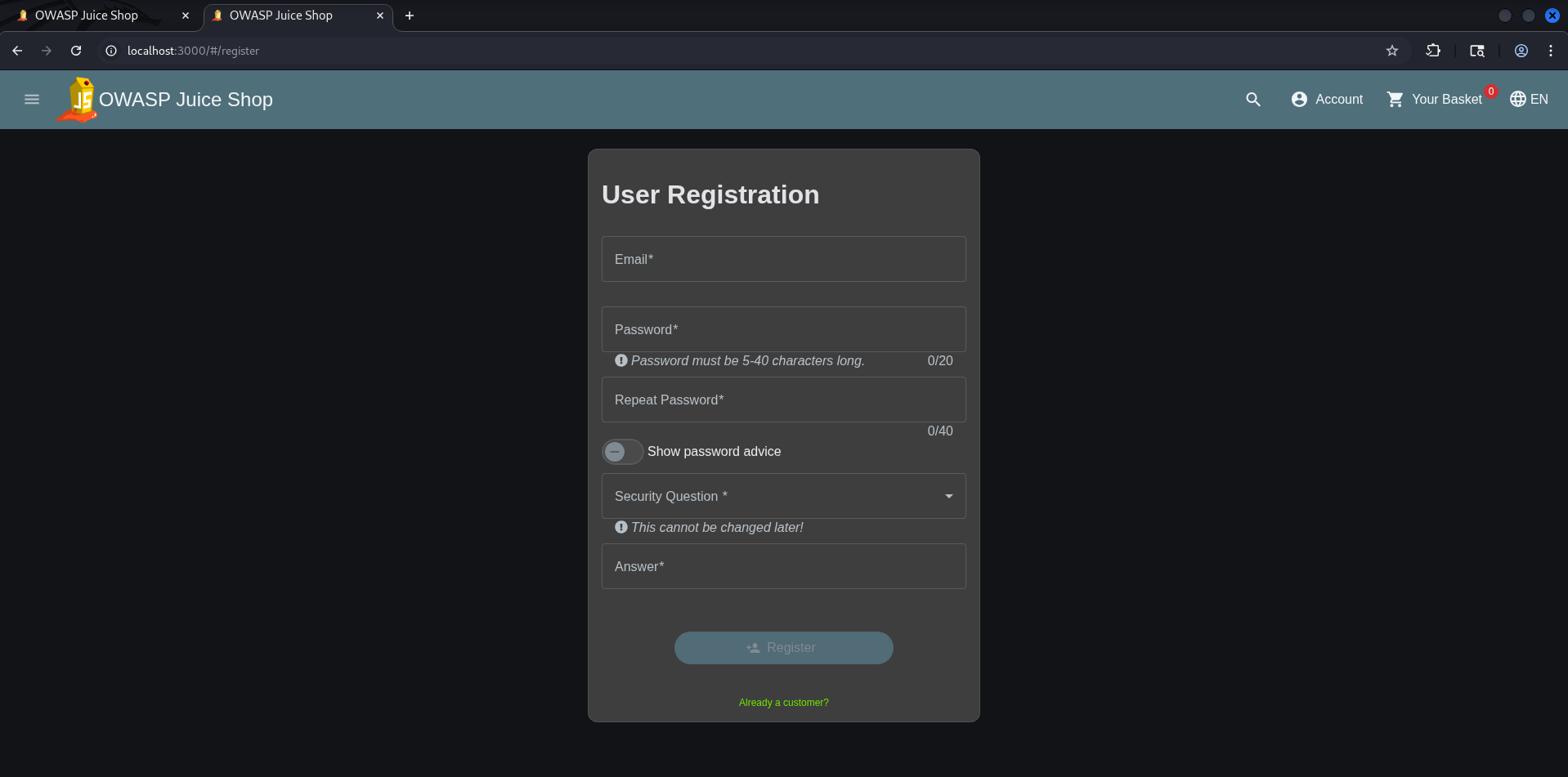
As soon as the registration form is shown we can enter the data we want to. 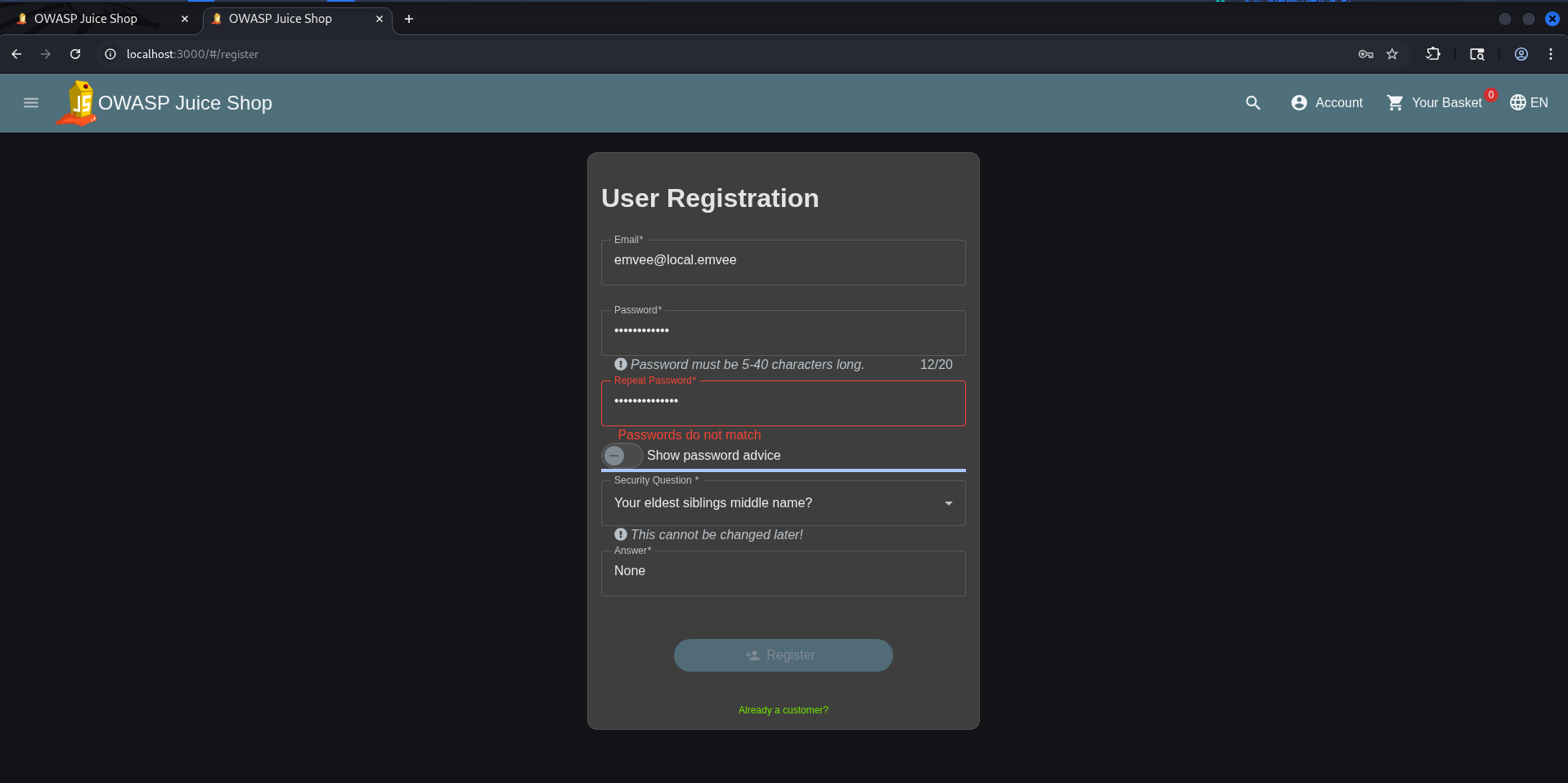
We have to enter two different passwords to be succesfull in this challenge. 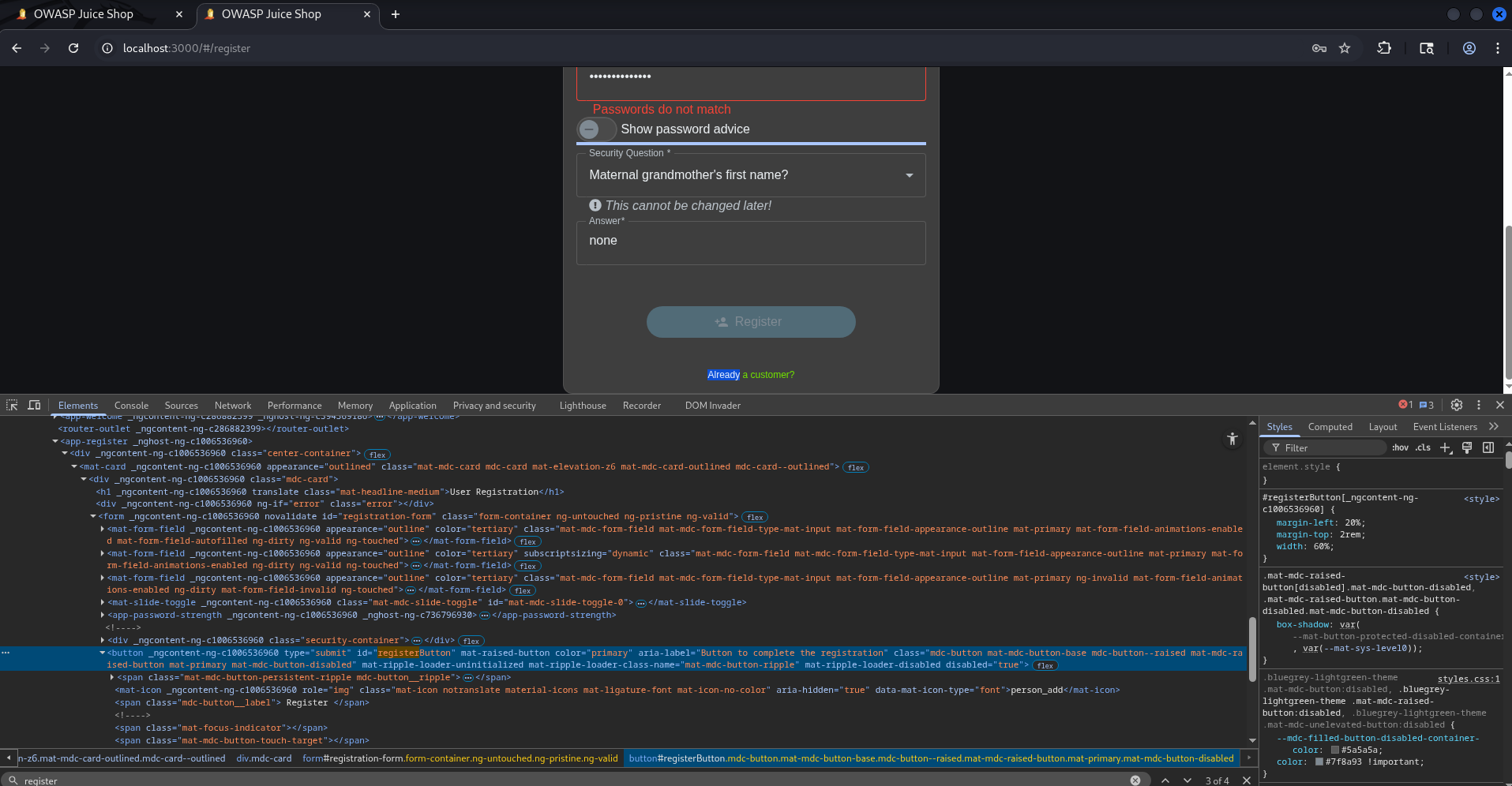
In the developer console we have to search for the button text Register. 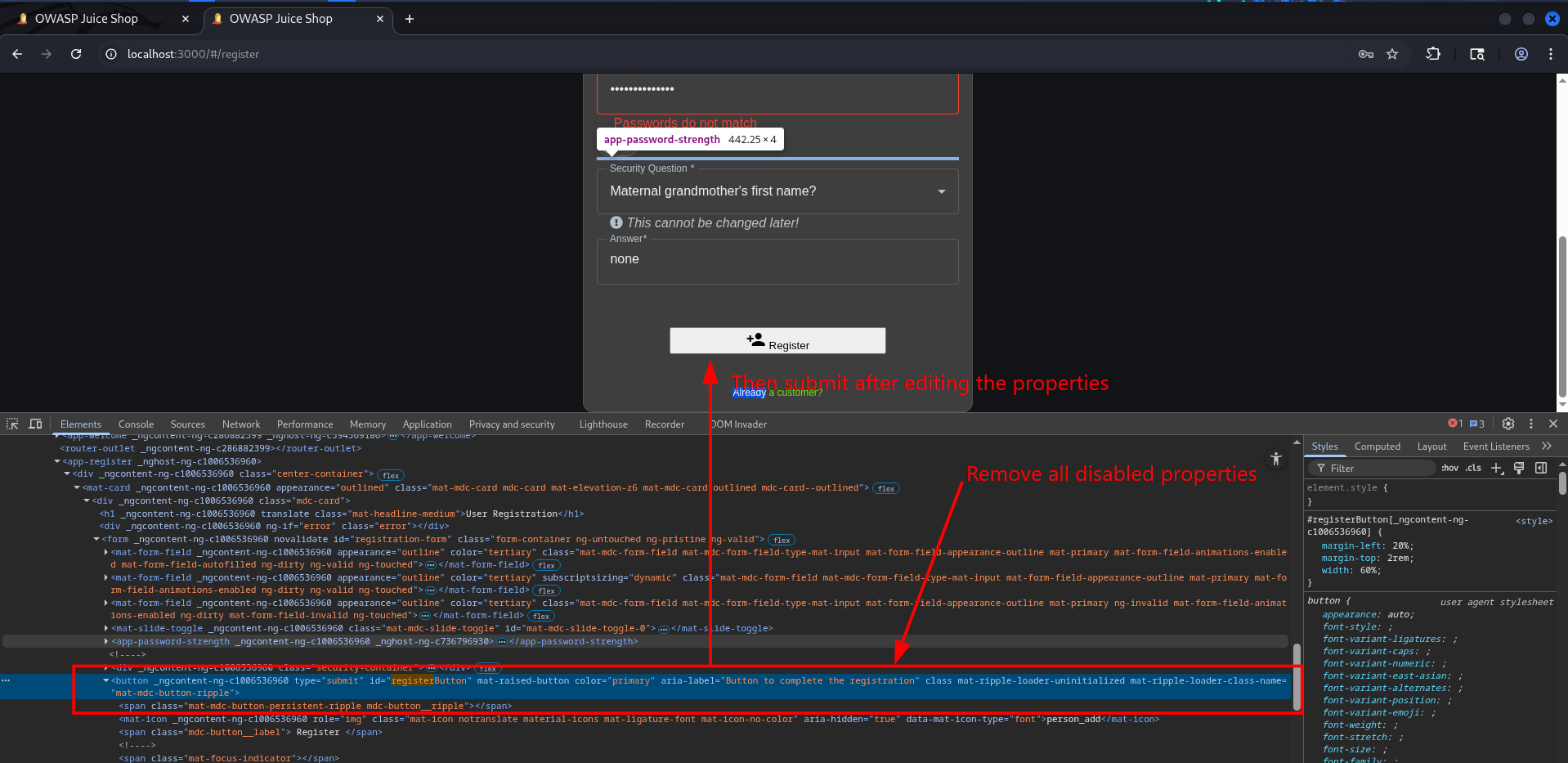
After removing all the disabled attributes, we can finally click the button to successfully submit our data.
Remediation
Always enforce server-side checks alongside client-side validations:
- Validate on the Server: Reverify all inputs (like matching passwords and character lengths) on the backend.
- Secure Form Handling: Reject any submission where critical fields have been tampered with.
- Audit Regularly: Conduct routine security audits targeting input validation and authentication flaws.
Web3 Sandbox
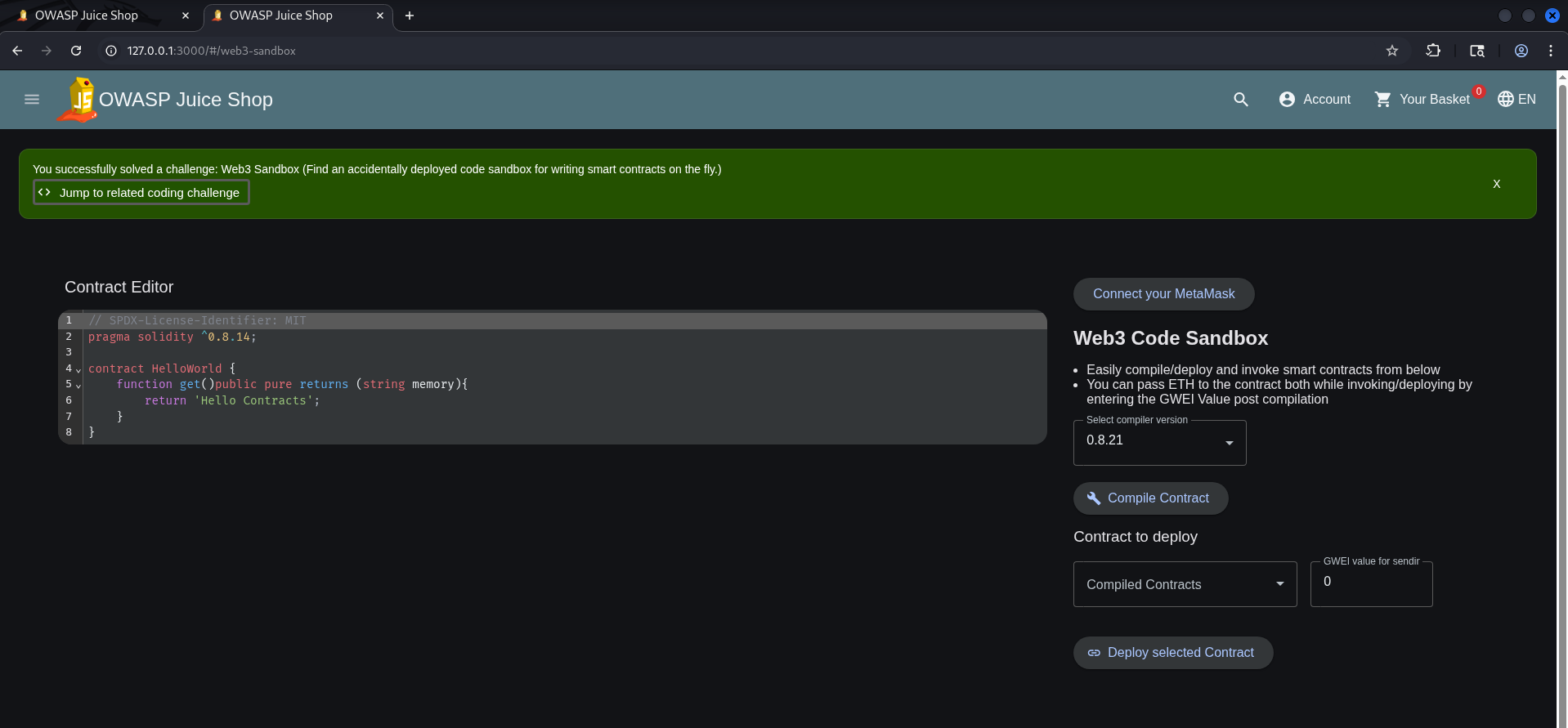
Our next target focuses on Web3 security with the clue: Find an accidentally deployed code sandbox for writing smart contracts on the fly. To solve this, we need to discover an exposed smart contract playground that was mistakenly left accessible. This challenge highlights the risks of broken access control in web applications.
Tracking down this hidden environment turns out to be a classic exercise in directory guessing. Since the challenge hints at an accidentally deployed tool, we can safely assume it resides on a less obvious path. To find it, I start testing common URL variations associated with development and testing environments such as /sandbox, /test, /development or /dev. It doesn’t take long before hitting the jackpot: navigating to http://127.0.0.1:3000/#/web3-sandbox successfully grants access.
Remediation
To prevent these issues and protect web applications from similar access control vulnerabilities, implement the following best practices:
- Strictly Segregate Environments: Ensure development, testing, and production environments are entirely separated. Development playgrounds, sandboxes, and debugging tools should never be built into or accessible from production servers.
- Enforce Robust Access Controls: Restrict sensitive or administrative functionalities. If a tool must exist, it must require strong authentication and authorization, limiting access exclusively to verified internal users.
- Mitigate URL Guessing: Disable directory listing across the web server. Do not rely on “security through obscurity” by assuming an unlinked URL cannot be found; if it exists publicly, it will be discovered.
- Conduct Regular Audits: Perform frequent security audits and penetration testing. Regularly scanning your external attack surface helps catch and clean up forgotten internal tools before attackers find them.
Zero Stars
This challenge tests your ability to manipulate web forms and intercept network requests to bypass input validation. The goal is to submit a zero-star feedback rating for the store. To pull this off successfully, we first need to log in and navigate to the feedback submission form. 
Once all fields are filled out, make sure to toggle “Intercept” is on in Burp Suite before hitting submit. 
We intercept our POST request and modify the 3-star rating to a 0-star rating before forwarding it. 
Simply change the value from 3 to 0 and forward the intercepted traffic. 
When we return to the web application, we will see a confirmation that our 0-star rating has been successfully saved and the challenge is complete. 
Remediation
To prevent these issues and protect your application against improper input validation, implement the following best practices:
- Enforce Server-Side Validation: Never rely on the browser. Every input, including the rating value must be strictly validated on the server to block unauthorized or manipulated data.
- Treat Client-Side Controls as Secondary: While hardening client side scripts makes tampering harder, always assume client side validation can and will be bypassed. It should never be your only line of defense.
- Enforce Strict Data Types: Define precise data structures for user input. The rating field should strictly accept expected integers (like 1 to 5) and reject unexpected values like 0, negative numbers, or null.